Marketing
Ask visitors for cookie consent
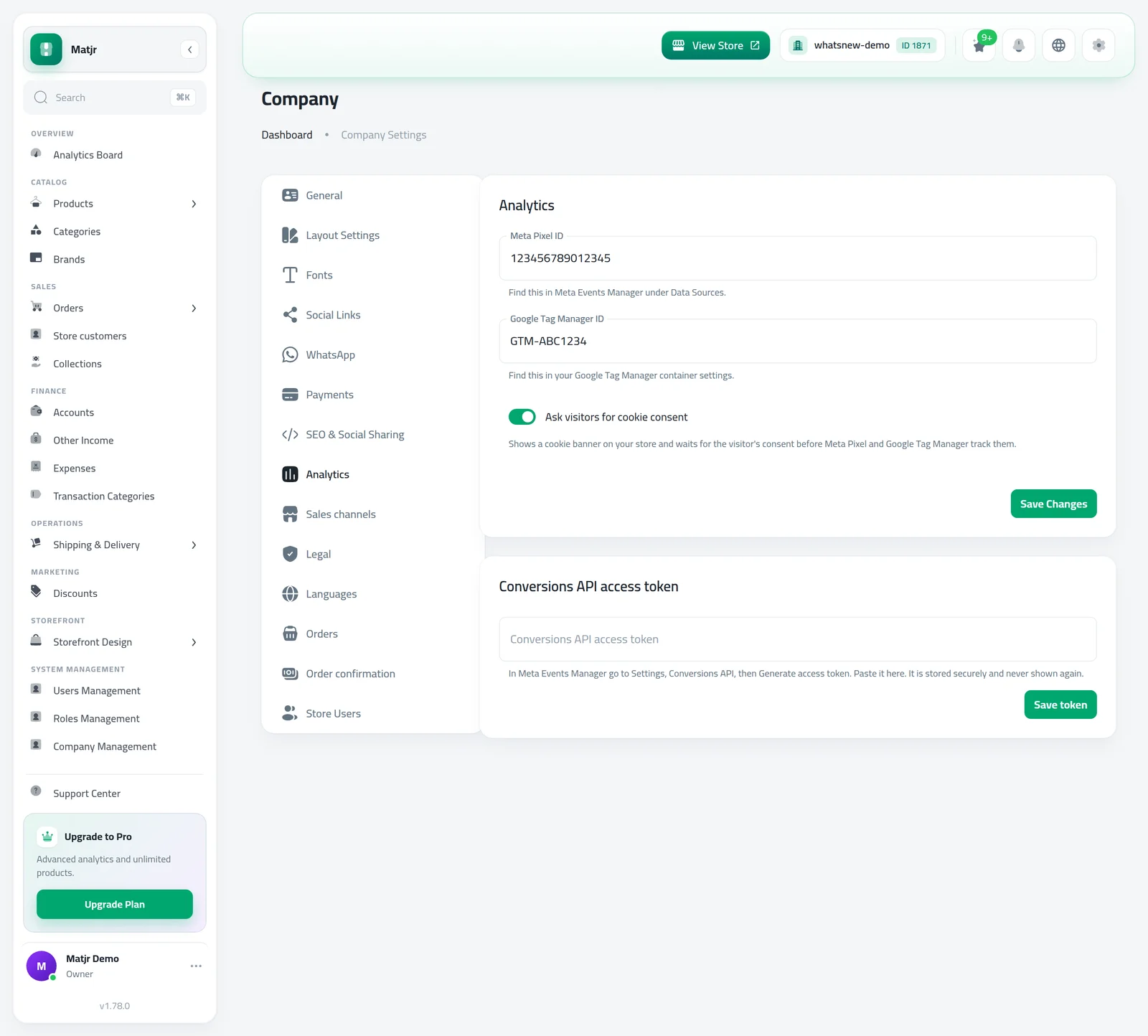
Turn on one switch and your store asks visitors for cookie consent. Meta Pixel and Google Tag Manager wait until they accept.
- Where
- Company Settings, Analytics
- Who can use it
- Stores with Meta Pixel or Google Tag Manager
- Default
- Off
If your shoppers expect to be asked about cookies, or the law where they live requires it, your store can now ask them before your ad tools start.
What changed
- A new switch, Ask visitors for cookie consent, in your analytics settings.
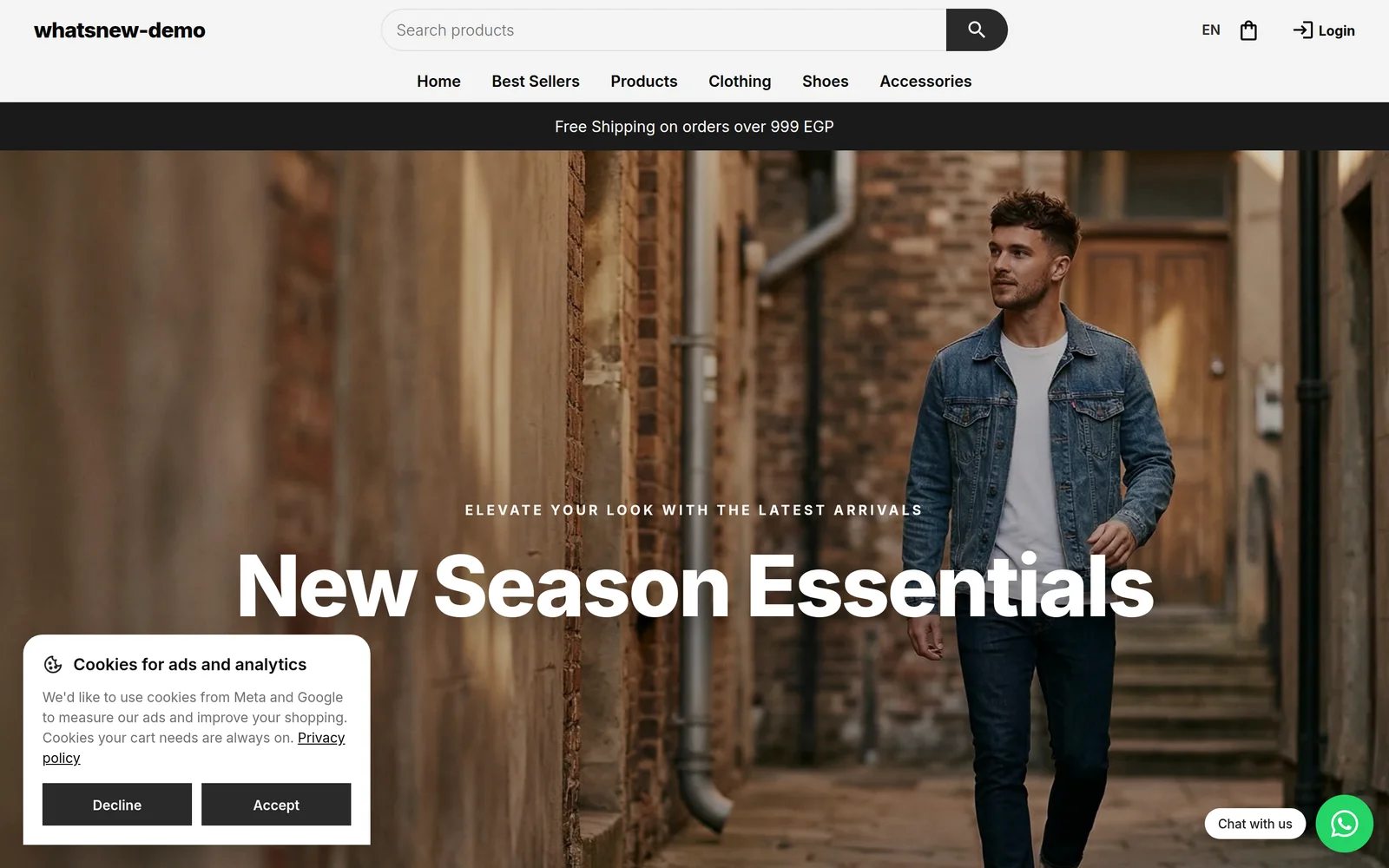
- When it is on, a small card appears at the bottom of your store. On a phone it opens from the bottom of the screen.
- Meta Pixel and Google Tag Manager stay quiet until the visitor presses Accept. If they press Decline, nothing is sent.
- The card names the tools your store uses: Meta, Google, or both.
- A Cookie settings link in your footer lets visitors change their mind.
How to use it
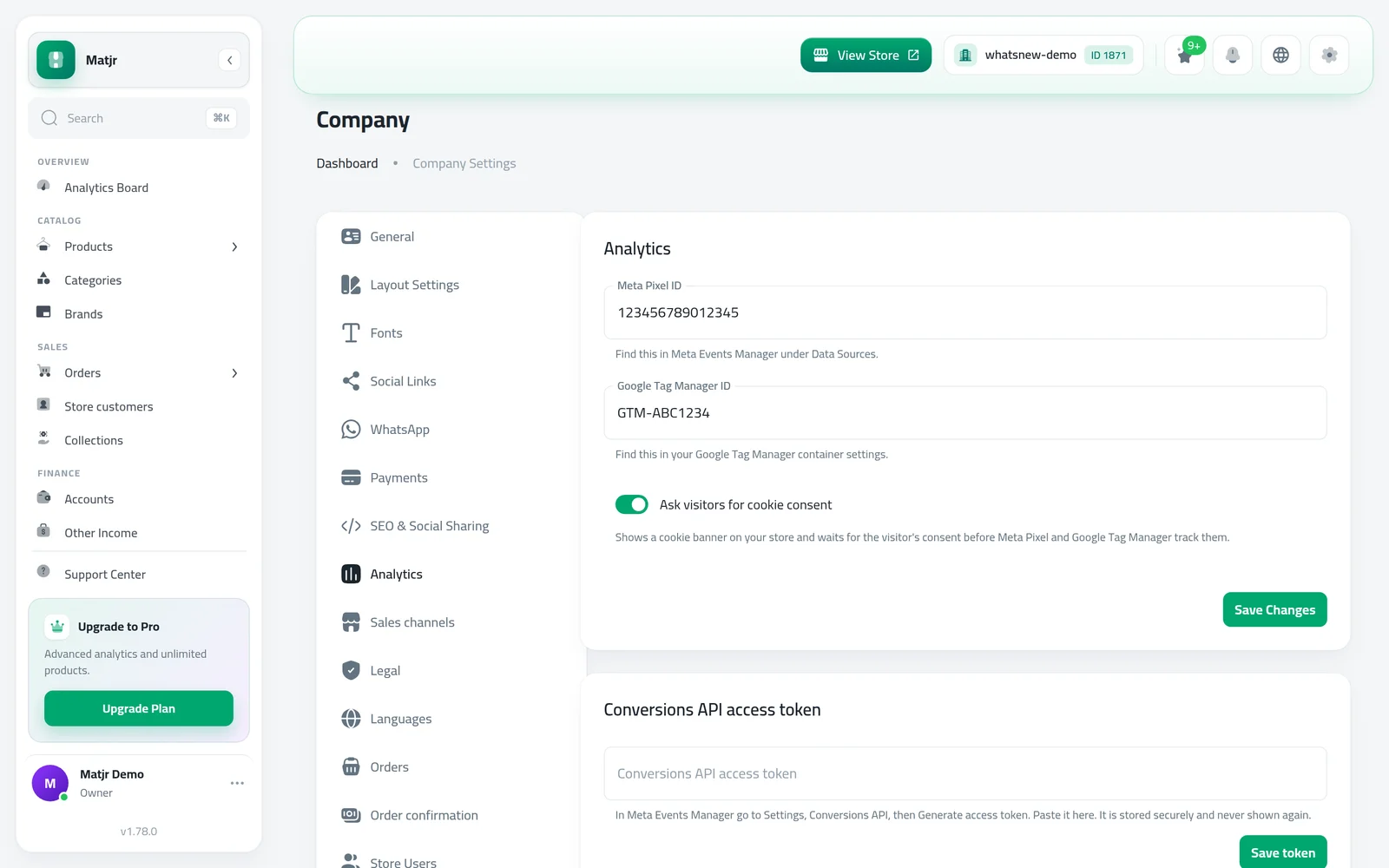
Open Company Settings and the Analytics tab. Switch on Ask visitors for cookie consent and save.
Open your store in a private window. The cookie card appears at the bottom of the page.
Good to know
- The switch needs a Meta Pixel or Google Tag Manager in the same settings. Without one, no card is shown.
- Until a visitor accepts, orders do not send that visitor's browsing details to Meta.
- The card and the footer link appear in Arabic and English.
- Your Meta Pixel and Google Tag Manager fields do not change when you use the switch.
Frequently asked questions
Does it change my ads right away?
Visitors who decline or ignore the card are not tracked. Your numbers in Meta and Google can drop, because they only count visitors who accepted.
Can a visitor change their mind?
Yes. The Cookie settings link in your footer reopens the card.
Is it on by default?
No. Your store stays as it is until you switch it on.
Try it on your own store
Start your free trial. No credit card required.