Customers
See all your customers, guests included
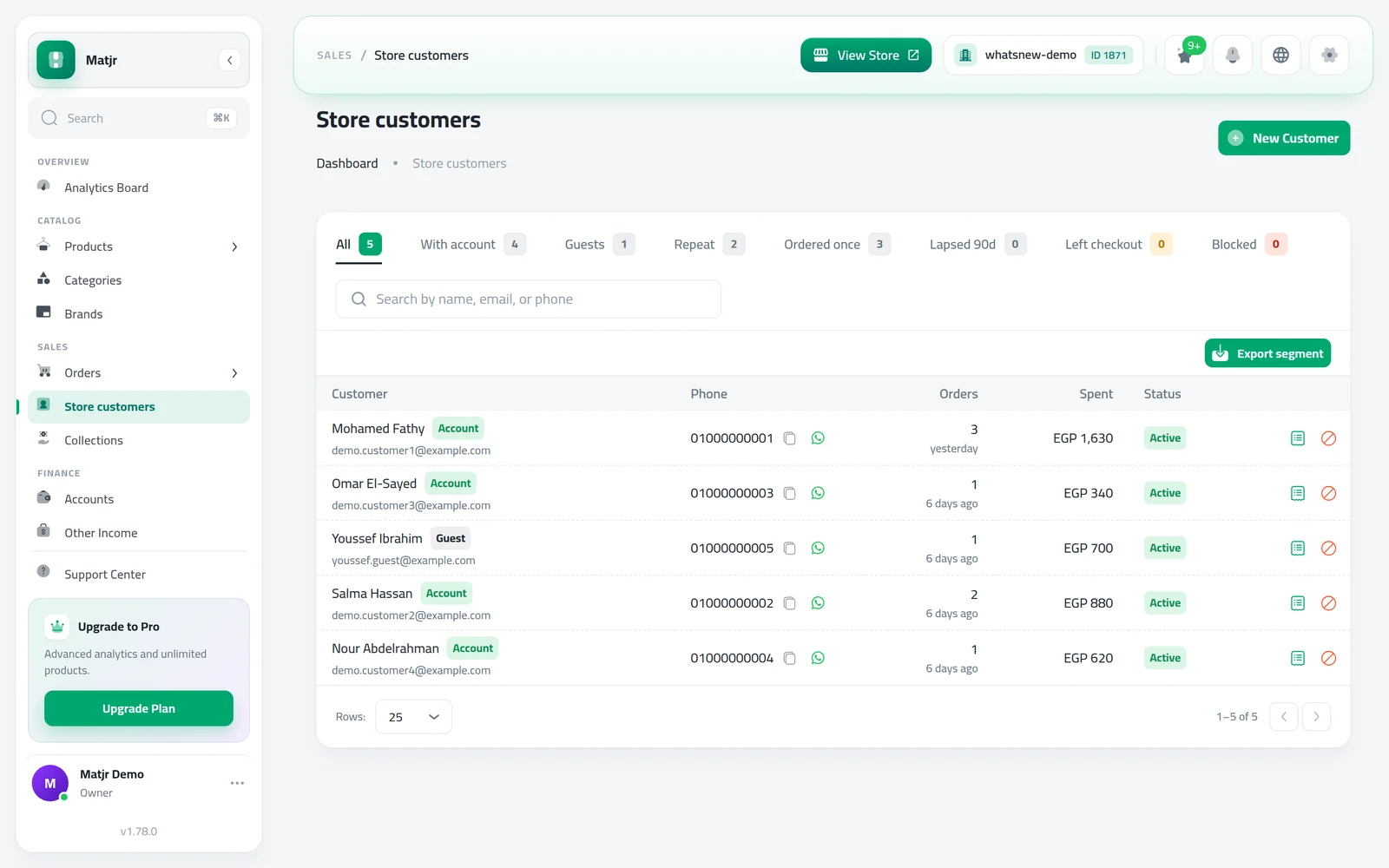
The Customers page now lists guests and registered customers together, with group tabs, a CSV export and the option to block a customer.
- Where
- Customers in the dashboard menu
- Who can use it
- Every store
- Export
- CSV, up to 5,000 customers
Most of your buyers may never create an account, and until now they were missing from your customer list. The Customers page now shows everyone who ordered, so you finally see the whole picture.
What changed
- One list. Guests and customers with an account are together. Someone who ordered as a guest and signed up later appears once.
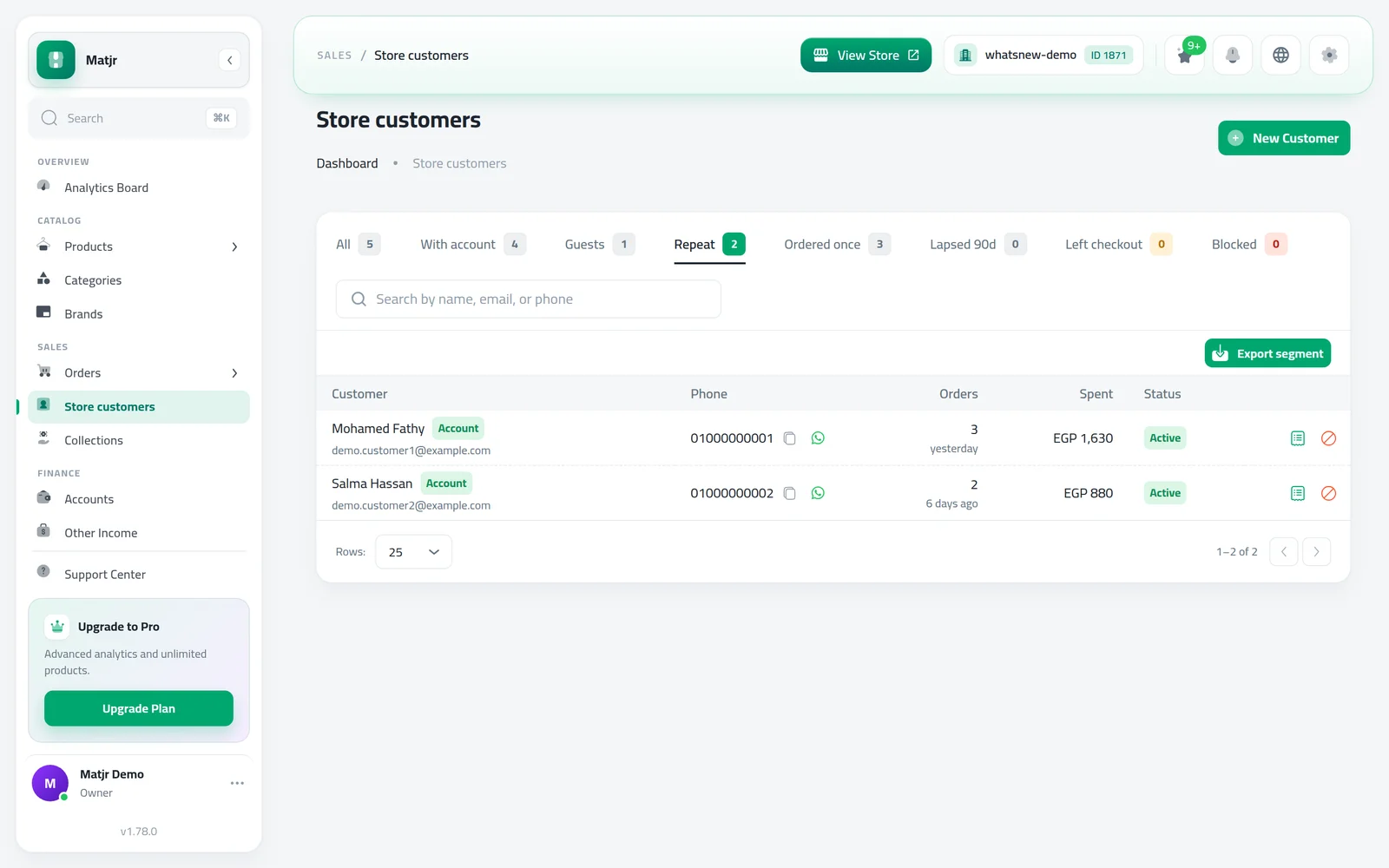
- Tabs with counts. All, With account, Guests, Repeat, Ordered once, Lapsed 90d, Left checkout and Blocked.
- Export. Press Export segment to download the customers of the open tab as a CSV file.
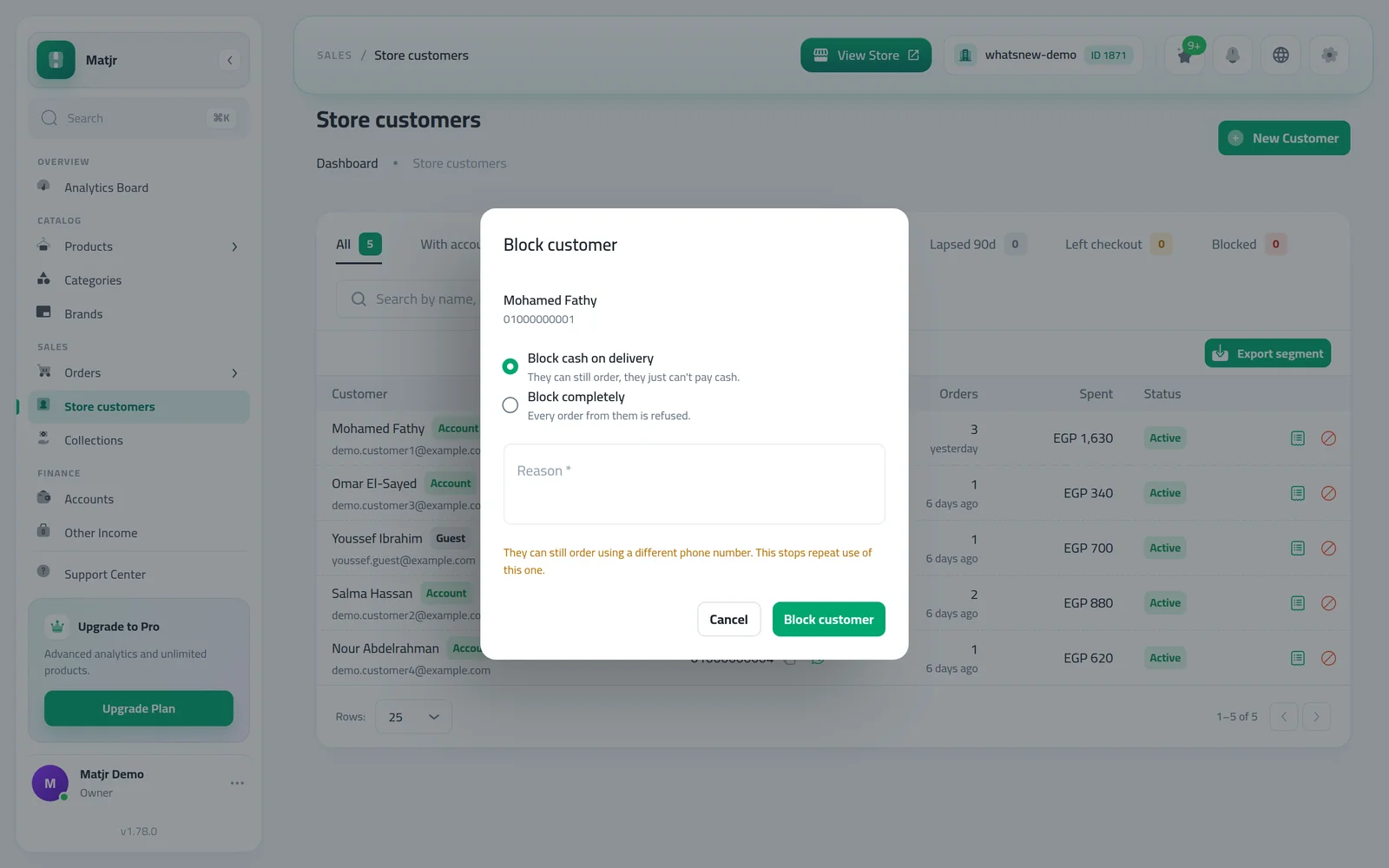
- Blocking. Stop cash on delivery for a customer, or refuse every order from them, and write down why.
- View orders. Jump from a customer to their orders with one press.
How to use it
Open Customers. Search by name, email or phone.
Pick a tab, such as Lapsed 90d, to see who needs a nudge. The number on each tab is how many customers it holds.
Press Block customer… on a row, choose how to block, write the reason and confirm.
The full walk-through is in How to manage your store customers.
Good to know
- A block works on the phone number, so the same person can still order with a different number.
- An export holds up to 5,000 customers. The dashboard warns you when it is partial.
- Phone numbers and emails show only to team members whose role can view customer details.
- Customers with no phone number cannot be matched or blocked.
Frequently asked questions
Do guests count as customers?
Yes. Everyone who placed an order is listed, with or without an account.
What is the difference between the two block options?
Block cash on delivery lets them order but not pay cash. Block completely refuses every order from them.
Can I export only some customers?
Yes. The export follows the tab and search you have open.
Try it on your own store
Start your free trial. No credit card required.