Marketing
Send purchases to Meta even when browsers block tracking
Add a Conversions API access token and every order is reported to Meta directly, so your ads see more of your sales.
- Where
- Company settings, Analytics
- You need
- A Meta Pixel ID and an access token from Meta
- Applies to
- New orders after you save the token
Browsers and ad blockers hide some of your sales from Meta. Now your store can also report each purchase to Meta directly, so your ads see more of your real sales.
What changed
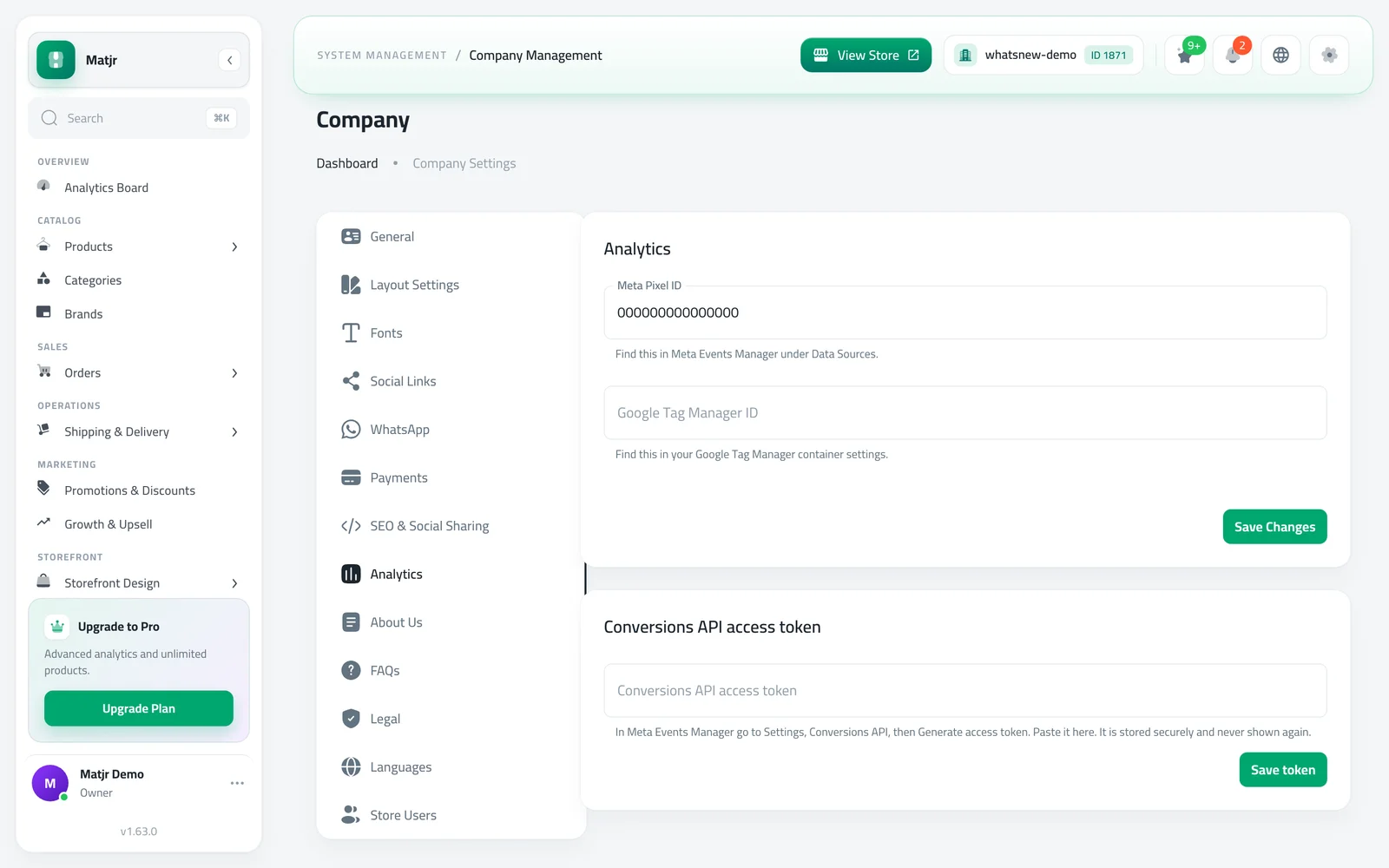
In Analytics settings there is a new field next to your Meta Pixel ID: Conversions API access token. Once you save it, every new order is reported to Meta from our side, as well as from the shopper's browser. Meta matches the two reports, so each sale is counted once.
The page shows whether a token is saved, when the last purchase was sent, and a clear message if Meta rejected something.
How to use it
Open Company settings, choose Analytics enter your Meta Pixel ID first and press Save Changes.
In Meta Events Manager open Settings, then Conversions API, and press Generate access token. Paste it into Conversions API access token and press Save token.
Good to know
- The token is stored securely and is never shown again. You can replace or remove it at any time.
- The field stays locked until a Meta Pixel ID is saved.
- Orders placed before you add the token are not sent.
- If Meta rejects the token, the page tells you to create a new one.
Frequently asked questions
Will my sales be counted twice?
No. Meta matches the browser report and ours, so each sale is counted once.
Is my token safe?
It is stored securely and never shown again. You can replace or remove it at any time.
Why is the token field locked?
Save your Meta Pixel ID first. The token works together with the pixel.
Try it on your own store
Start your free trial. No credit card required.