Business management
How to add tax to your invoices
How to add tax to an invoice: turn on tax, set your rates and where they apply, and every sell and purchase invoice calculates it for you.
- Where
- Company Settings, then Taxes
- Works with
- VAT, sales tax or any single tax
- Registration number
- Optional
- Applies to
- Sell and purchase invoices and their returns
If you charge tax on your sales, every invoice has to show it correctly: the right rate on each line, the tax total, and your registration number when you have one. This guide shows how to add tax to your invoices so it is calculated for you, whether your tax is VAT, a sales tax or another single tax.
Before you start
- Know your tax rate and what your tax is called. In Egypt the default is 14% and in the UAE 5%, both named VAT, and you can change them.
- Have your tax registration number ready if you have one. It is optional; without it you can still charge tax.
- Decide whether the prices you type include tax or not. Shops that sell to the public usually include it.
- You need permission to edit company settings.
Turn on tax for your invoices
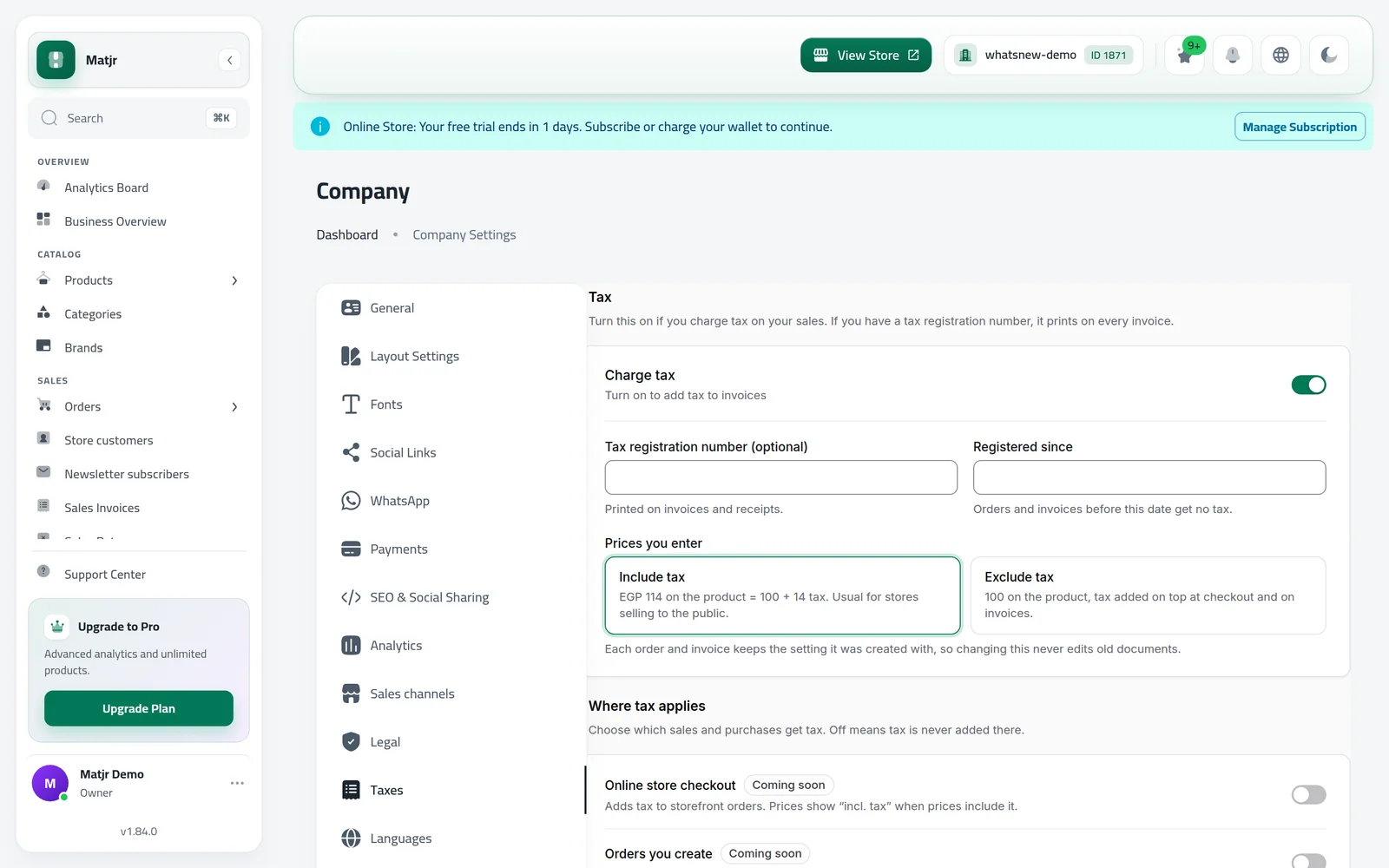
Open Company Settings and choose the Taxes tab. Turn on Charge tax. If you have a Tax registration number, type it in; it prints on every invoice and receipt. Under Prices you enter, choose Include tax or Exclude tax.
In Where tax applies, turn on Sell invoices, Purchase invoices or both. Purchase invoices record the tax you pay suppliers, so you can claim it back. Below, Tax rates lists the rates you can pick, with the default for sales and for purchases.
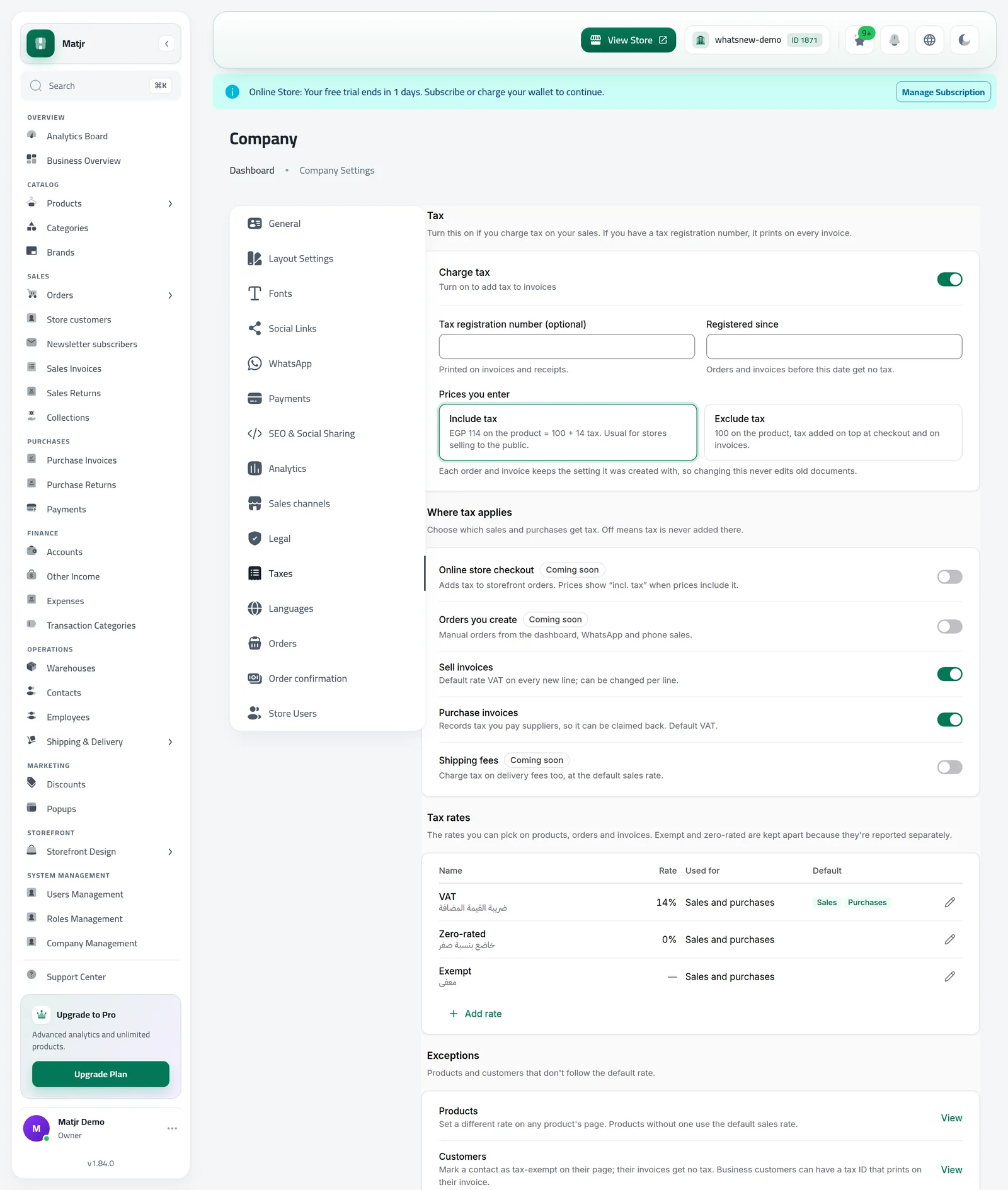
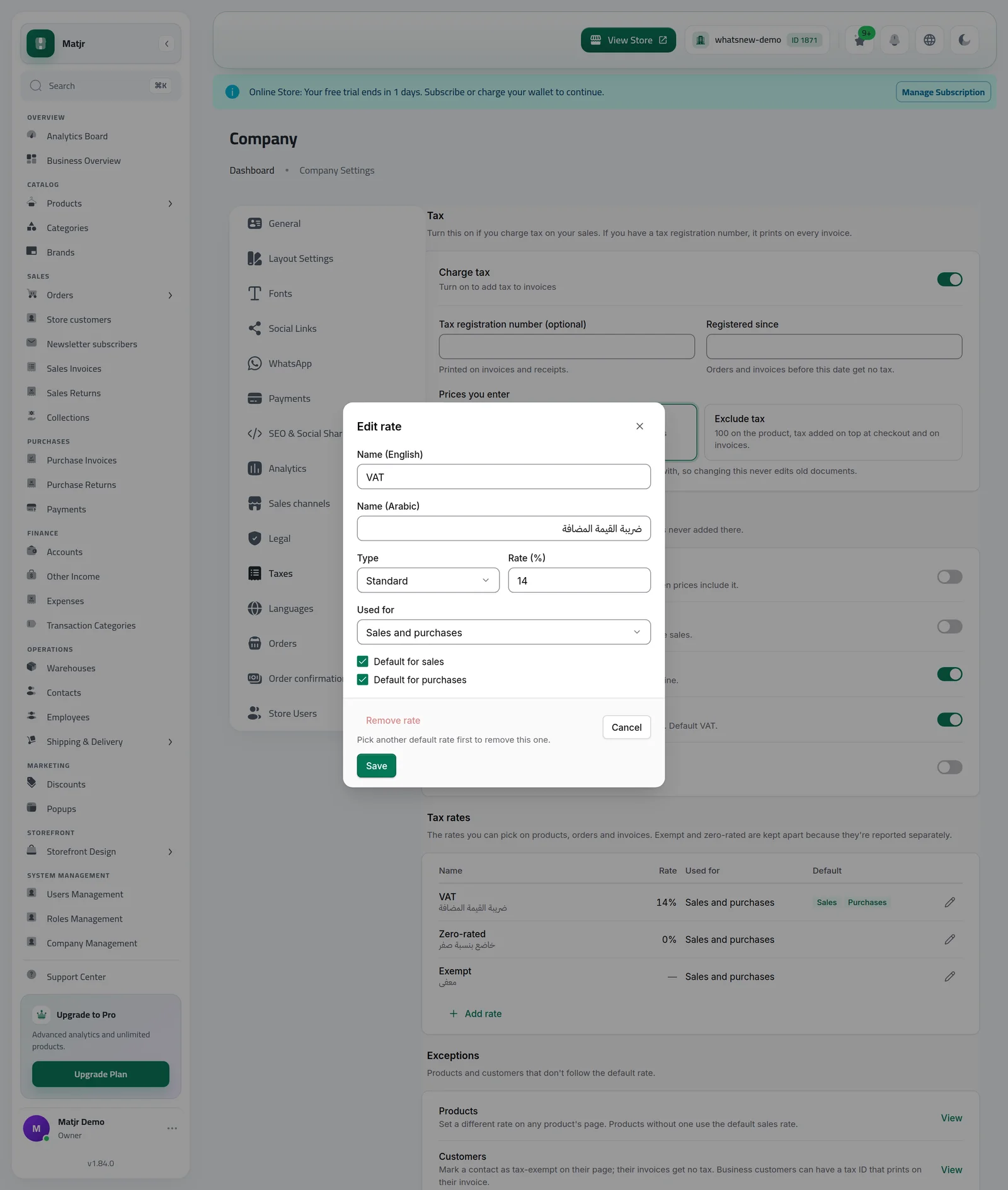
To change a rate, open it with Edit rate. Give it an English and Arabic name, the percent, the kind (standard, zero-rated or exempt) and whether it is used for sales, purchases or both. Use Add rate for a new one. Press Save on the tab when you are done.
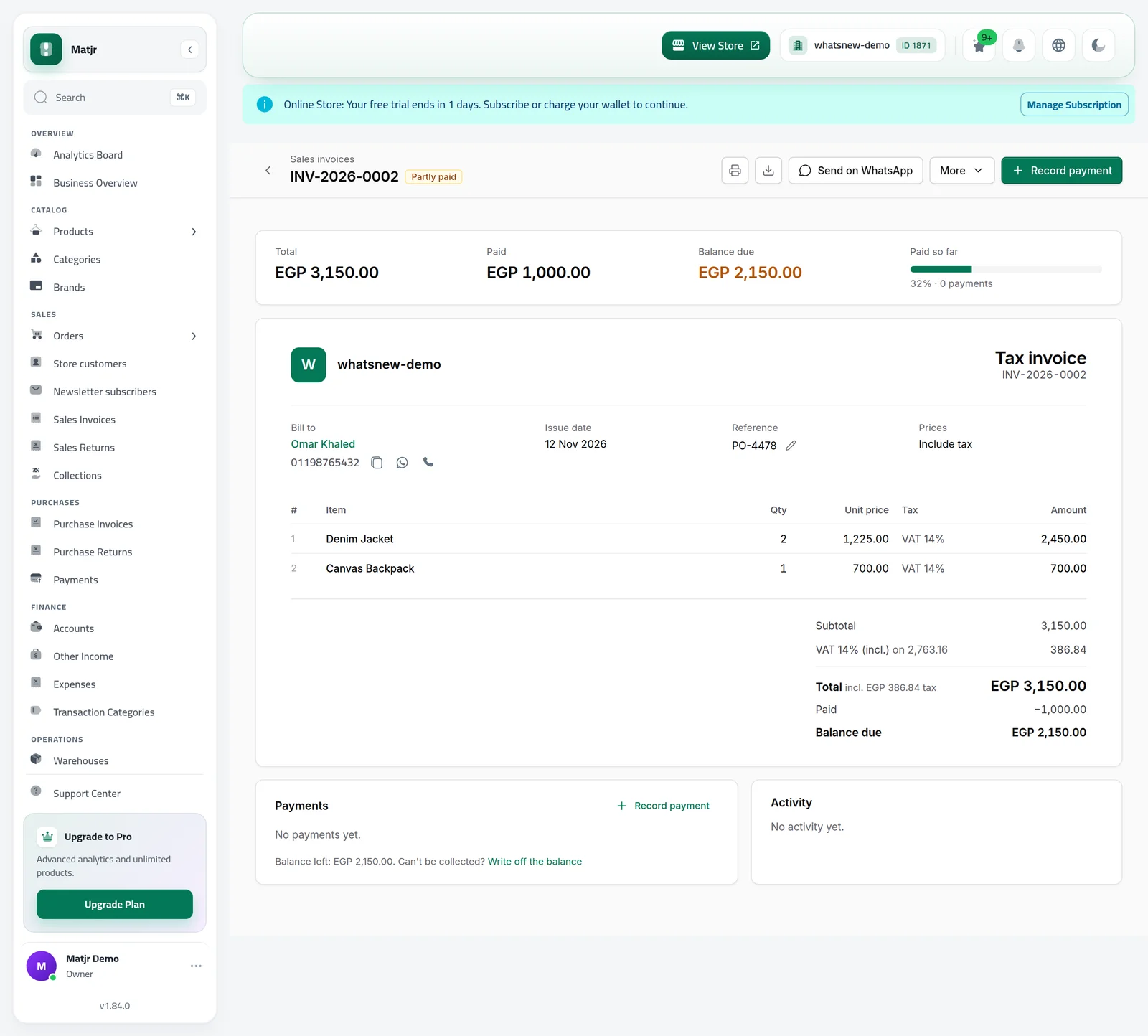
Create a sell invoice as usual. Every new line gets the default sales rate, and you can change it per line. The totals show the tax under the rate's name, and the invoice is titled Tax invoice.
Different rates for products and customers
Not everything you sell has the same tax. Open a product and choose its tax rate; products without one use the default sales rate. See how to add a product for where the field sits.
Some customers or suppliers do not pay tax. Open the contact and mark it Tax exempt; their invoices get no tax. Business customers can also have a Tax number, which prints on their invoice.
Common mistakes
- Tax counted twice. If your product prices already include tax, choose Include tax. Choosing Exclude tax adds it on top.
- Old invoices did not change. That is on purpose. Each invoice keeps the tax setup it was created with. Drafts follow your new settings; issued invoices do not.
- No tax before a date. Invoices dated before Registered since get no tax. Clear that date if it does not apply to you.
- A rate will not go away. You cannot remove the default sales or purchase rate. Pick another default first. A rate that is already used on products or invoices becomes inactive instead of disappearing, so your history stays correct.
Check your first taxed invoice
After you turn tax on, create one test sell invoice as a draft and look at it before you issue it. Check that each line has the rate you expect, that the total is right for your price setting, and that your registration number shows at the top if you added one. Open the PDF or print view too, because that is what your customer receives. If something looks wrong, fix the setting and the draft updates; nothing is final until you issue it.
Good to know
- Tax is worked out and rounded for each line, then added up, exactly as it prints on the invoice.
- A return made from an invoice keeps that invoice's tax, so credit notes match the original sale.
- Tax on online store orders, orders you create and shipping fees is coming soon.
- To hand your accountant the tax per line, export your invoices one row per line item.
Frequently asked questions
How do I add VAT to an invoice?
Turn on Charge tax in Company Settings › Taxes and keep a VAT rate as the default sales rate. Every new sell invoice line then gets VAT, and the totals show it.
Can I charge tax without a tax registration number?
Yes. The registration number is optional. Leave it empty and tax is still added to your invoices.
My prices already include tax. What do I choose?
Choose Include tax under Prices you enter. The tax is then worked out inside the price instead of adding it on top.
How do I make one customer tax free?
Open the customer's contact page and mark it Tax exempt. Their invoices get no tax.
Can I delete a tax rate?
Yes, with Remove rate in the rate window, unless it is a default. A rate already used on products or invoices becomes inactive so old invoices stay correct.
Try it on your own store
Start your free trial. No credit card required.