Complete software to run your business
Six systems: sales, purchasing, treasury, warehouses, customers & suppliers, and a business overview.
Cloud software you can open from your phone, tablet, or computer
Six systems in one program
All included in every planIssue sales invoices and returns, record what you collect on them, and know every customer's balance from their invoices and payments.
Record purchase invoices and returns, pay suppliers from the account you choose, and know what you owe each supplier.
Know how much you have and where: cash, bank, and wallet accounts, transfers between them, a statement for every account, and income and expenses unrelated to invoices.
Run more than one warehouse, move stock between them, and know exactly what each warehouse holds and how much.
One record for everyone you deal with: customers and suppliers in a single list, each with a page that brings together their invoices, payments, and balance.
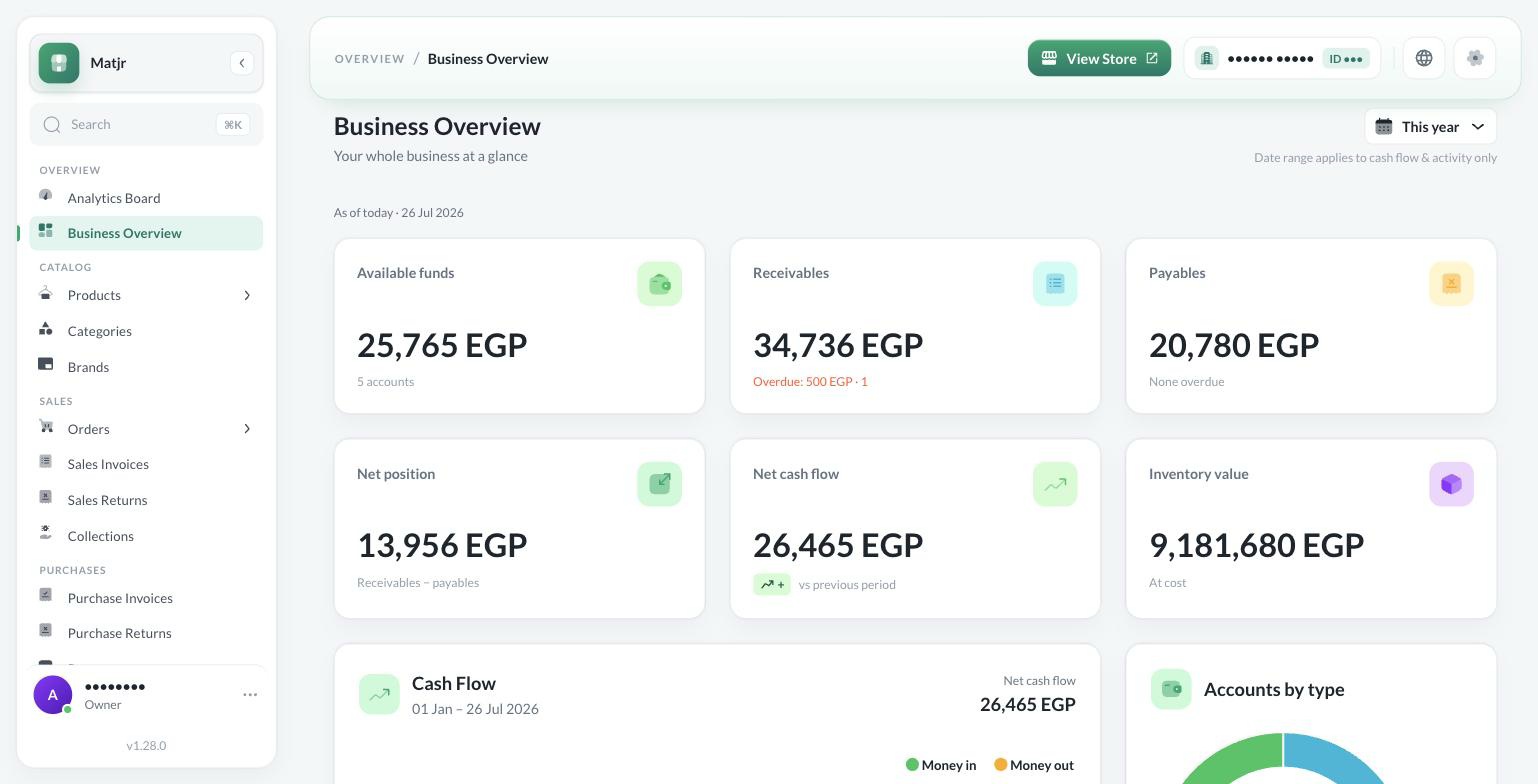
One screen that reads your invoices, accounts, and warehouses together: what you have, what's owed to you, what you owe, and where the money went.
Sales & Collections
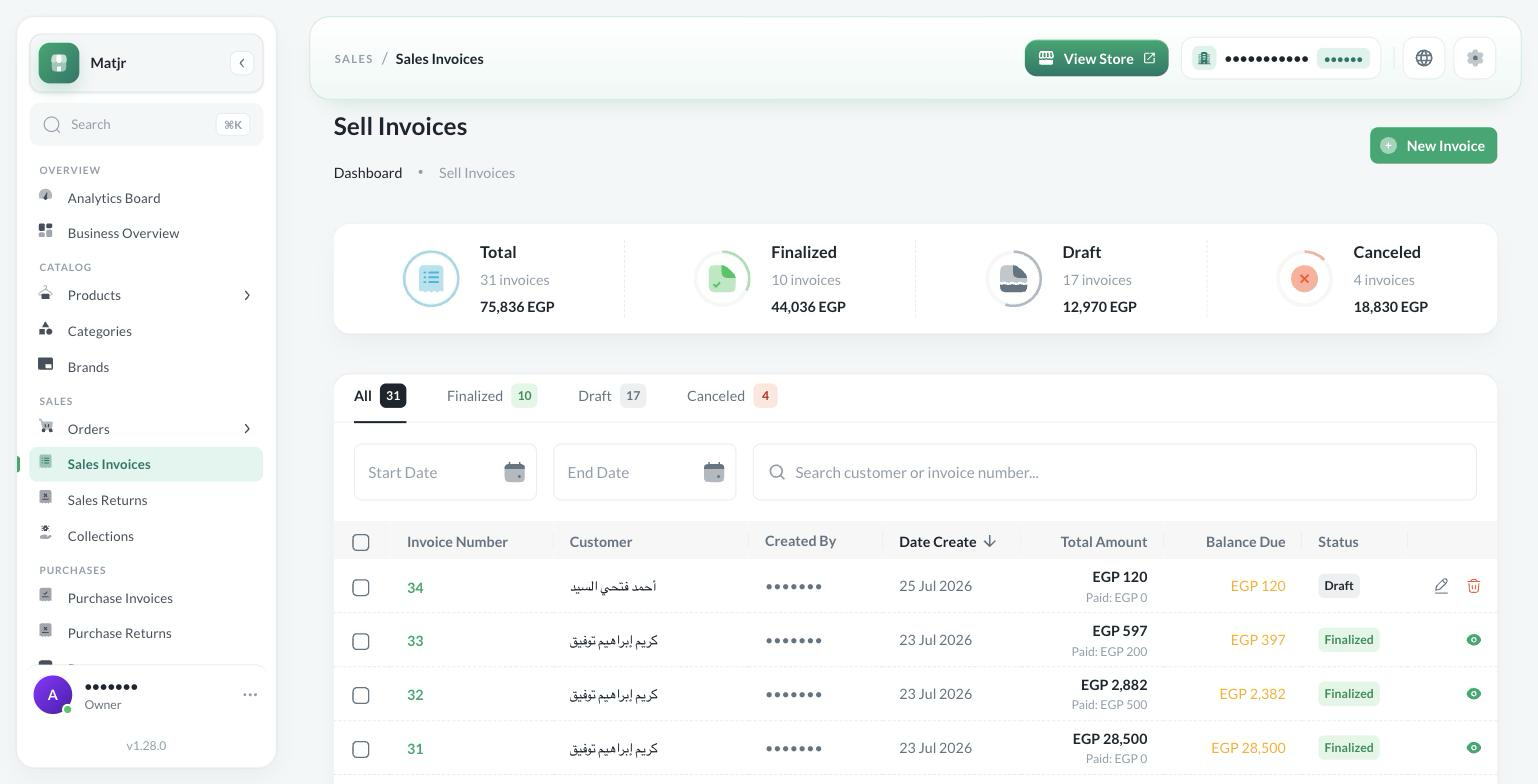
Issue sales invoices and returns, record what you collect on them, and know every customer's balance from their invoices and payments.
Made a mistake on an invoice after approving it? Set it back to draft and edit it, instead of voiding it and starting a new one.
Customer returned goods? Record an independent sales return, not a negative-value invoice.
Every invoice keeps a change history: who created it, who edited a line, and when.
Purchasing & Payables
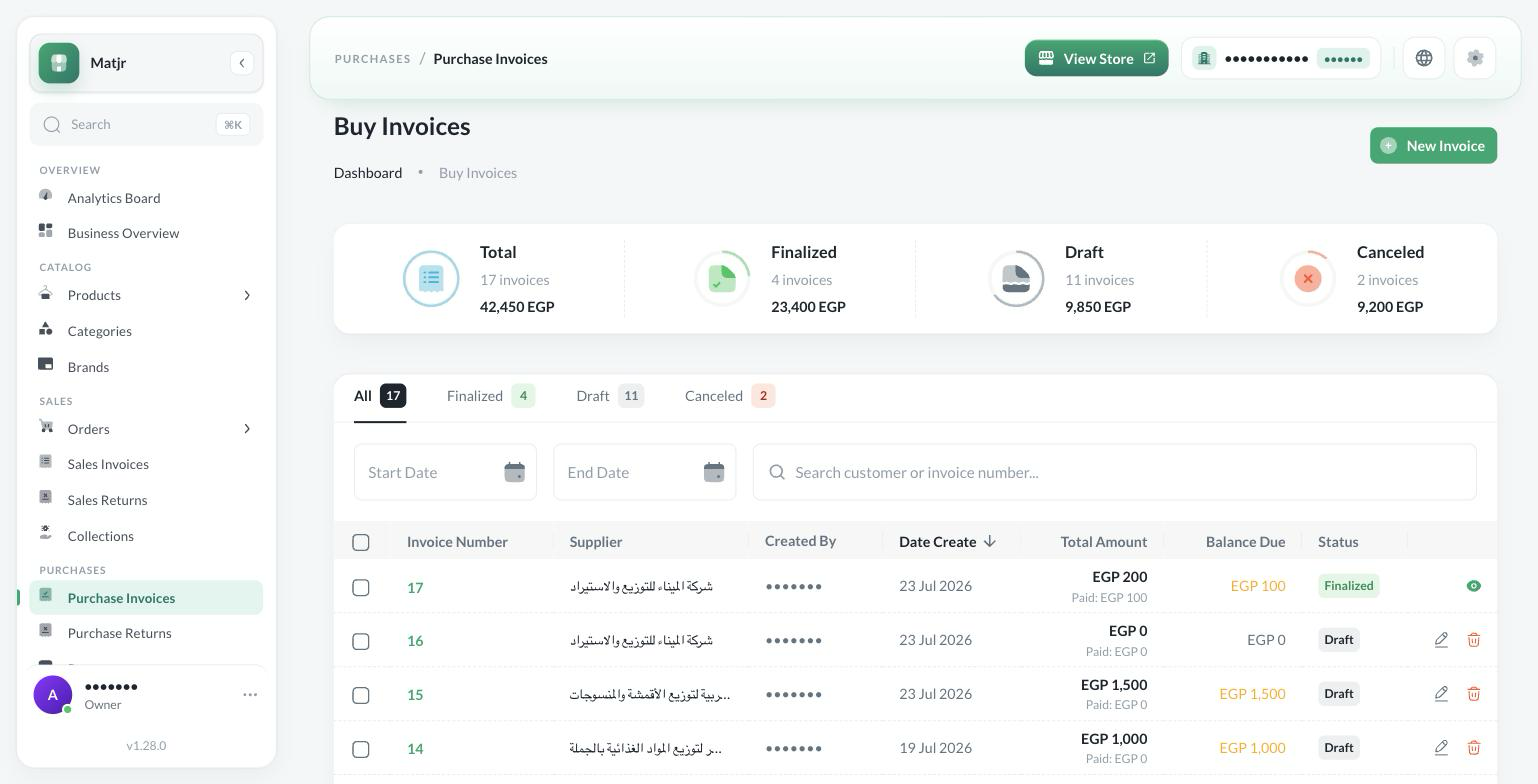
Record purchase invoices and returns, pay suppliers from the account you choose, and know what you owe each supplier.
Pay a supplier from the account you actually paid from — cash or bank — so every account balance matches what's in your hand.
Returned goods to a supplier? It gets its own independent purchase return, not a side note and a discount you have to remember later.
Everything you've paid suppliers lives in one place, so you know where your money went without pulling it together from several books.
Treasury & Accounts
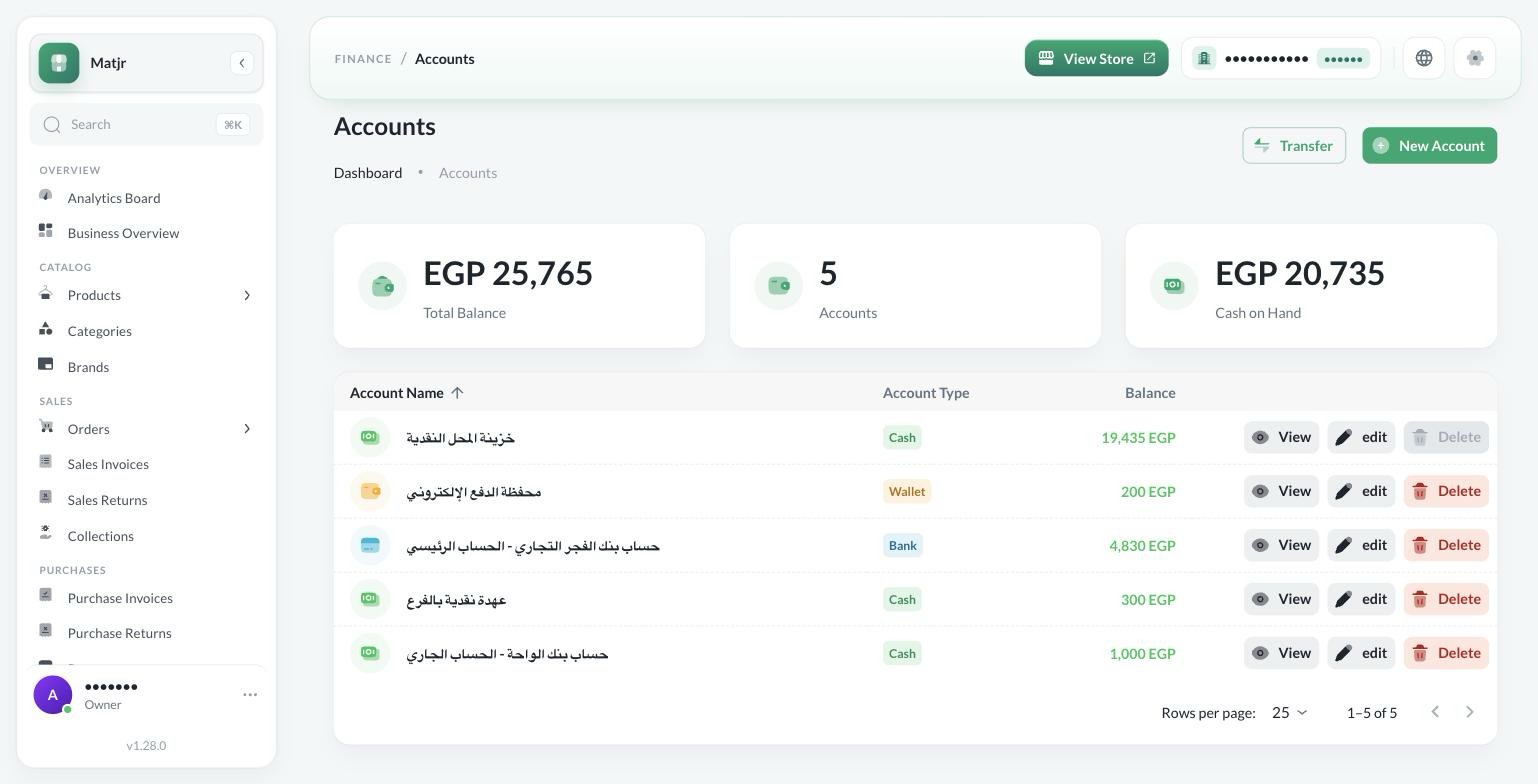
Know how much you have and where: cash, bank, and wallet accounts, transfers between them, a statement for every account, and income and expenses unrelated to invoices.
Cash, bank, and wallet are all in front of you on one screen, so you don't add them up on paper to know how much you have.
Deposited cash from the till into the bank? Record the transfer once, not two separate entries in two separate books.
Rent, electricity, and any expense with no invoice — record it as it is, without inventing a customer or an invoice for it.
Warehouses
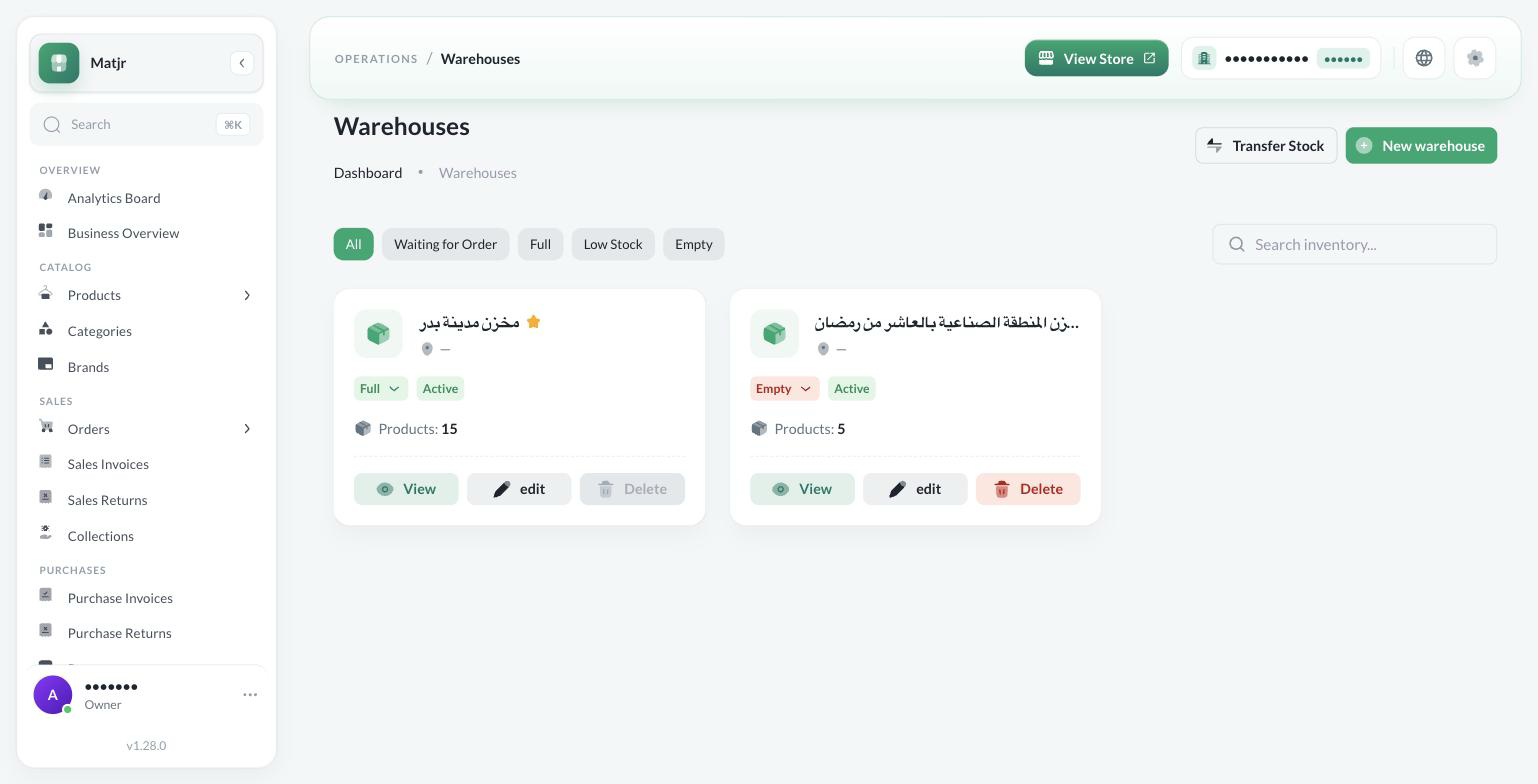
Run more than one warehouse, move stock between them, and know exactly what each warehouse holds and how much.
Moved stock from one warehouse to another? Record the transfer, so you don't find a shortage at month-end with no idea where it came from.
Stock count doesn't match the system? Correct the quantity from the product screen, and the same adjustment shows up in that item's movement.
An item's quantity looks wrong? Go back to its movement and see why it changed: a purchase, a return, a transfer, or a manual adjustment.
Customers & Suppliers
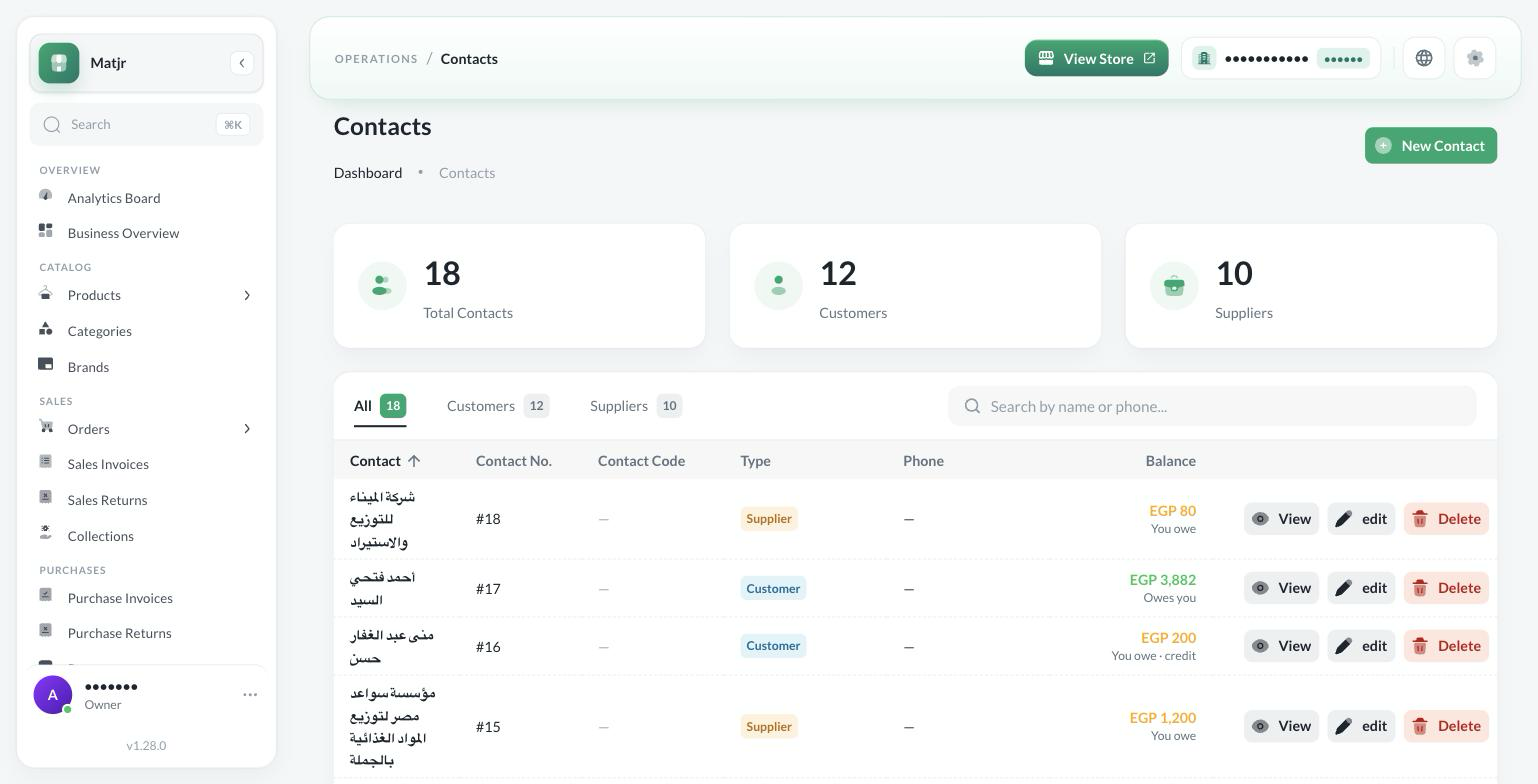
One record for everyone you deal with: customers and suppliers in a single list, each with a page that brings together their invoices, payments, and balance.
Someone you buy from and sell to at the same time gets one file, not two — you see what you owe and what's owed to you, and the net between you, before you settle up.
A customer calls to ask about their account? Their invoices, payments, and balance are all on one page, not spread across four screens.
The balance is spelled out in words — owed to them or owed to you — so there's no confusion over a minus sign and no argument over who owes whom.
Business Overview
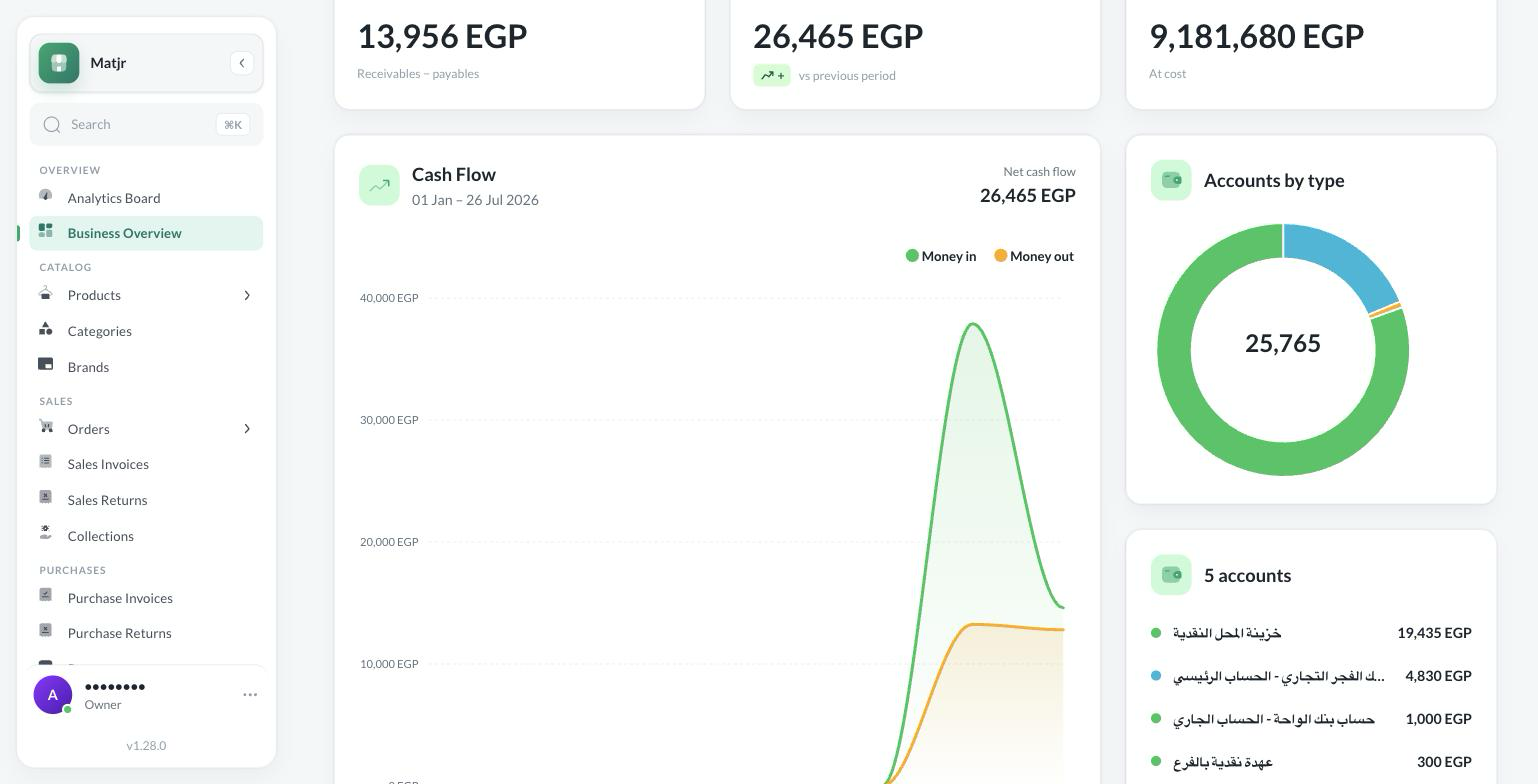
One screen that reads your invoices, accounts, and warehouses together: what you have, what's owed to you, what you owe, and where the money went.
Know if you actually made a profit, not just how much you sold — the sale, the cost of goods, the profit, and what's left of it.
Know exactly where your money goes, and where your income comes from.
Know who actually drives your business — your biggest customers and your biggest suppliers.
You enter data once and read it from wherever you need it — from the invoice, the account, the customer, or the warehouse. The payment you record on an invoice is the same payment you'll find in collections, on the customer's page, and in the overview numbers.
The payment you record on an invoice shows up in collections and payments without entering it again.
A customer's or supplier's page brings together sales, purchases, collections, and payments for that party in one place.
The overview reads invoices, accounts, and warehouses on a single screen.
Stock movement is tied to sales, purchase, and return documents — not a separate manual entry.
There's no syncing or importing between the six systems — they all read from the same data.
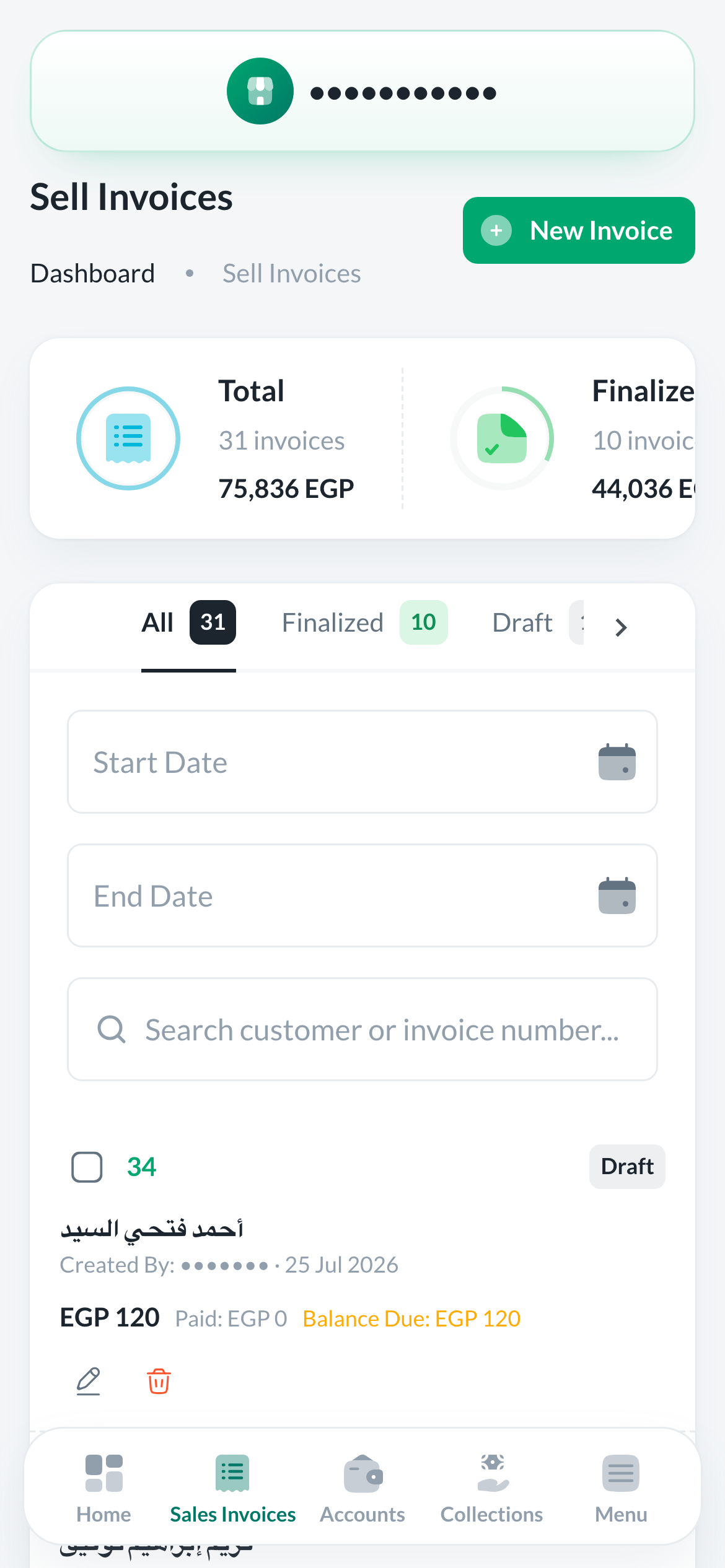
Cloud software you can open from your phone, tablet, or computer.
Keep track of your business from your phone while you're away from the store.
Updates reach you without you doing anything.
Who this software is for
A retail store that sells daily and needs to know its sales and profit.
A wholesaler or distributor dealing with suppliers and customers at the same time.
An owner of two or more branches who wants the full picture in one place.
A merchant with a warehouse separate from the store who needs to know what's in it.
How to get started
Create your account and start your trial.
Add your products, customers, and suppliers.
Start issuing invoices and tracking your accounts.
What changes in your day
Six systems in every plan
You pay for scale — branches, warehouses, and users — not for features. Unlimited invoices, contacts, and products on every plan.
Frequently Asked Questions
Try it on your own business data before you pay
7-day free trial · all six systems available in the trial and every plan
Your data stays saved after the trial ends