Settings
Protect your store account with a confirmation code
Confirm your account with a 6-digit code sent to your email, or on WhatsApp where it's offered, to help keep your store's dashboard protected.
- Where
- Shown when you sign in to the dashboard
- Who
- Everyone who signs in, until confirmed
- How
- 6-digit code by email or WhatsApp
Your dashboard holds your orders, customers and prices. To help keep it protected, the dashboard now asks you to confirm your account with a one-time code when you sign in, if your account has not been confirmed yet.
What changed
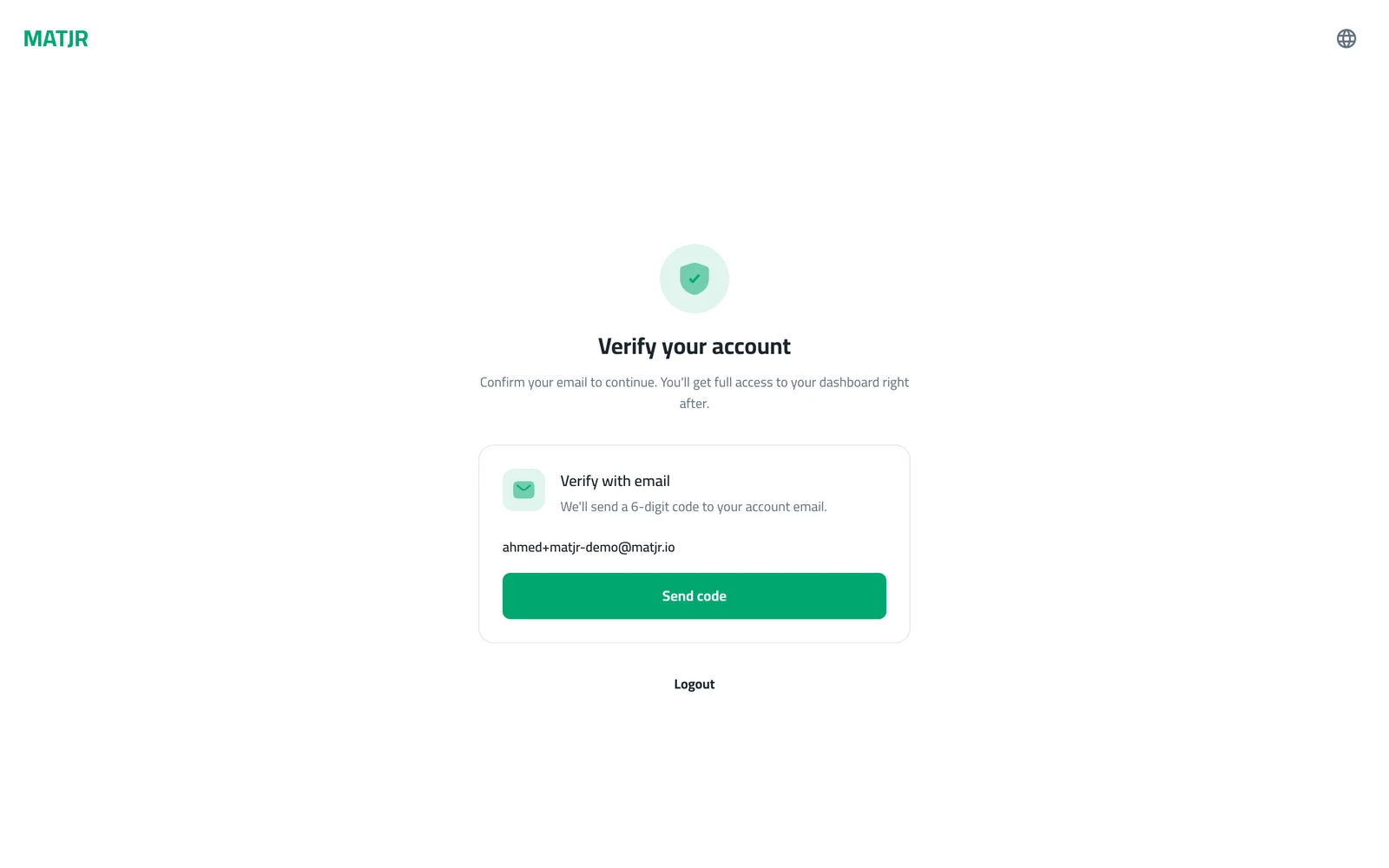
After you sign in, you may see a Verify your account screen before the dashboard opens. You choose how to receive a 6-digit code: by email, or on WhatsApp when that option is shown on the screen. Enter the code and you go straight into your dashboard.
How to use it
Sign in as usual. On the Verify your account screen, pick a way to confirm. For email, check that the address shown is yours and press Send code. For WhatsApp, enter your number and press Send code.
Then type the 6-digit code you received and press Verify. If it has not arrived, wait for the countdown to end and press Resend code, or press Use another method when it is shown.
Good to know
- Once your account is confirmed, you are not asked again when you sign in.
- Everyone who signs in to the dashboard with their own account confirms it, including your team members.
- The code is sent to your account email or to the WhatsApp number you enter, so keep access to them.
- You can press Logout on the same screen if you signed in with the wrong account.
Frequently asked questions
Do I have to do this every time I sign in?
No. Once your account is confirmed, you go straight into the dashboard when you sign in.
I didn't receive my code. What do I do?
Wait for the countdown to end, then press Resend code. You can also choose another method if the screen offers one.
Can I get the code on WhatsApp?
Where WhatsApp is offered, the screen shows a WhatsApp option next to email. If you only see email, use email.
Do my team members need to confirm too?
Yes. Each person who signs in with their own account confirms it once.
Try it on your own store
Start your free trial. No credit card required.