Settings
See 25, 50, 100 or 200 rows on every list
Every list in the dashboard can now show 25, 50, 100 or 200 rows per page, so you scroll and page less.
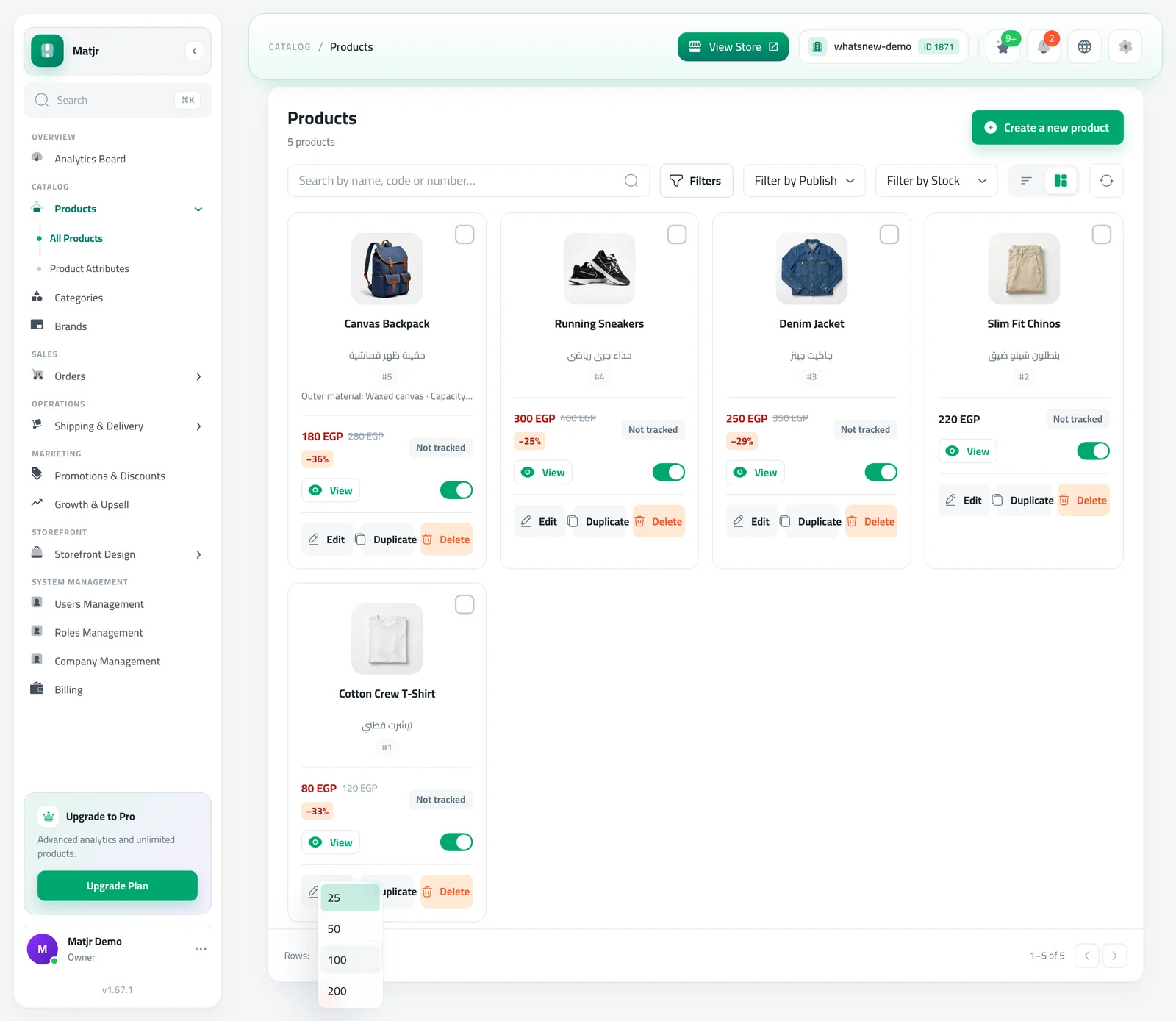
- Where
- Bottom of every list
- Options
- 25, 50, 100 or 200 rows
- Default
- 25 rows
Find things faster. Every list now offers the same choice of rows per page, so you can see more at once.
What changed
Orders, products, categories, customers, invoices and the other lists all use the same options: 25, 50, 100 or 200 rows. Every list starts at 25.
How to use it
At the bottom of any list, open Rows: and choose how many rows you want.
Frequently asked questions
Why does my list show 25 rows now?
Every list starts at 25 rows. Change it at the bottom of the list.
Does it remember my choice?
It applies to the list you are viewing. Choose again if you open the list later.
Which lists have the new options?
All of them, including orders, products, categories, customers and invoices.
Try it on your own store
Start your free trial. No credit card required.