Orders
Add order details to your deposit texts and preview them
Write clearer deposit messages: click to add the amount, InstaPay address or order number, and see exactly what shoppers will read.
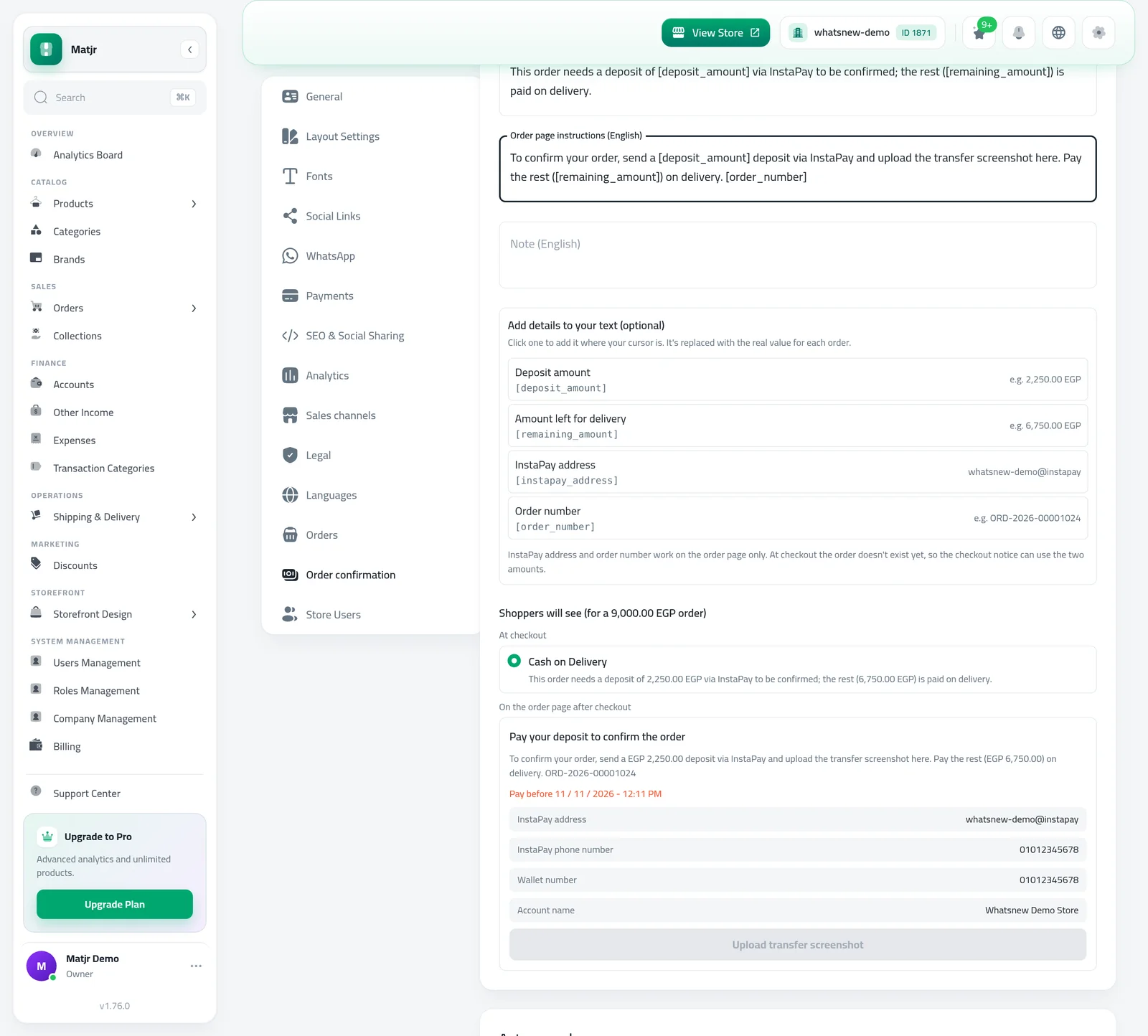
- Where
- Settings, Order confirmation tab, Customer texts
- Details
- Deposit amount, amount left, InstaPay address, order number
- Preview
- Checkout option and order page box
- Checkout notice
- The two amounts only
Clear payment instructions mean fewer questions on WhatsApp and faster deposits. You can now build your deposit texts from ready-made details and check them before shoppers see them.
What changed
Under Customer texts in the Order confirmation settings, a new Add details to your text (optional) list shows four details, each with an example: Deposit amount, Amount left for delivery, InstaPay address and Order number. Click one and it goes where your cursor is.
Below the list, a live preview shows your texts for a sample order: the cash on delivery option at checkout, and the box on the order page with your instructions, payment details and note.
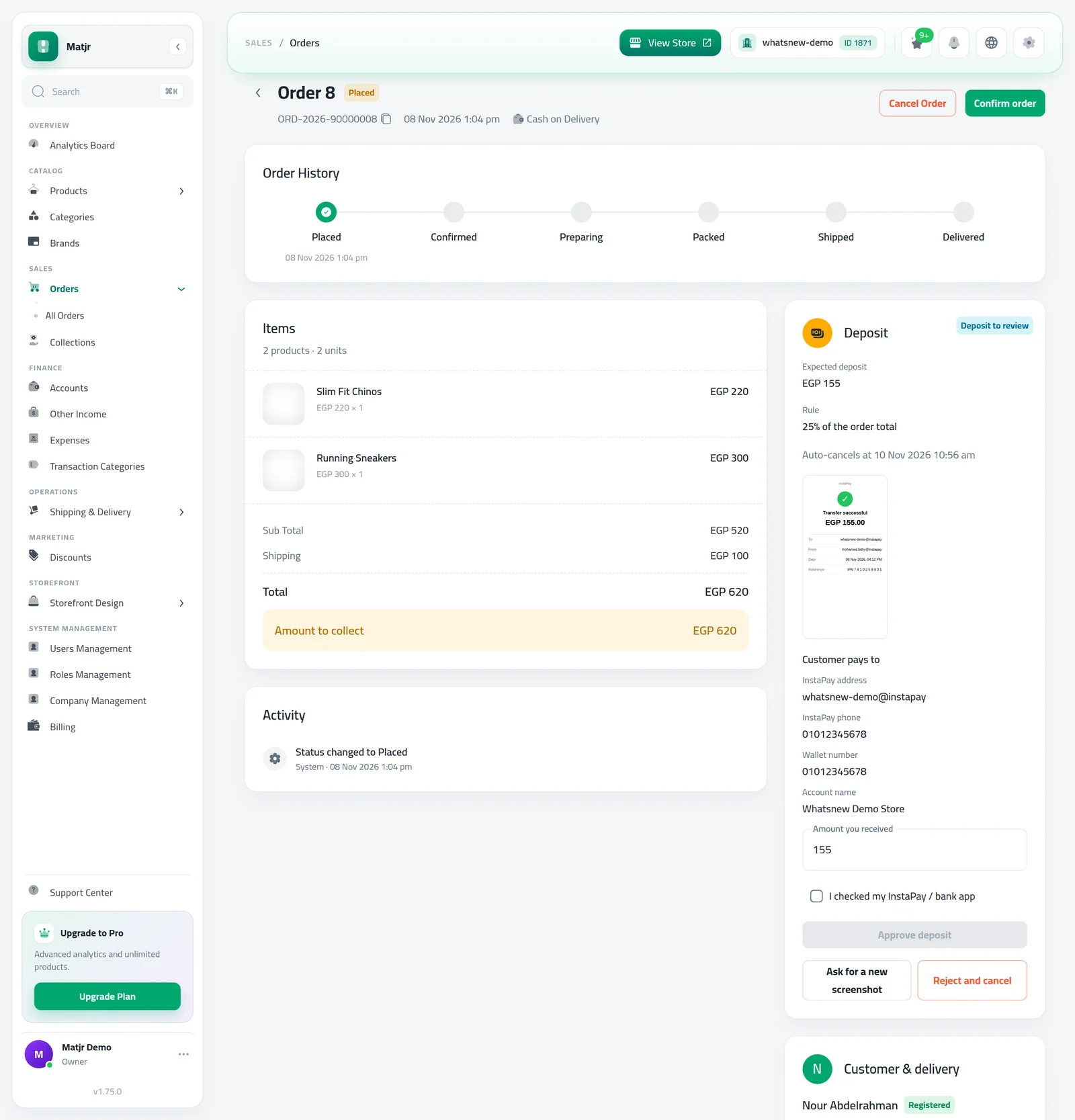
On the shopper's order page, the order number and any details you add to your note are now filled in with that order's real values.
How to use it
Open Settings, go to the Order confirmation tab and find Customer texts. Click in the text you want to change, then click a detail to add it.
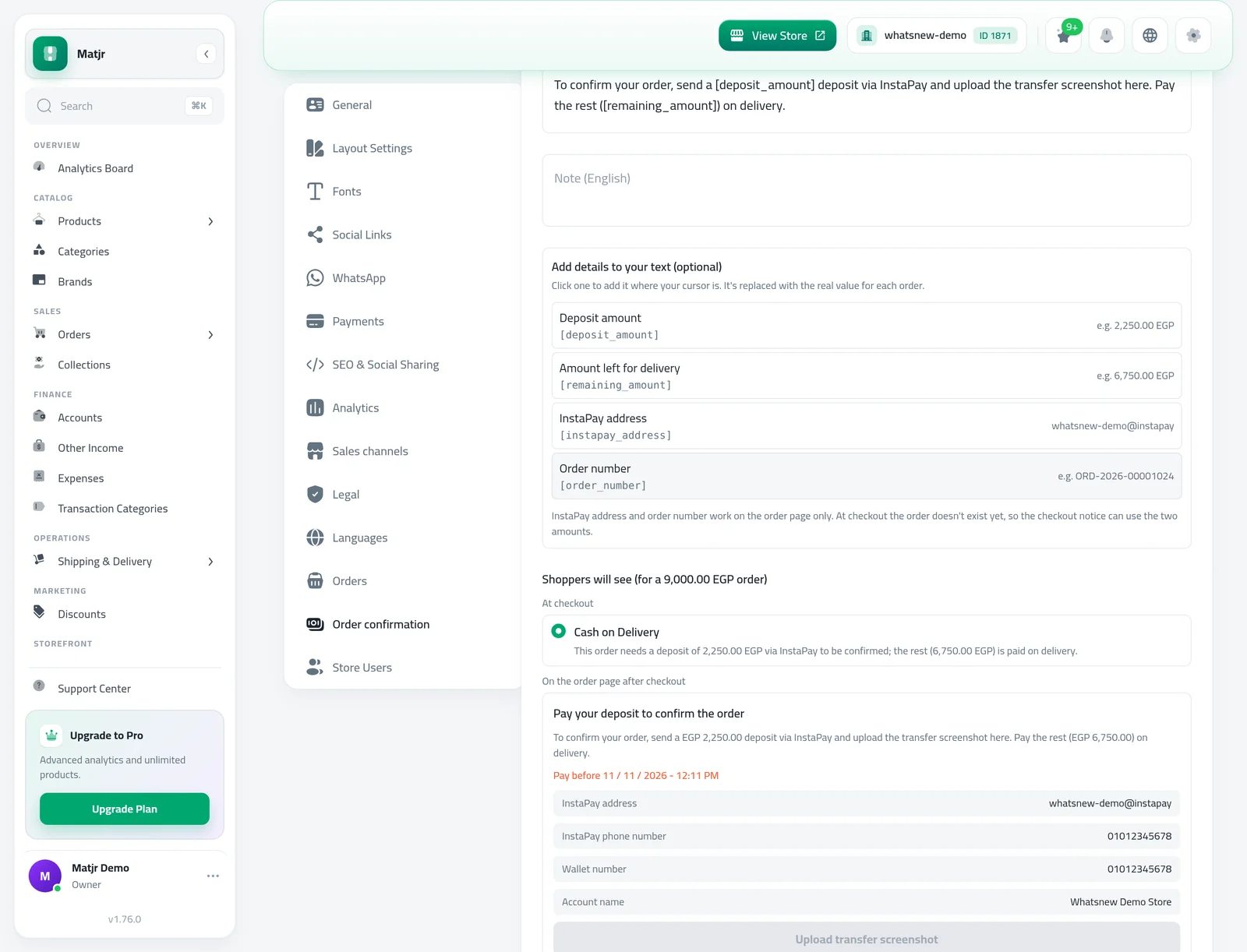
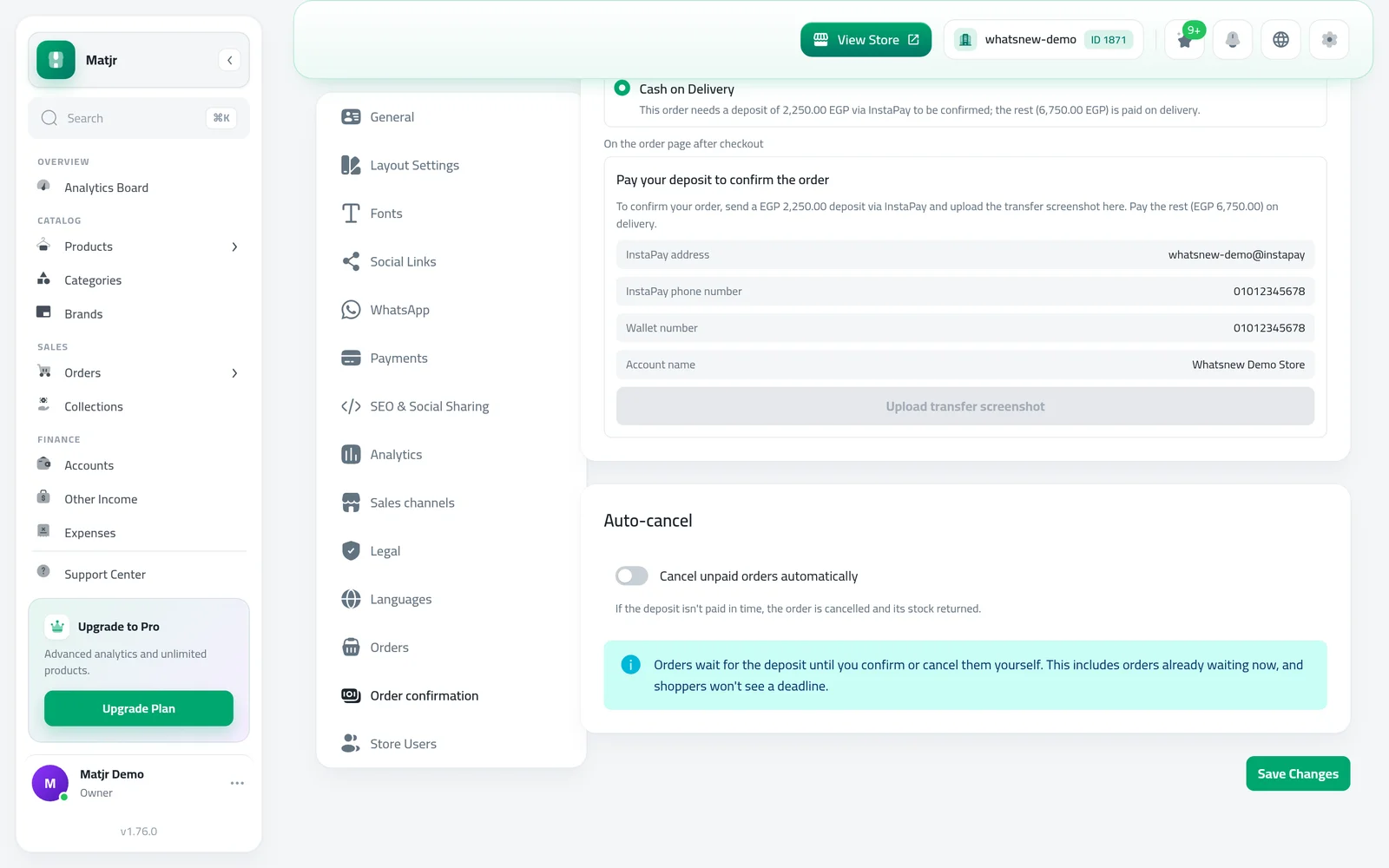
Check the preview below the list, then press Save Changes.
Good to know
- InstaPay address and Order number work on the order page only. The order does not exist yet at checkout, so the checkout notice can use the two amounts.
- Keep each text under 500 characters.
- The preview follows your dashboard language. Switch the dashboard language to check your texts in the other language.
- Full steps: How to take a deposit on cash on delivery orders.
Frequently asked questions
Why are InstaPay address and Order number greyed out?
Your cursor is in a checkout notice. At checkout the order does not exist yet, so only the two amounts work there.
Will shoppers see the real values?
Yes. Each detail is replaced with the real value for that order, including the order number and details in your note.
Is there a length limit?
Yes, keep each text under 500 characters. You see a message if a detail would make it longer.
Which language does the preview show?
The language your dashboard is in. Switch the dashboard language to check the other texts.
Try it on your own store
Start your free trial. No credit card required.