Orders
Turn off auto-cancel for unpaid deposits
Give shoppers more time to pay: switch off auto-cancel and orders wait for the deposit until you confirm or cancel them yourself.
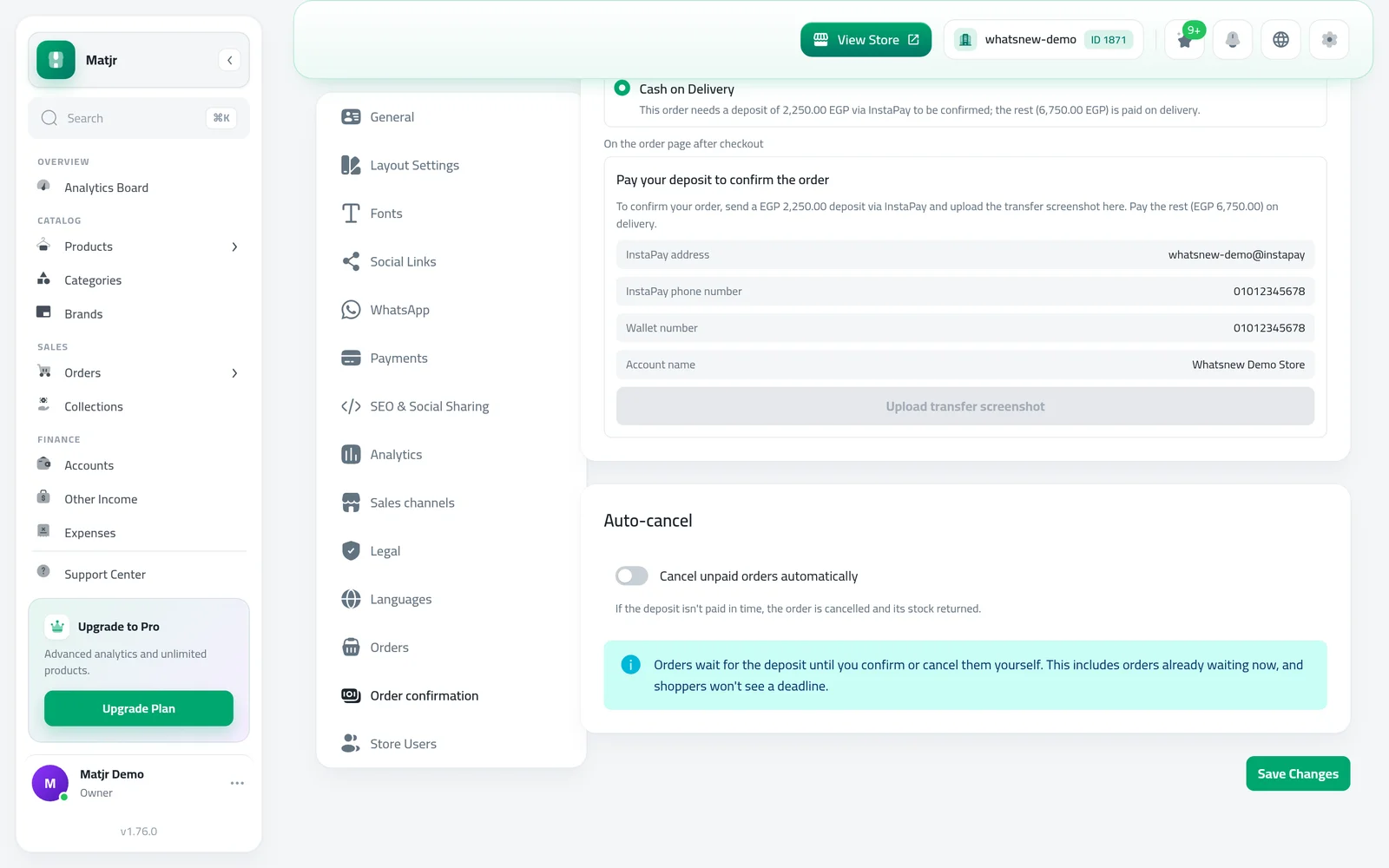
- Where
- Settings, Order confirmation tab, Auto-cancel
- Switch
- Cancel unpaid orders automatically
- Default
- On, after 48 hours
- Waiting orders
- Follow the switch as soon as you save
Some shoppers need more than a day or two to send the deposit. Now you decide: keep the automatic deadline, or let orders wait until you handle them yourself.
What changed
The Auto-cancel card in the Order confirmation settings has a new switch, Cancel unpaid orders automatically. It is on by default, so nothing changes until you turn it off.
With the switch off, orders waiting for a deposit are never cancelled automatically, and shoppers no longer see a pay-before time on their order page. This also applies to orders that are already waiting.
How to use it
Open Settings, go to the Order confirmation tab and scroll to Auto-cancel.
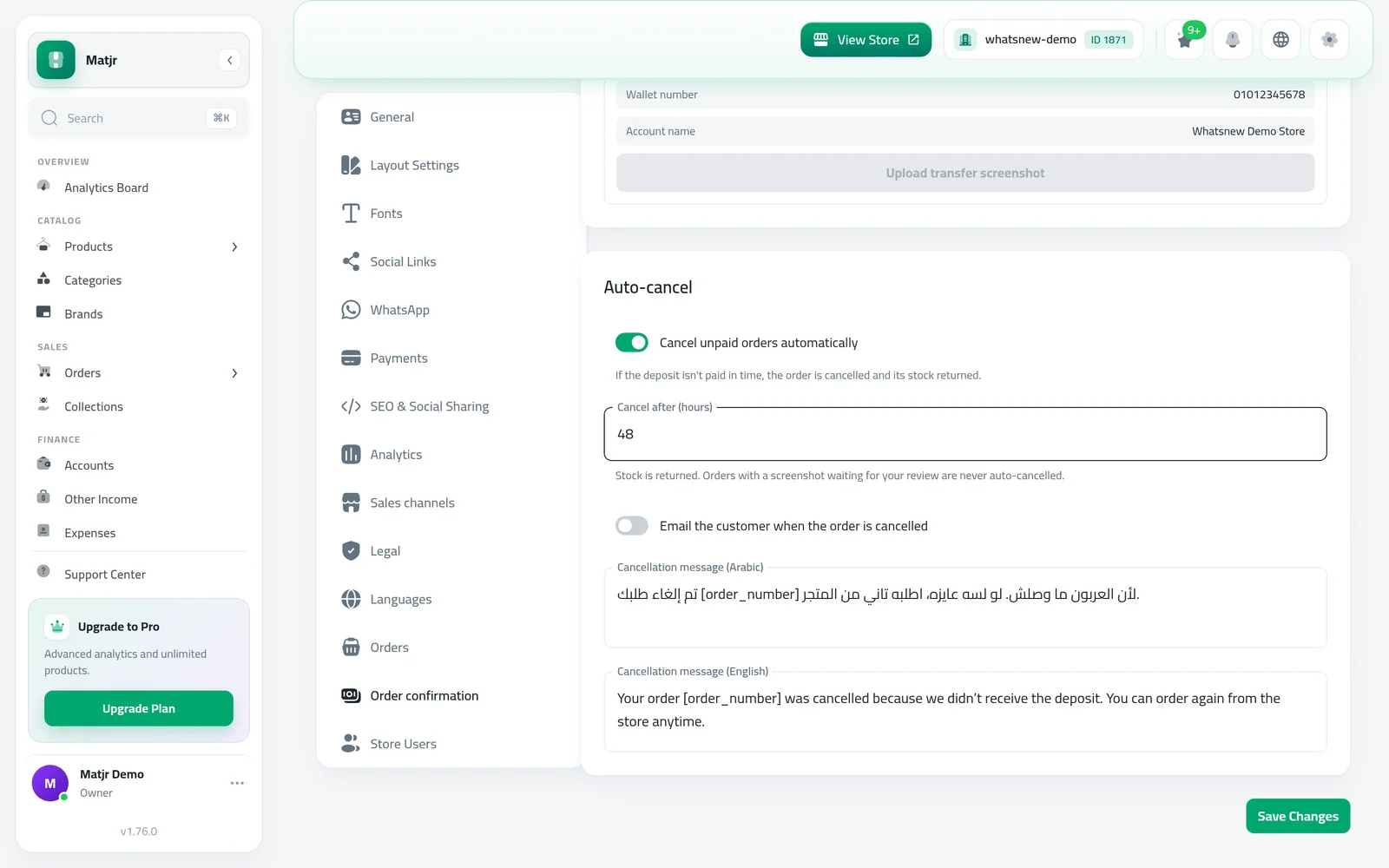
Turn off Cancel unpaid orders automatically, then press Save Changes. A note confirms that orders will wait for you.
Good to know
- Turning it back on gives waiting orders a fresh deadline counted from when you save, so nothing is cancelled straight away.
- Your Cancel after (hours) value is kept while the switch is off.
- Orders with a transfer screenshot waiting for your review are never cancelled automatically.
- Full steps: How to take a deposit on cash on delivery orders.
Frequently asked questions
What happens to orders already waiting when I turn it off?
They lose their deadline and wait until you confirm or cancel them. Shoppers no longer see a pay-before time.
If I turn it back on, will old orders cancel at once?
No. Waiting orders get a fresh deadline counted from the moment you save, using your Cancel after (hours) value.
Do I lose my hours setting when the switch is off?
No. The value is kept and used again when you turn the switch back on.
Can a shopper still upload a screenshot after a long time?
Yes. With auto-cancel off, the order stays open for the deposit until you confirm or cancel it.
Try it on your own store
Start your free trial. No credit card required.