Store design
Let shoppers buy straight from your photos and videos
Pin your products on a styled photo, or add short YouTube videos that each open a product. Shoppers see it in use and tap to buy.
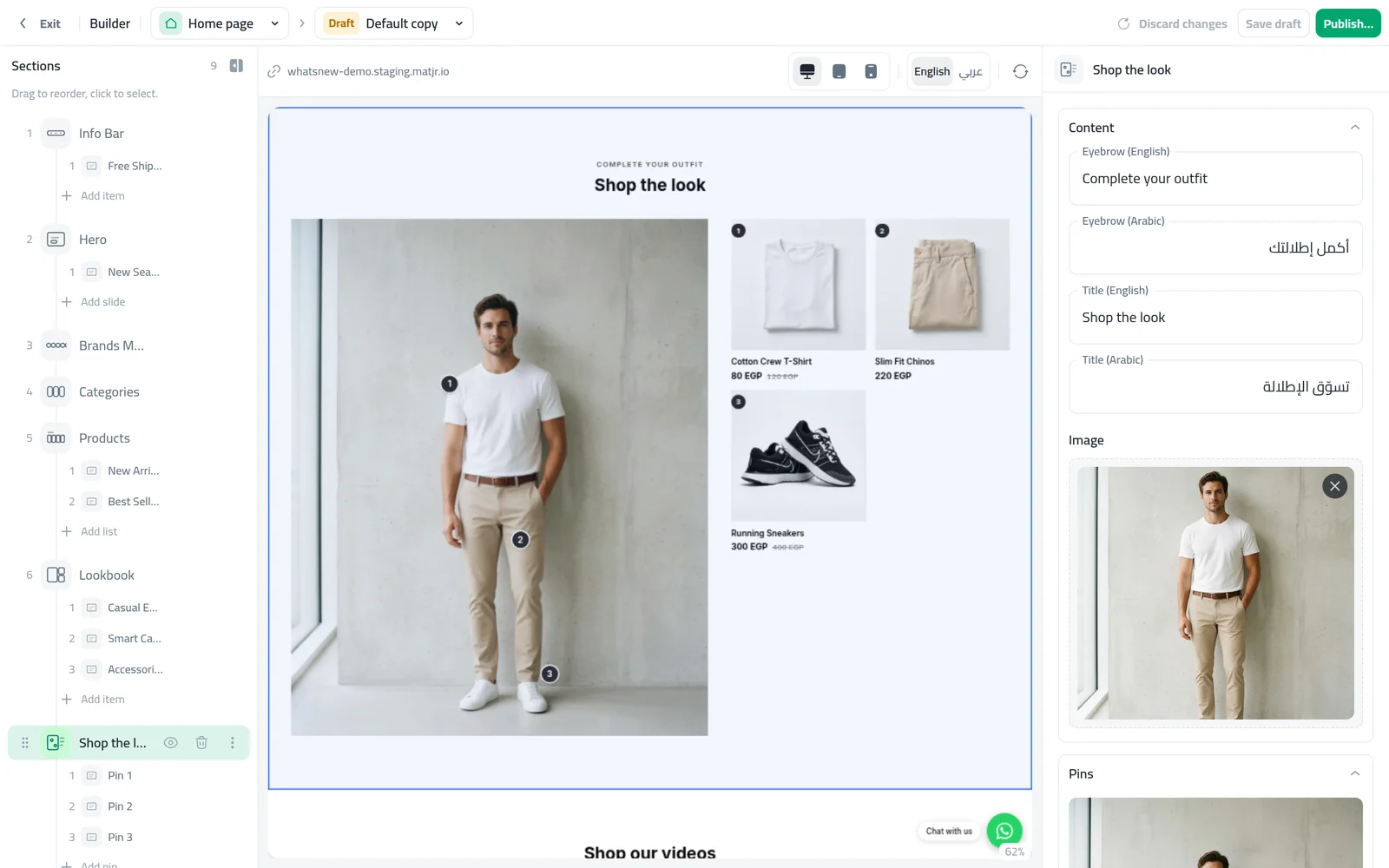
- Where
- Storefront Design › Design › Home page
- Pins per photo
- Up to 6
- Videos per section
- Up to 12, from YouTube links
- Shoppers see it
- After you publish your home page
Turn a styled photo or a short video into a way to sell. Shoppers see your products in use, tap the one they like and go straight to it, without searching your store.
What changed
Two new sections sit under Products in the Add section window:
- Shop the look: one photo with numbered pins. Each pin opens one of your products. You can place up to 6 pins.
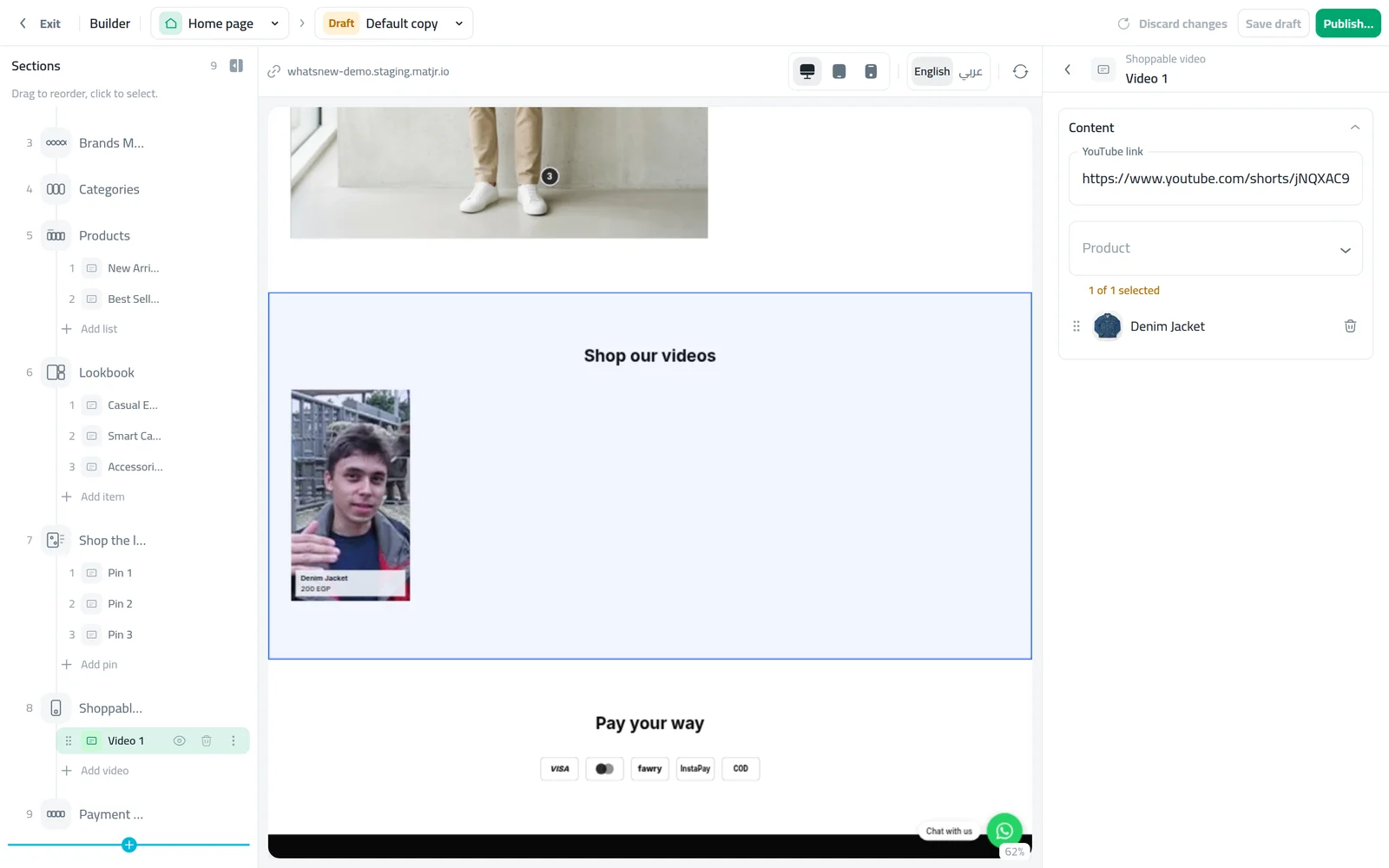
- Shoppable video: a row of tall videos from YouTube, each linked to one product. Shoppers tap a video to watch it full screen with the product beside it, so they can buy what they just watched. You can add up to 12 videos.
How to use it
Open Storefront Design, click Design and choose the Home page. Click Add section, choose Shop the look and upload your photo under Image. Then click the photo under Pins to place a pin, and drag it onto the product.
Click a pin and choose its Product. Pins without a product are hidden in your store.
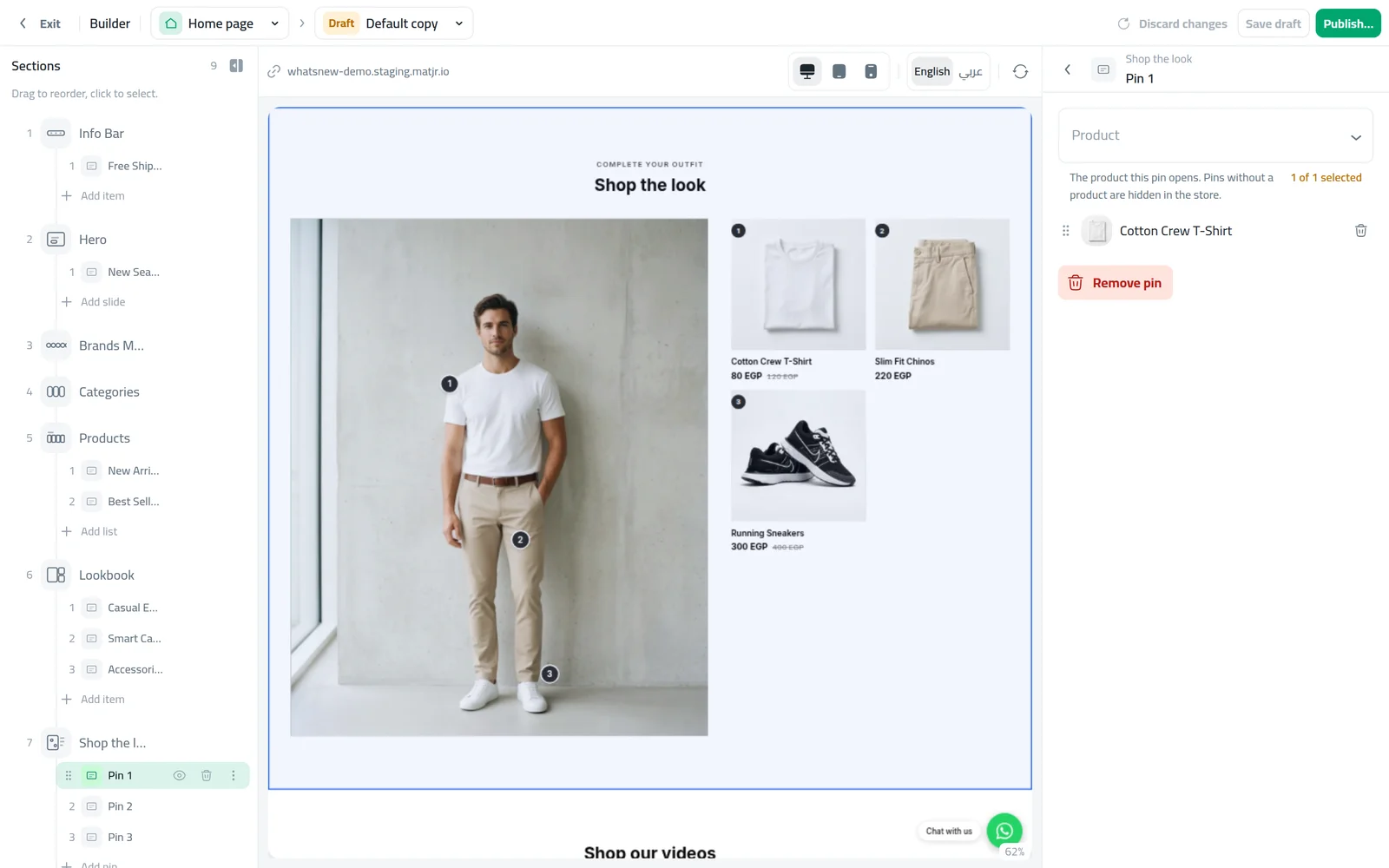
For videos, add a Shoppable video section. Click Video 1, paste the YouTube link and choose the Product. Use Add video for more.
Good to know
- Videos come from YouTube links. Normal, shared and Shorts links all work, and tall Shorts fit the row best.
- Pins stay on the same spot of the photo in both Arabic and English.
- You can move a pin at any time by dragging it, or click it to change or remove its product.
- For the full steps, tips and common mistakes, see how to add shoppable photos and videos to your online store.
Frequently asked questions
Can I upload a video file instead of a YouTube link?
No. Paste a YouTube link for each video. Shorts links work too.
What happens if a pin has no product?
It stays hidden in your store until you choose a product for it.
Can I move a pin after placing it?
Yes. Drag it to a new spot, or click it to change its product or remove it.
Do the pins move in the Arabic version of my store?
No. Each pin stays on the same spot of the photo in both languages.
Try it on your own store
Start your free trial. No credit card required.