Payments
Your own cash on delivery text and payment logos
Tell shoppers how cash on delivery works in your own words, with the order amounts filled in, and show the payment logos you accept in your style.
- Where
- Page Builder, Cart, Cart page
- Label and note
- Up to 60 and 300 characters
- Payment logos
- Built-in or your own, up to 24
- Countries
- All countries
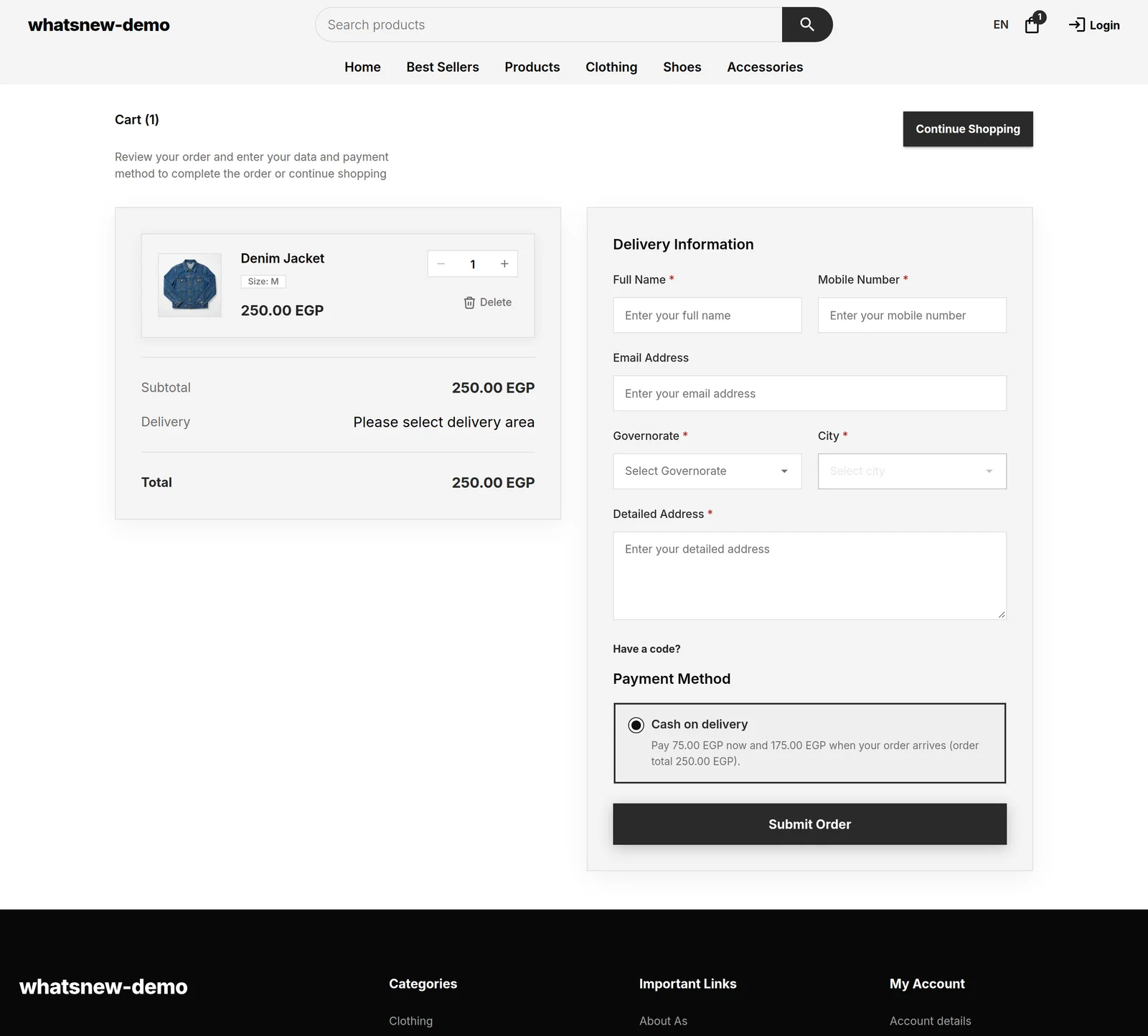
Clear payment words at checkout mean fewer surprised customers at the door. Now you write the cash on delivery text yourself and show the exact amounts for each order.
What changed
The cart page editor has a new Cash on delivery option group. Change the label, for example "Pay cash to the courier", and add a short note that shows when the shopper picks it.
Click a tag to add an amount to your text: Order total, Amount to pay now or Amount left for delivery. At checkout each tag becomes the real amount for that order.
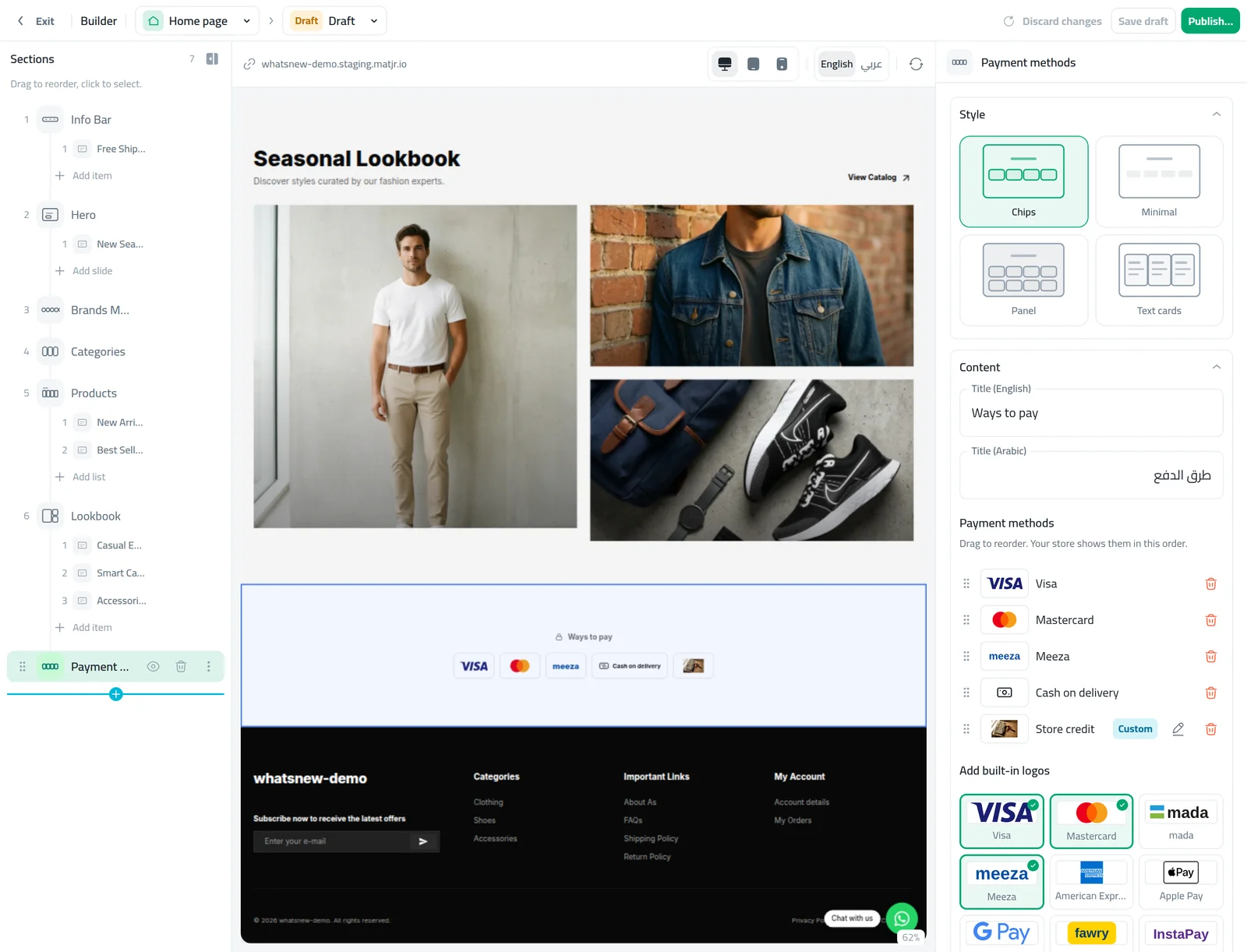
The Payment methods section is redesigned with four styles: Chips, Minimal, Panel and Text cards. Add built-in logos, including mada, upload your own logo with an optional link, and drag them into the order you want. On product pages it shows as one compact row.
How to use it
Open Page Builder, choose Cart and switch the preview to Cart page. Fill the Cash on delivery option label and note.
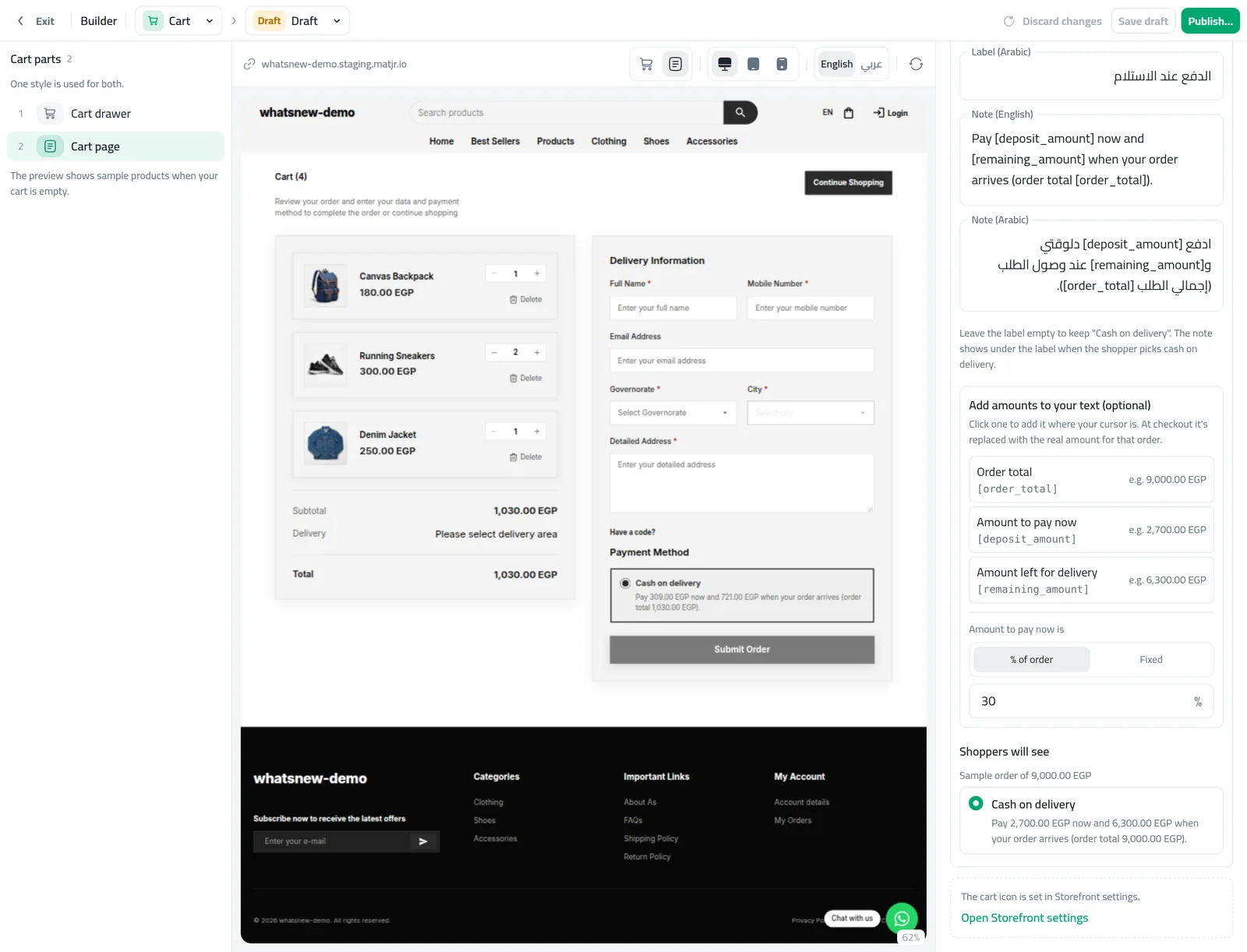
Publish. Shoppers see your label and note when they choose cash on delivery.
For logos, select a Payment methods section, pick a style and add built-in or custom logos.
Good to know
- Each field shows only for the languages your store uses.
- If you take deposits, the amounts come from your deposit settings.
- Taking deposits? Read How to take a deposit on cash on delivery orders.
Frequently asked questions
What if I leave the label empty?
Shoppers keep seeing "Cash on delivery".
I take deposits. Which text do shoppers see?
Your label always shows. On orders that need a deposit, the checkout notice from your deposit settings replaces your note.
Will my current payment logos change?
No. Your section keeps its look until you edit it. New Payment methods sections start with the Chips style.
Try it on your own store
Start your free trial. No credit card required.