Payments
Take card payments with your own payment company
Connect Kashier or Paymob yourself so customers can pay by card at checkout. Turn cash on delivery on or off whenever you like.
- Where
- Company settings, Payments
- Who can use it
- People with the Manage payments permission
- Companies
- Kashier, Paymob and Zbooni
- Countries
- Egypt and UAE (Kashier: Egypt)
Let customers pay by card without waiting for us. You connect your own payment company in a few minutes, and card payment appears at checkout.
What changed
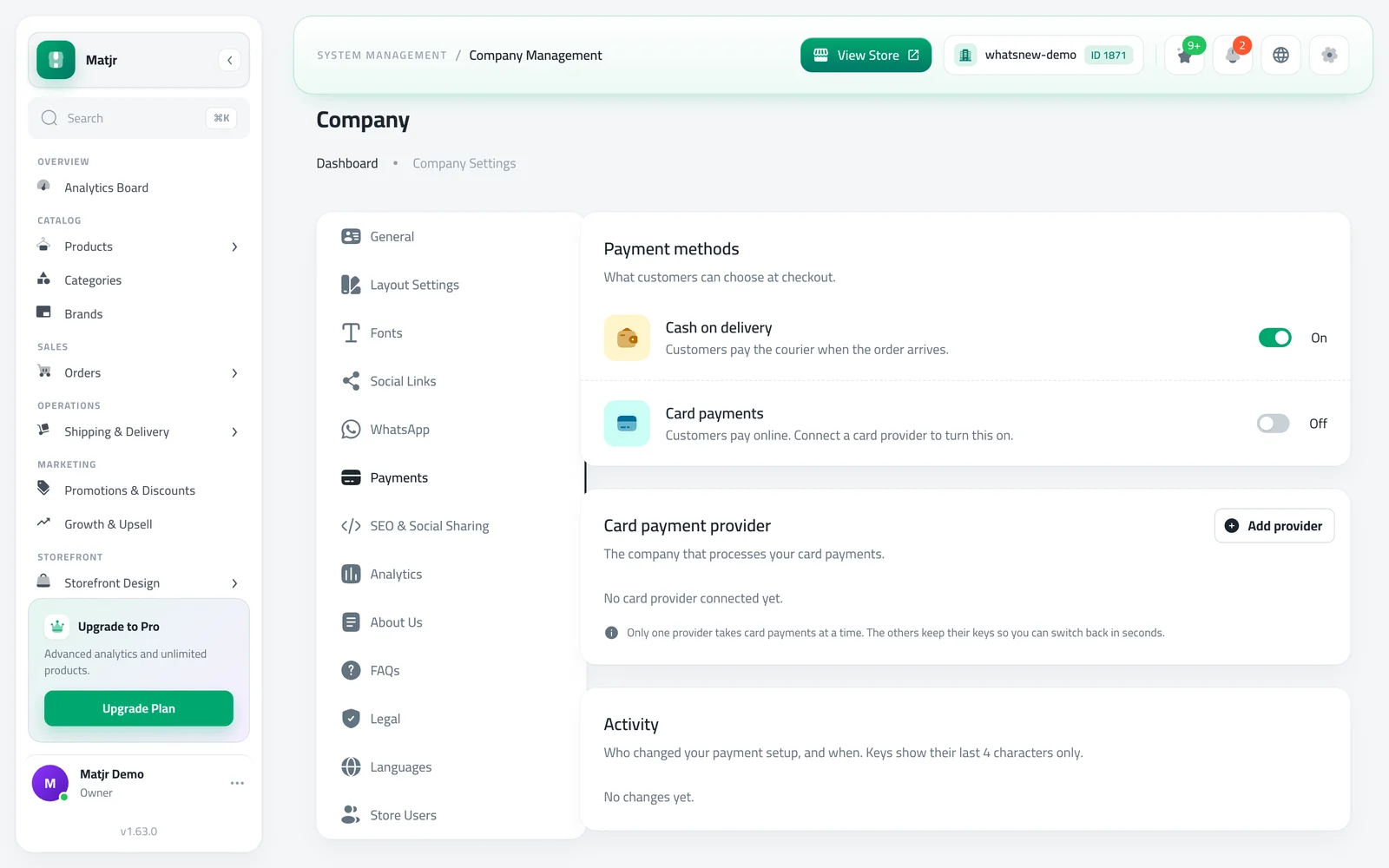
Company settings has a new Payments page. It shows the payment methods your store offers, the company that processes your card payments, and a short history of who changed what.
You can turn Cash on delivery and Card payments on or off yourself. At least one of them always stays on. If you turn cash on delivery off, customers no longer see it at checkout and card payment is already selected for them.
Setup takes three steps: choose the company, add its keys, then review and confirm. We support Kashier, Paymob and Zbooni. Zbooni is set up with our team: you send your details and we contact you.
How to use it
Open Company settings and choose Payments.
Under Card payment provider, press Add provider and pick your company.
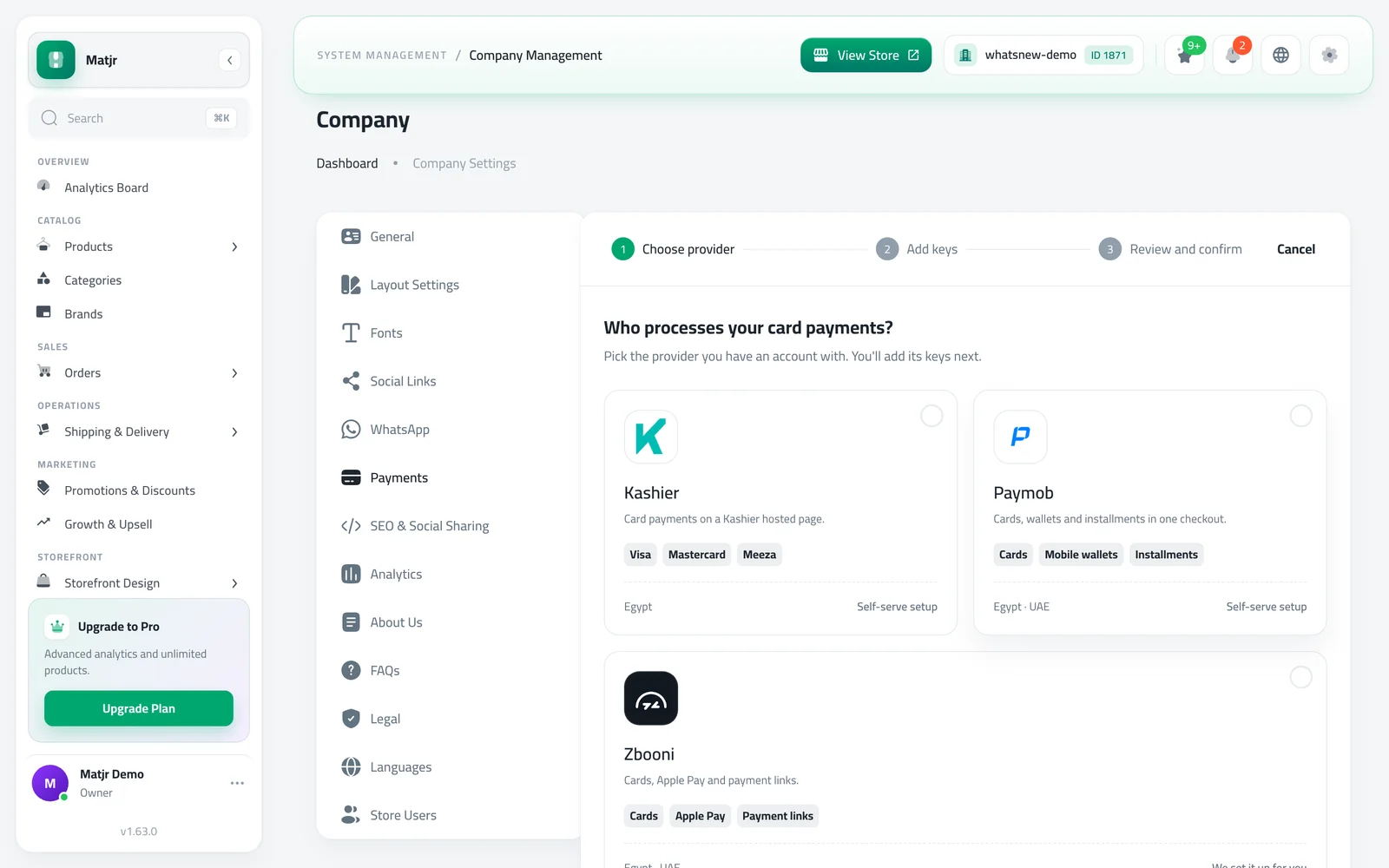
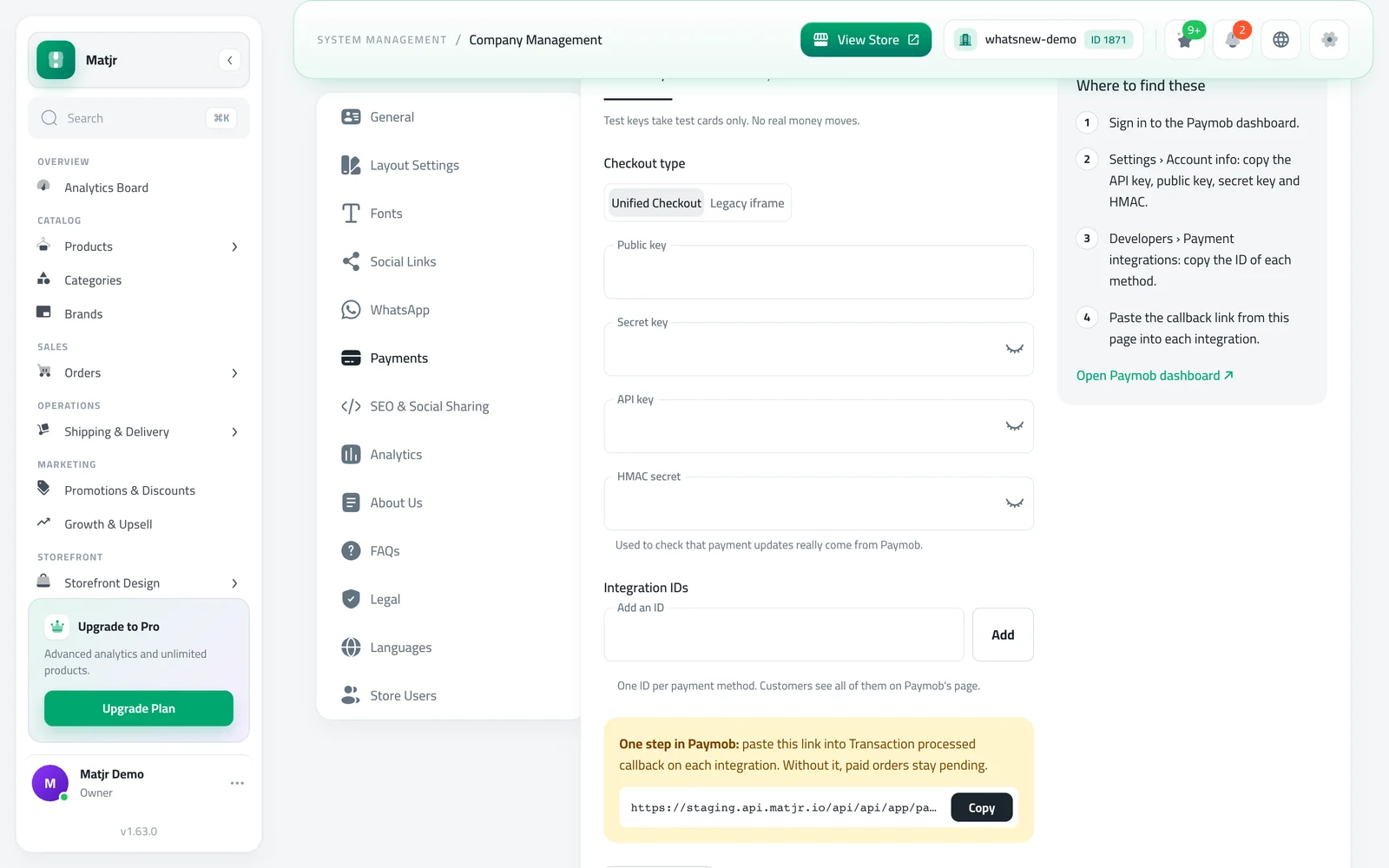
Enter the keys from your provider account, then review and confirm. Start with test keys, then go live when you are ready.
Good to know
- In test mode only test cards work, so real customers cannot pay by card yet. Press Go live when you are ready.
- Only one company takes card payments at a time. The others keep their keys, so you can switch back in seconds.
- You need the Manage payments permission to change anything. Owners and administrators have it already.
- Changes may take a few minutes to show on your store.
- Full steps are in the guide How to connect card payments to your store.
Frequently asked questions
Do I need an account with the payment company first?
Yes. You open an account with Kashier, Paymob or Zbooni, then copy its keys into your Payments page.
Can I try it without charging customers?
Yes. Start with test keys. Only test cards work in test mode, so nobody is charged until you go live.
Can I turn cash on delivery off?
Yes, as long as card payments is on. At least one method always stays on.
Who can change these settings?
Owners, administrators and anyone with the Manage payments permission.
Try it on your own store
Start your free trial. No credit card required.