Siparişler
How to take a deposit on cash on delivery orders
How to take a deposit on cash on delivery orders: set the amount, show shoppers where to pay, check their transfer and confirm the order.
- Where
- Settings, Order confirmation tab
- Time needed
- About 10 minutes
- You need
- An InstaPay, wallet or bank account
Want to take a deposit on cash on delivery orders so fewer parcels come back refused? This guide shows how to ask for a deposit, tell shoppers where to pay, check their transfer and keep track of what is left to collect on delivery.
Before you start
- Have a place to receive money: an InstaPay address or phone, a wallet number, or a bank account name.
- Decide the rule. A fixed amount is easy to understand. A percentage scales with big orders.
- Decide how long shoppers have to pay. The default is 48 hours.
- Make sure your shipping is set up: see How to set up shipping areas and prices.
Think about who should pay a deposit. Asking on every order protects you most, but a minimum order total lets small orders go through as before.
How a cash on delivery deposit works
When the deposit is on, a cash on delivery order at or above your minimum total needs a deposit. At checkout the shopper sees the deposit and what is left to pay on delivery. Card payments are not affected.
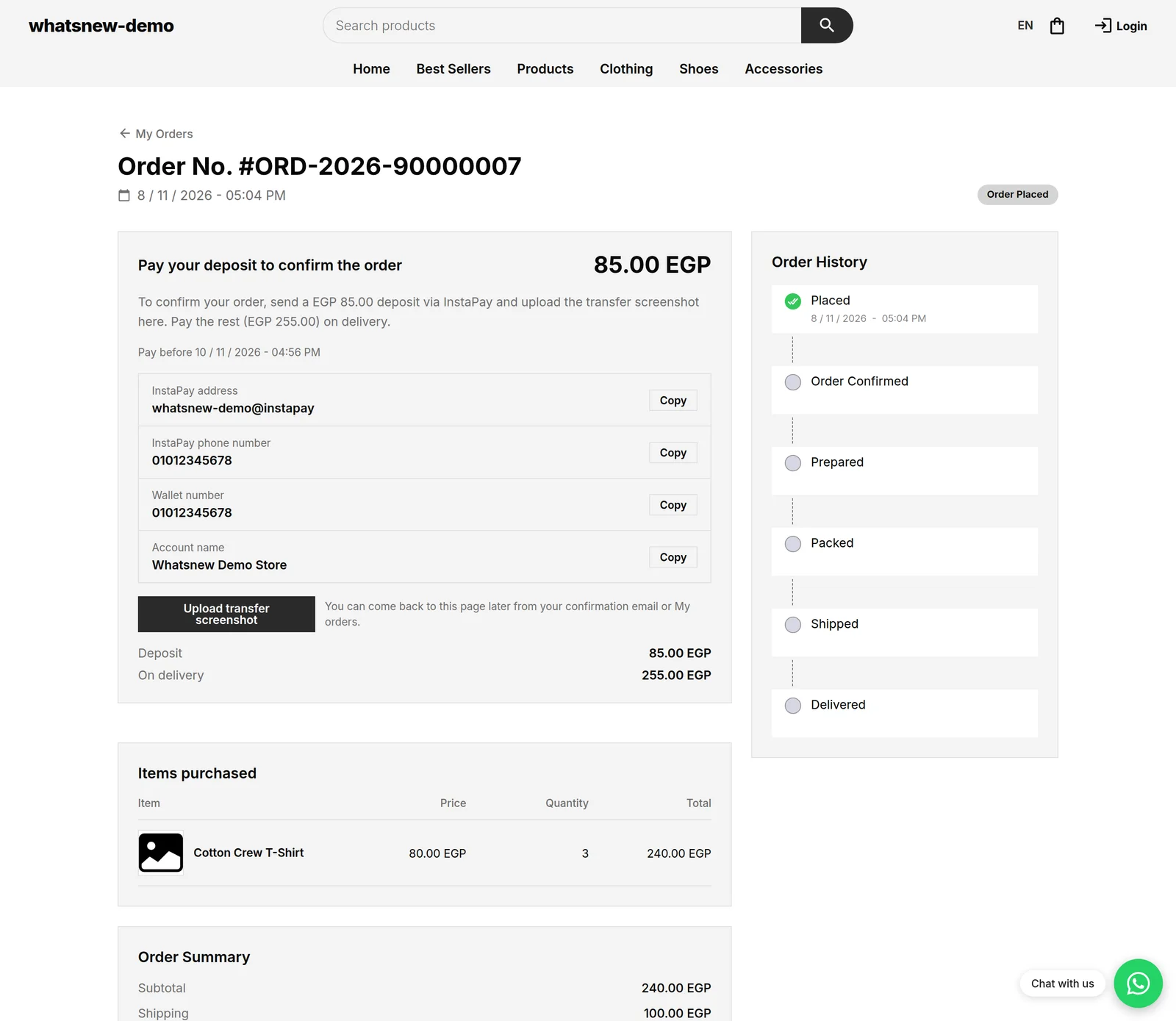
After ordering, the shopper's order page shows the amount, your payment details with copy buttons, and an upload button for the transfer screenshot. The order waits for you. It is not sent to your courier automatically.
You check the screenshot and approve it. The order is confirmed, the deposit is added to your account, and the rest is collected on delivery. If the shopper never pays, the order cancels itself after the time you set and the stock goes back.
Set up the deposit
Open Settings and go to the Order confirmation tab. Turn on Require a deposit on cash on delivery orders.
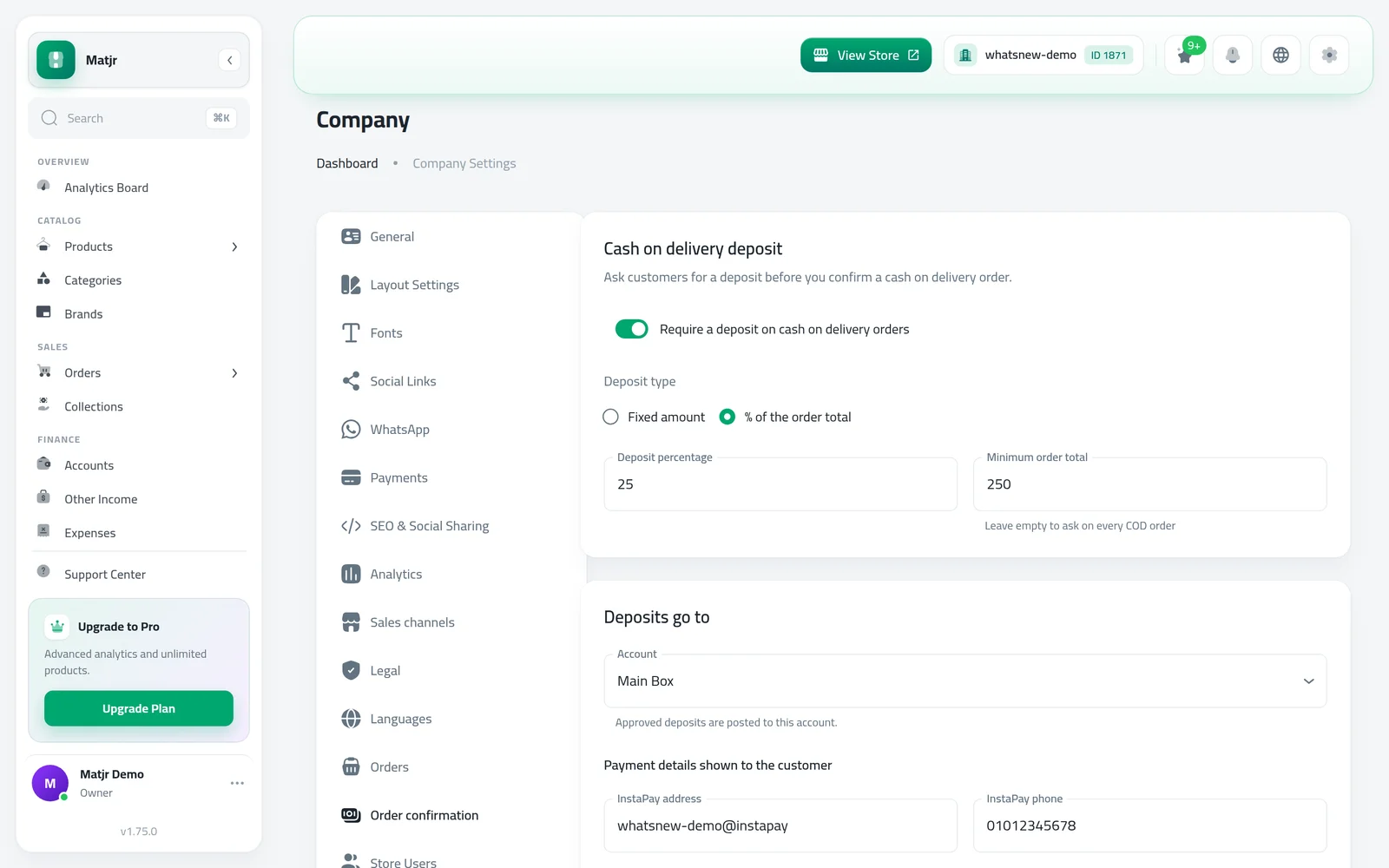
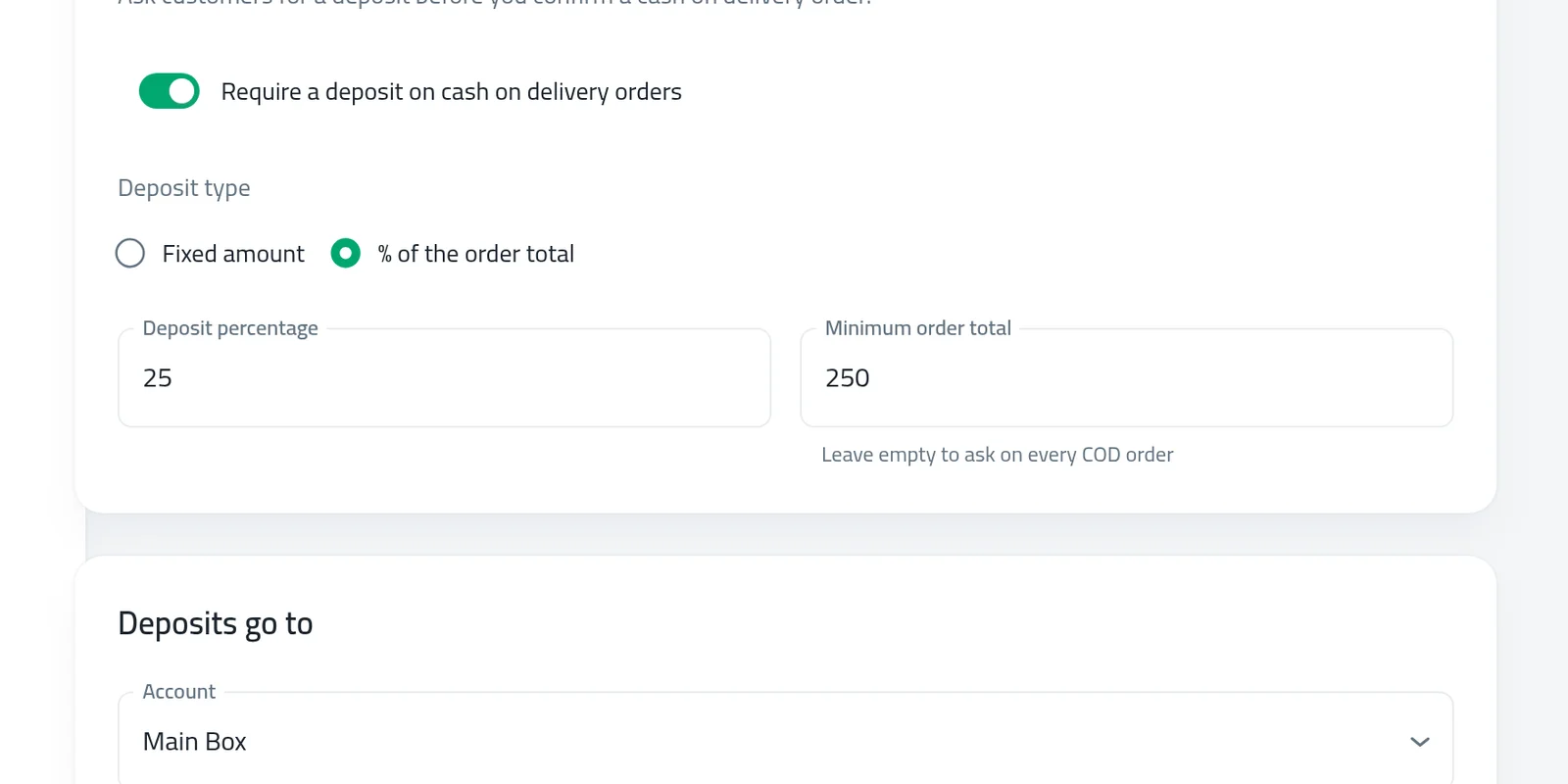
Choose the Deposit type: Fixed amount or % of the order total, and enter the value. Leave Minimum order total empty to ask on every order.
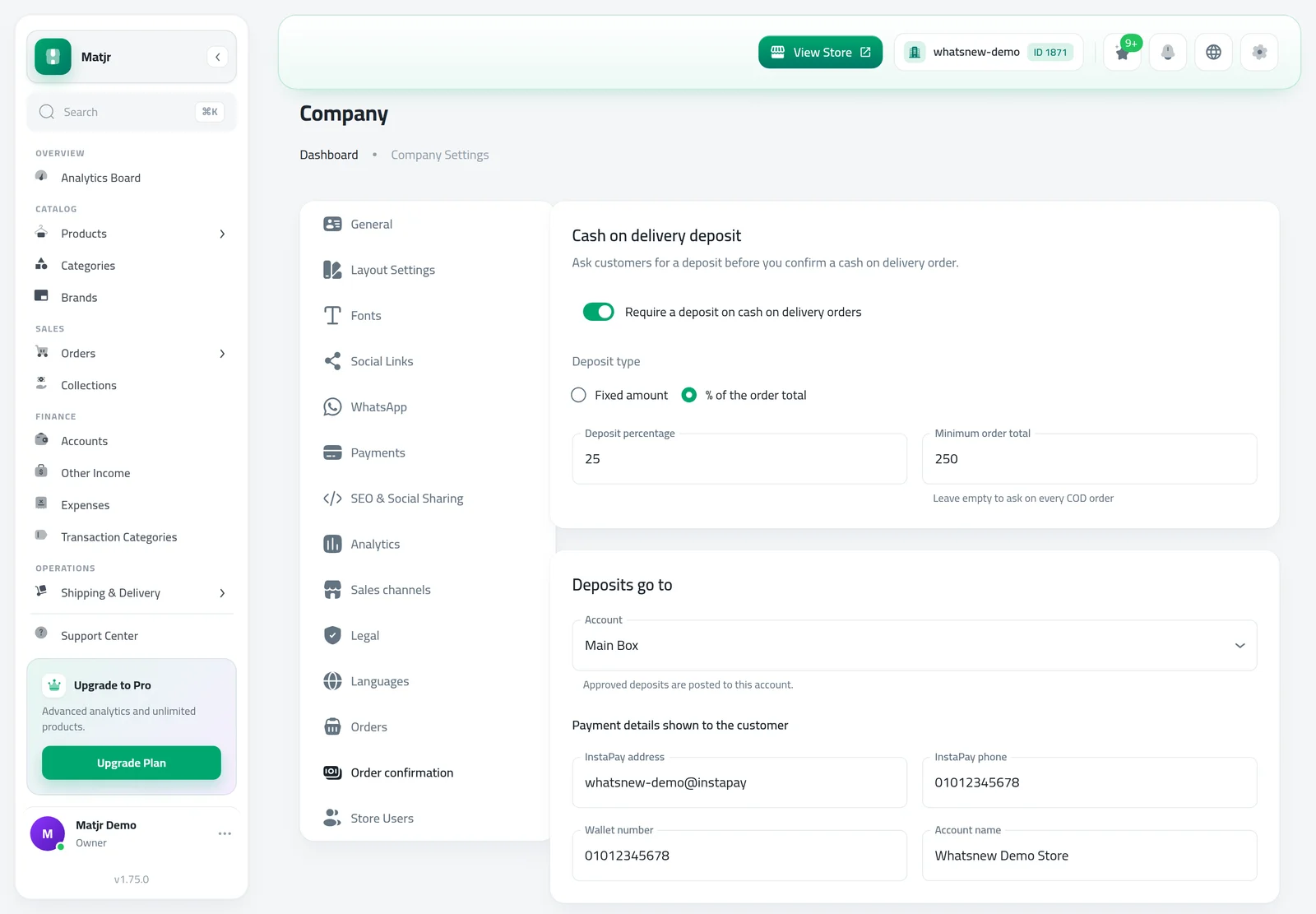
Under Payment details shown to the customer, add at least one way to pay. In Deposits go to, choose the account approved deposits are added to.
Write the Customer texts: the checkout notice, the order page instructions and a note. Set Cancel after (hours), then save.
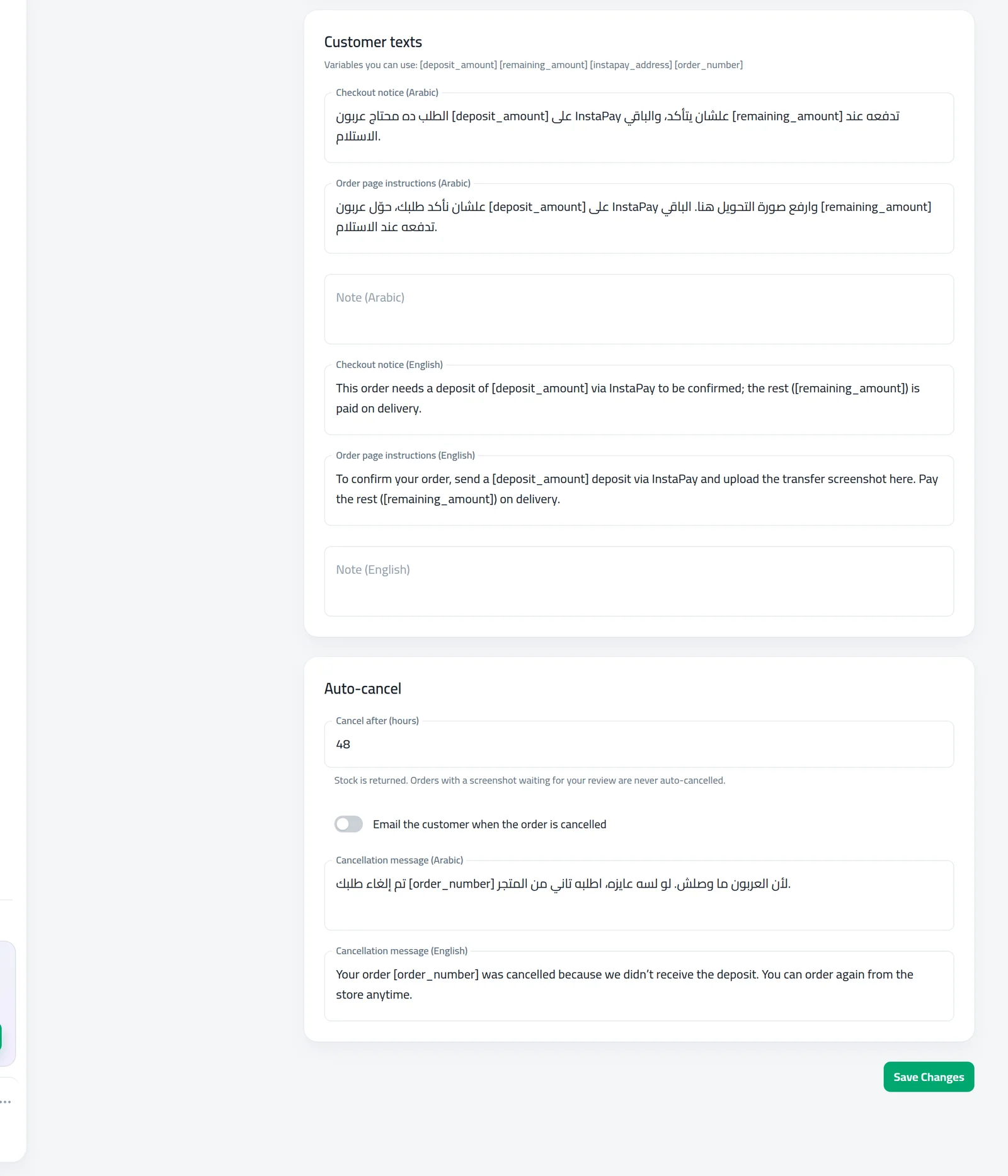
The texts can use variables, such as the deposit amount, listed under the fields. Fields show only for the languages your store uses.
What shoppers see
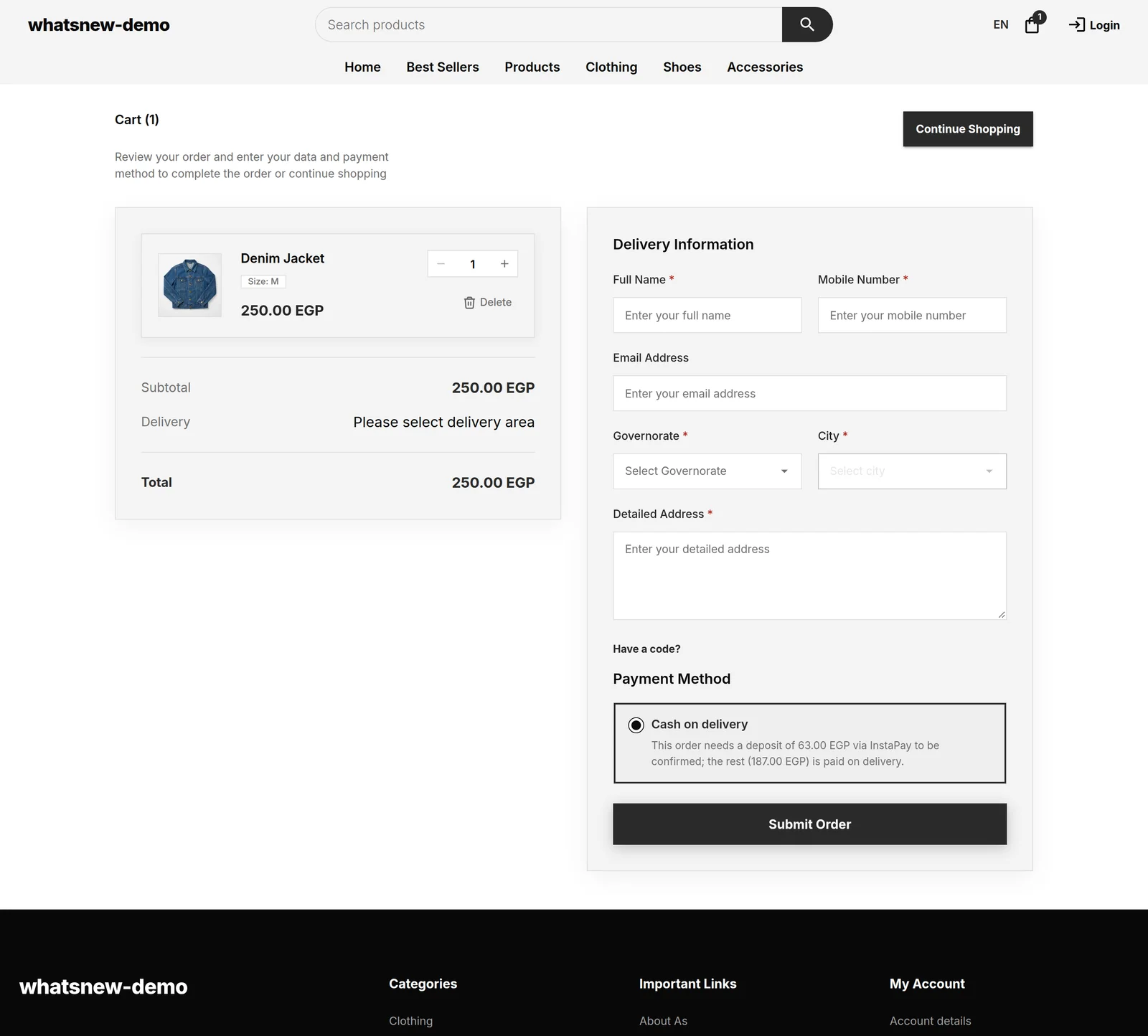
At checkout, when cash on delivery is chosen, a notice shows the deposit and what is left for delivery.
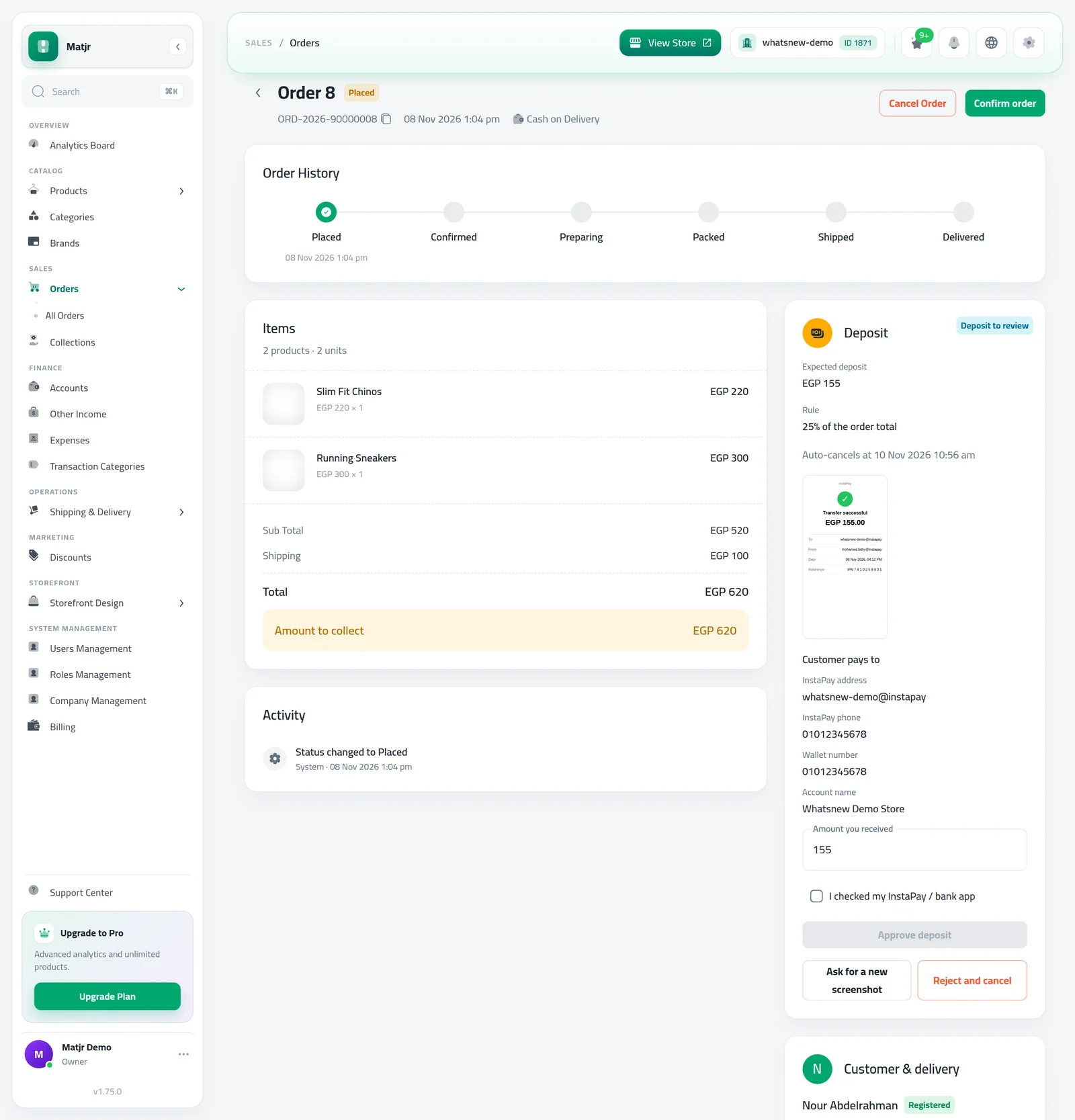
On the order page, the shopper copies your details, pays and uploads a screenshot. While you review it, the page says the transfer is being checked.
Review the transfer
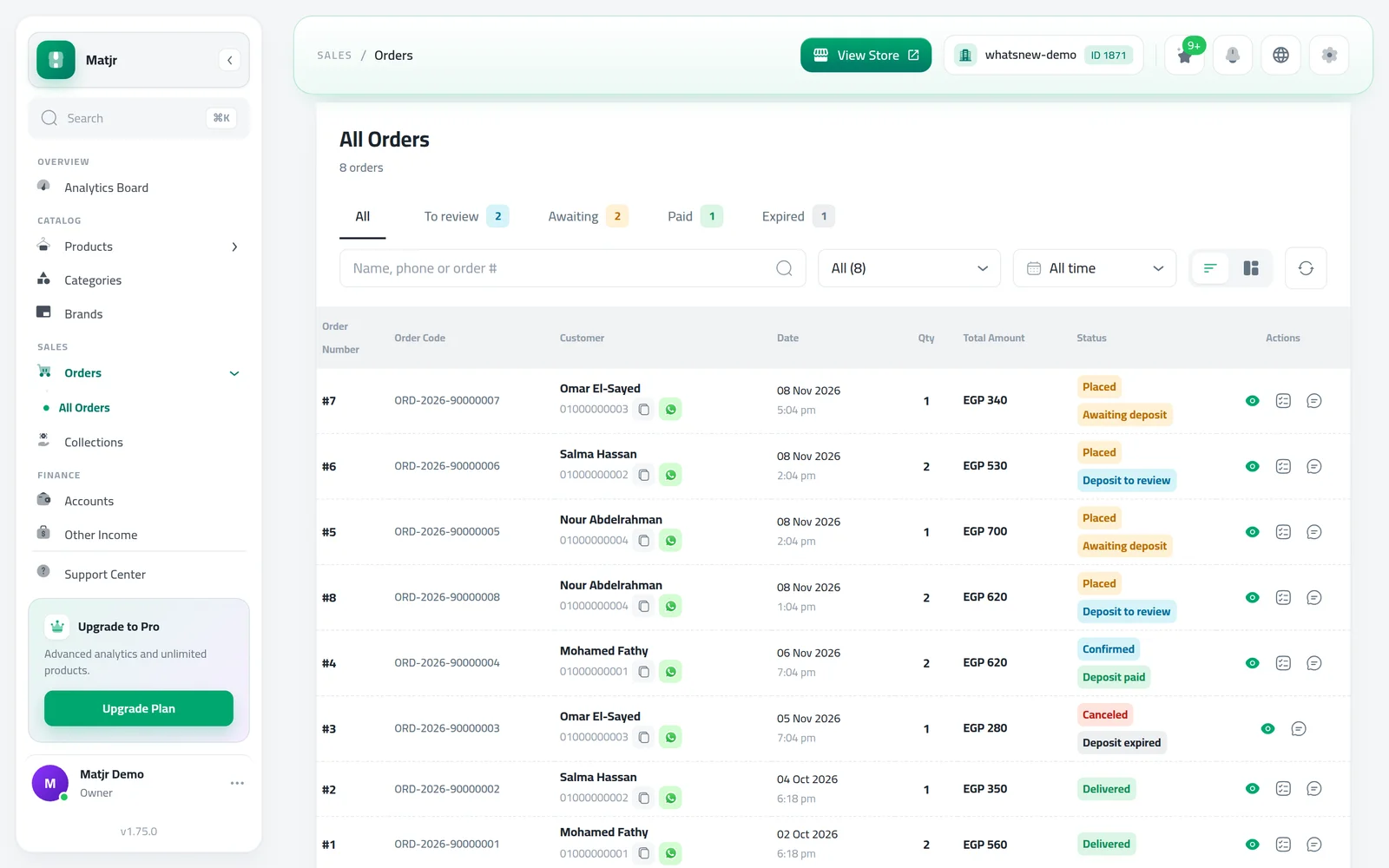
Open Orders. The tabs To review, Awaiting, Paid and Expired show how many orders are in each state.
Open an order in To review. Check the screenshot against your InstaPay or bank app, confirm Amount you received, tick I checked my InstaPay / bank app and press Approve deposit.
Not right? Ask for a new screenshot sends the shopper back to upload again, with an optional reason. Reject and cancel cancels the order and returns the stock. The shopper gets an email in both cases.
If the shopper sent proof on WhatsApp instead, use Record deposit on the order. You can attach the photo, and the order is confirmed.
Track what is left to collect
The Payment Info card on every cash on delivery order shows Total, Paid and On delivery. Use Record Payment for any extra payment, and Undo payment if you made a mistake.
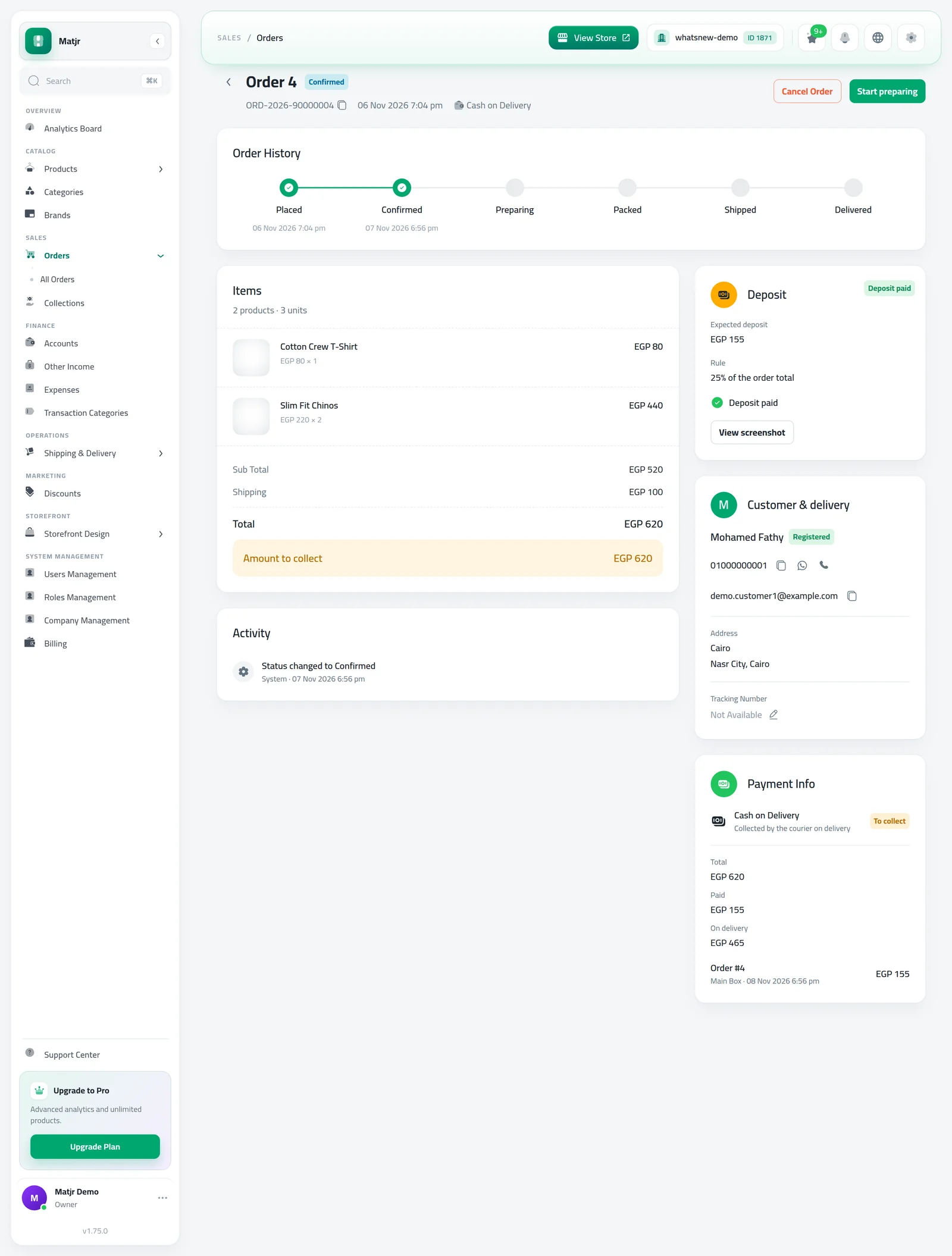
Order payments also appear in Collections, but you change them only from the order.
Tips for a deposit that keeps customers
A deposit protects you, but shoppers need to understand why you ask. Put one short, friendly sentence in the checkout notice, such as "We ask a small deposit to confirm your order. You pay the rest on delivery." That alone cuts questions on WhatsApp.
- Start with a small amount that covers shipping, then watch cancelled and refused orders for two weeks before changing it.
- Check the To review tab more than once a day. A shopper who paid wants a quick confirmation.
- In the cancellation message, tell shoppers how to order again, so you do not lose them if they missed the time.
Common mistakes
- Approving from the screenshot alone. Always check that the money arrived in your app first.
- Forgetting to book the courier. Orders that waited for a deposit are not sent automatically, so book them after approval.
- A very short payment window. Give shoppers time to reach their bank app, especially at night.
- Instructions in one language only. Fill both if your store uses both.
Related tasks
Sık sorulan sorular
How do I take a deposit on cash on delivery orders?
Open Settings, go to Order confirmation, turn on the deposit, choose the amount and add where shoppers should pay. Then approve each transfer from the order.
How much deposit should I ask for?
Enough to cover shipping both ways is a common choice. Many stores ask a fixed amount on small orders and a percentage on large ones.
What happens if I undo the deposit payment?
If what is paid falls below the deposit, the order goes back to waiting for the deposit. The order status does not change.
Can I still cancel an order after a deposit?
Yes. You can always use Reject and cancel. Stock goes back to your store.
Kendi mağazanızda deneyin
Ücretsiz denemeyi başlatın. Kredi kartı gerekmez.