Customers
Customers can sign up and log in with a phone number or email
Shoppers no longer need an email to create an account. They can use a mobile number, an email, or both, so fewer of them give up at sign-up.
- Where
- Your store's sign-up and login pages
- Setup
- None, works in every store
- Who can use it
- All customers
- Countries
- Egypt, UAE and Bahrain
Many of your customers would rather use their mobile number than an email. Now they can. Sign-up and login in your store accept a mobile number, an email, or both, so more visitors finish creating an account and come back to order again.
What changed
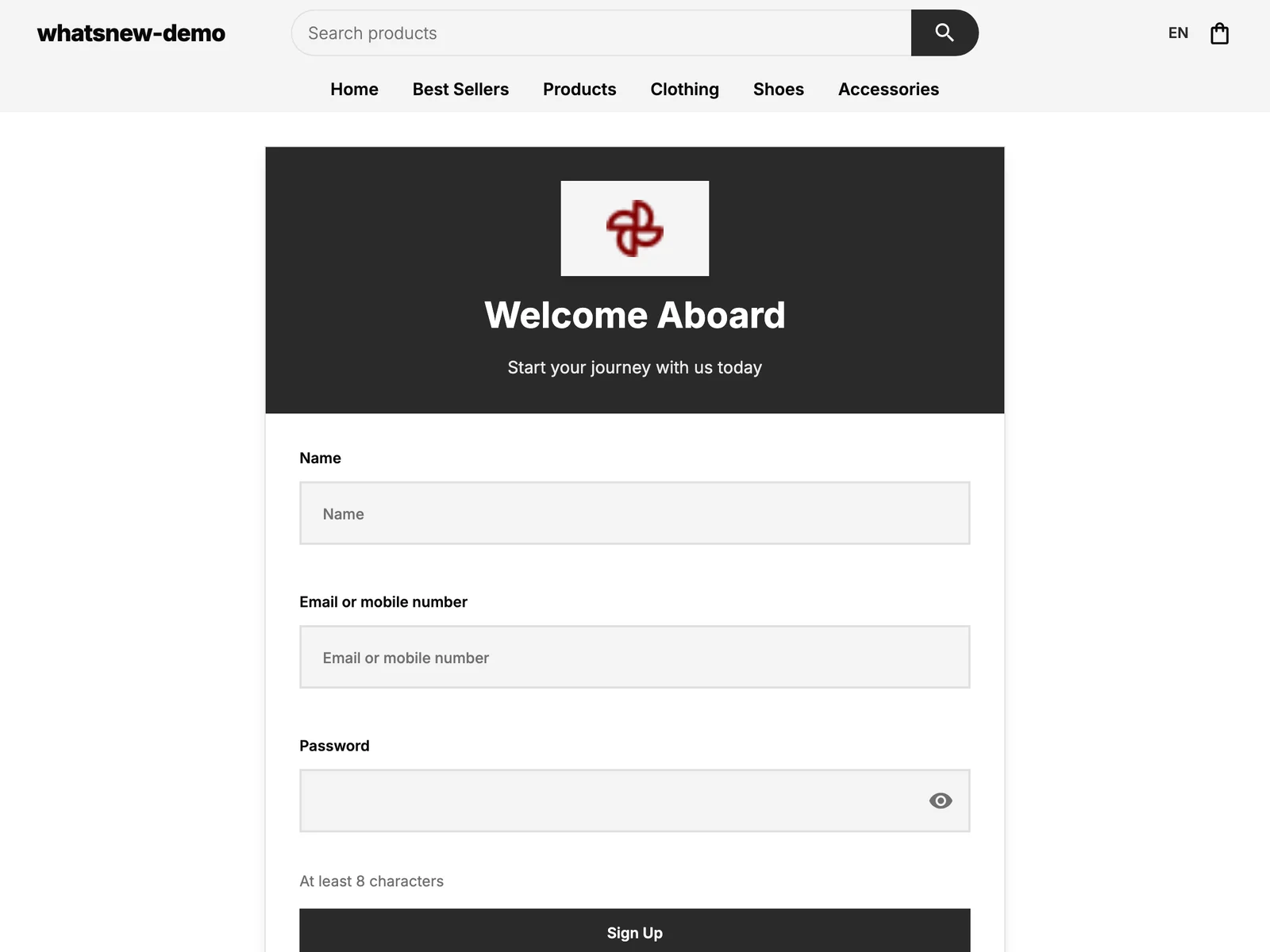
The sign-up page has one field called Email or mobile number. If the customer types an email, an optional mobile number field appears under it. If they type a mobile number, that is all they need. The login page works the same way.
Mobile numbers are saved in one standard format, so 010 123 4567 and +20 10 123 4567 are the same customer. A number cannot be used twice in your store, and a customer cannot sign up without an email or a mobile number.
How it looks for your customers
On the sign-up page, the customer enters their name, then an email or a mobile number, then a password.
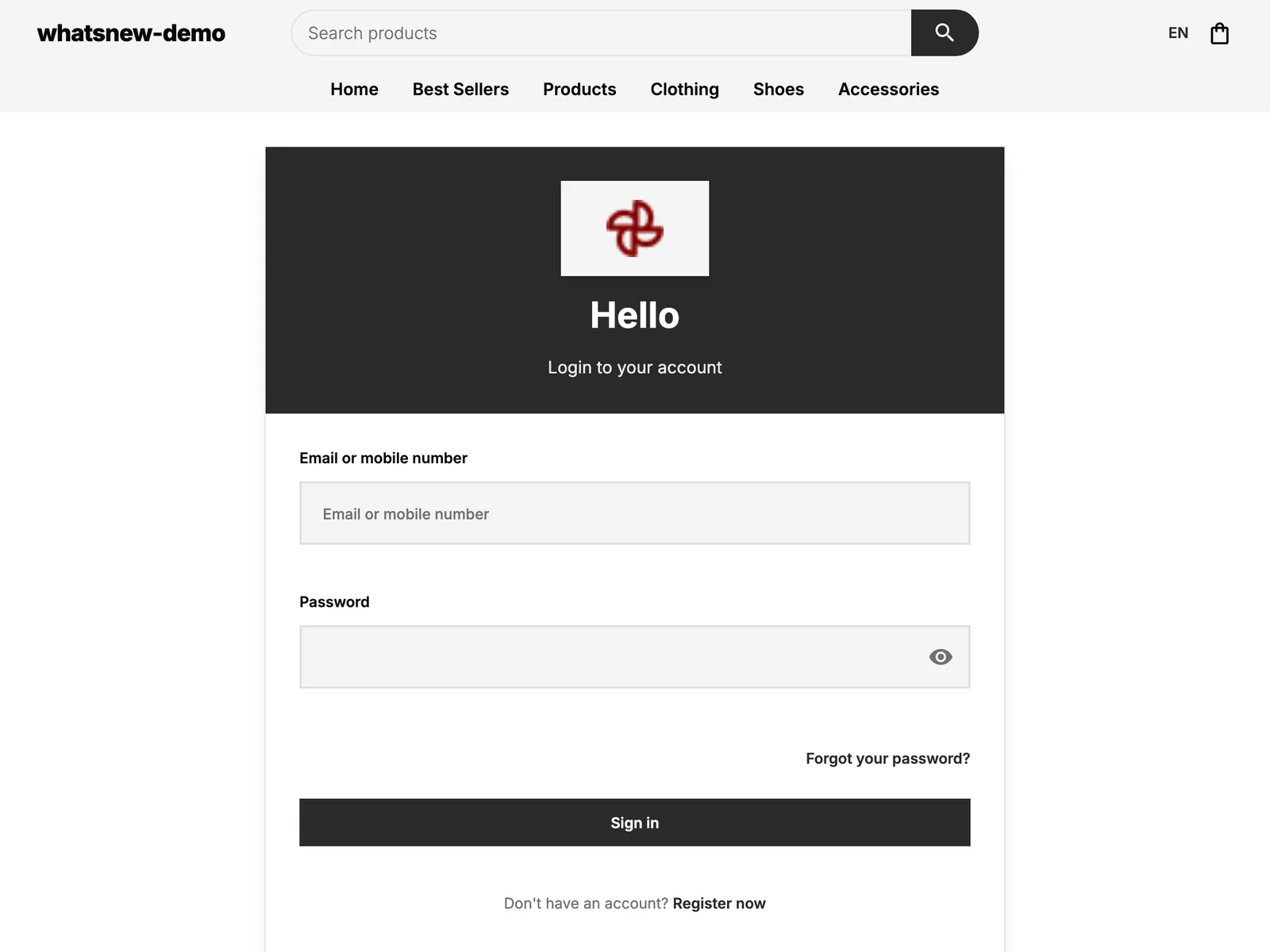
On the login page, they enter the same email or mobile number and their password.
Good to know
- There is nothing to switch on. It works in every store, in Arabic and English.
- Customers who signed up with a mobile number and forgot their password are asked to contact your store. Resetting by mobile is not available yet.
- You can see all your customers, with their email or mobile number, in Customers in your dashboard.
Frequently asked questions
Do I need to turn this on?
No. Every store already accepts a mobile number, an email, or both.
Can a customer sign up without an email?
Yes. A mobile number is enough. They just need one of the two.
What if a customer writes their number in a different way?
It still works. 010..., +2010... and numbers typed with spaces are treated as the same number.
What if a mobile-only customer forgets their password?
They are asked to contact your store, because resetting by mobile is not available yet.
Try it on your own store
Start your free trial. No credit card required.