Settings
Control what each team member can see and change
Give staff view-only, draft-only or full access to store design, and hide costs, profit and customer contact details from roles that do not need them.
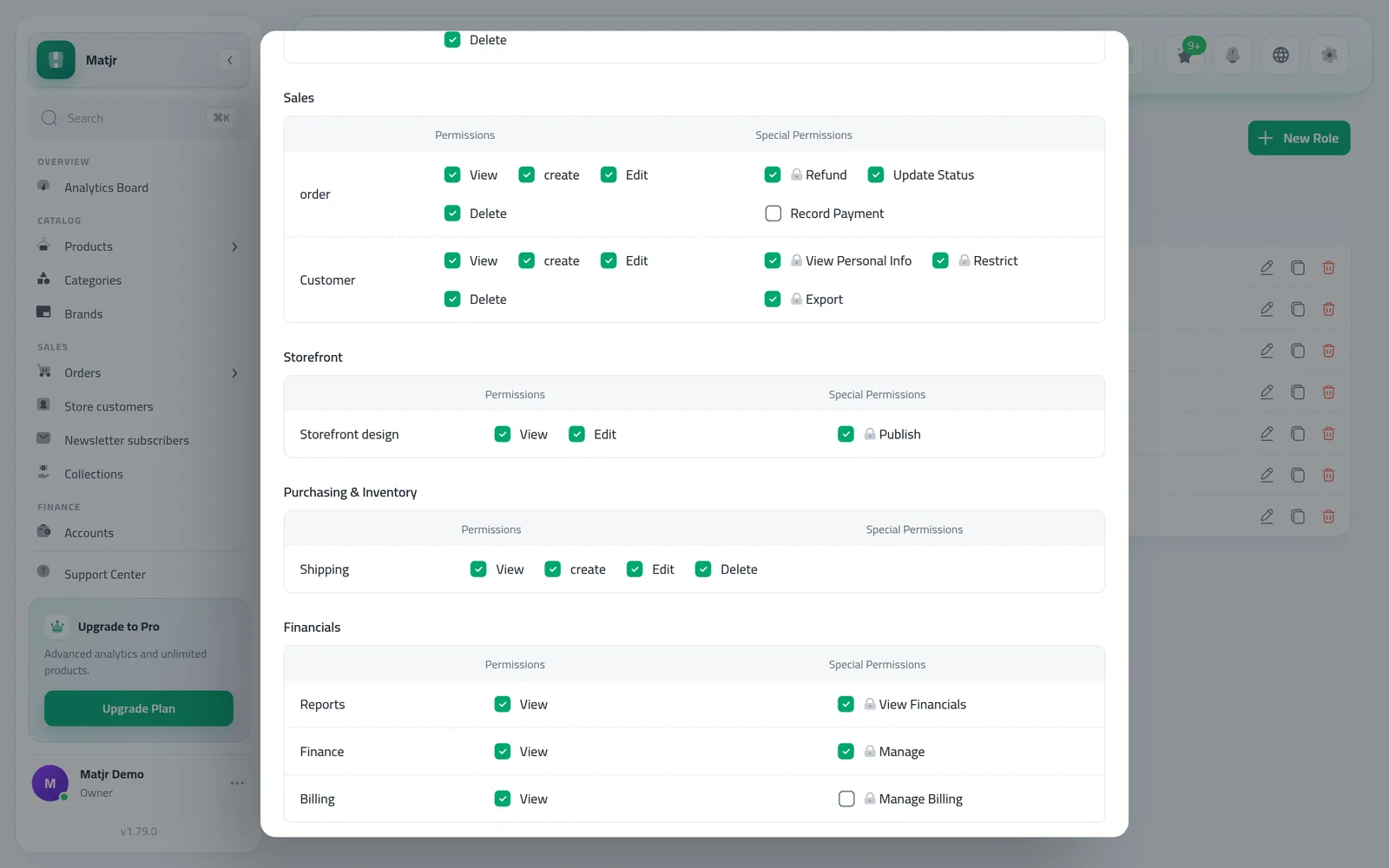
- Where
- Roles > Storefront design
- Permissions
- View, edit, publish
- Now hidden without permission
- Cost, profit, customer contact details
- Blocked pages
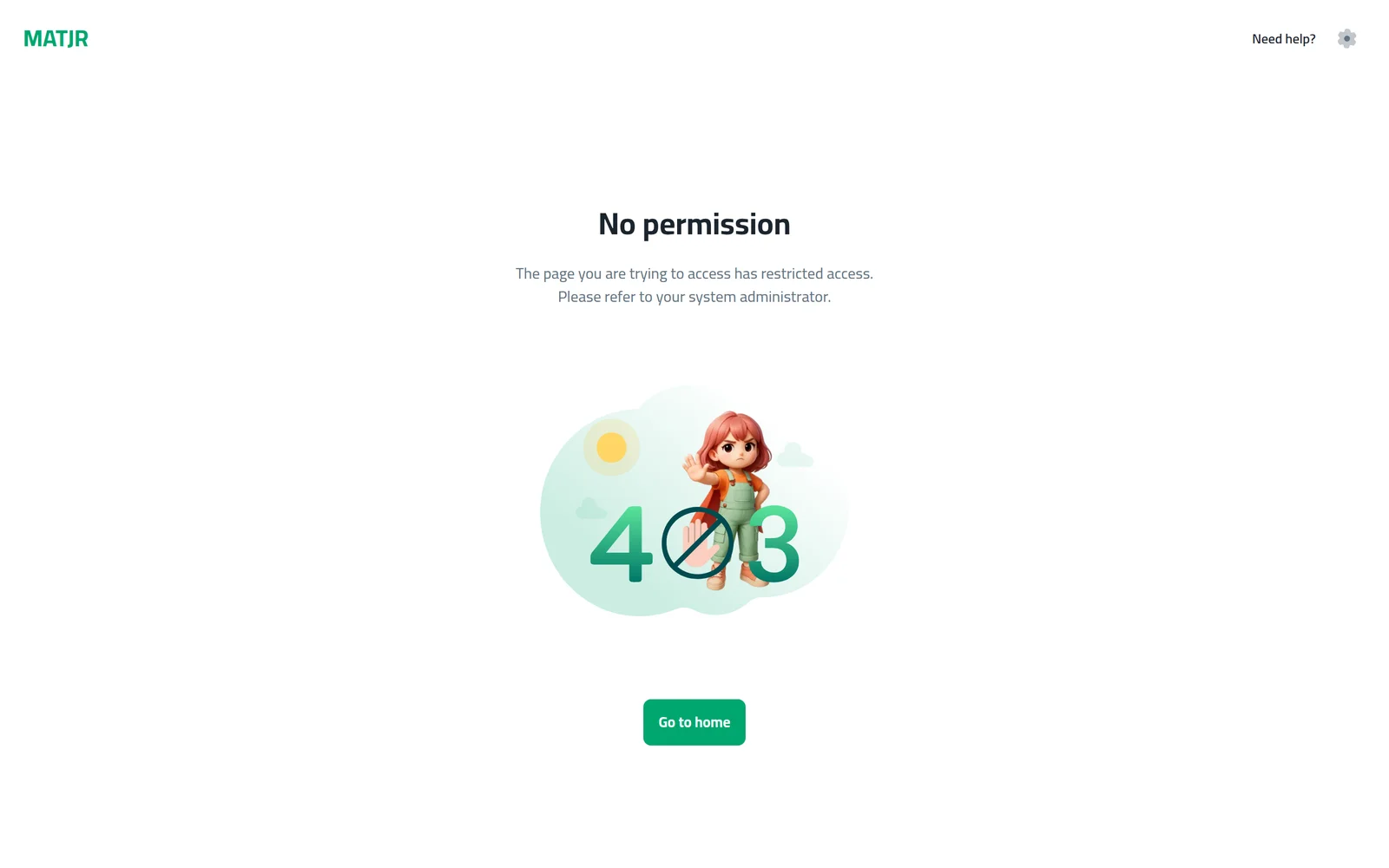
- Show a No permission page
Give each person only what they need. Designers can work on drafts without touching the live store, and staff who pack orders do not see your costs or your customers' contact details.
What changed
The role editor has a new Storefront design group with three permissions: view, edit and publish. Staff with view only can look but not change anything. Staff who can edit but not publish can work on drafts, but cannot change the live store.
These are now hidden or locked unless the role has the matching permission:
- Product cost and profit.
- Customer phone, email and address.
- Price fields. New variants take the price of their product.
Pages a person cannot open now show a clear "No permission" page.
How to use it
Open Roles, then open a role to edit it. Find the Storefront design group.
Tick only what the role needs and save. A team member without access sees the No permission page when they open a restricted screen.
Good to know
- Check your existing roles. Some may now hide data they used to show.
- Owners keep full access.
- Staff without publish can duplicate a live page and work on the copy.
Frequently asked questions
Can someone edit without changing my live store?
Yes. Give them view and edit but not publish. They work on drafts only.
Will my current roles change?
Your roles are kept, but data like costs and customer contacts now follows each role's permissions. Review them once.
What happens if staff cannot change prices?
Price fields are locked, and new variants use the price of their product.
Try it on your own store
Start your free trial. No credit card required.