Settings
Show your return policy and shipping cost on Google
Tell Google your return terms and shipping cost so your product listings can show them to shoppers before they click.
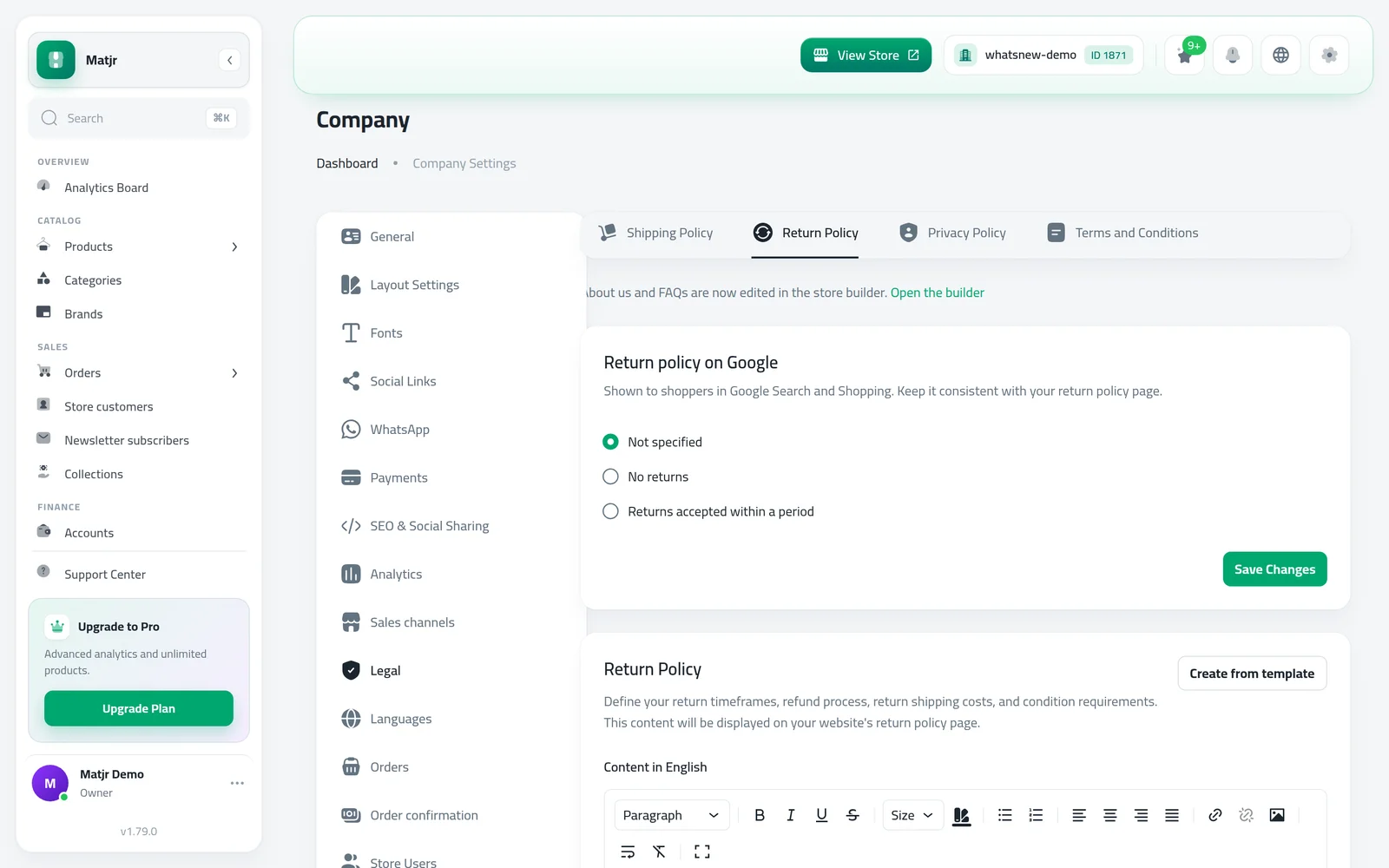
- Where
- Settings > Legal > Return Policy
- Return options
- Not specified, no returns, or 1 to 365 days
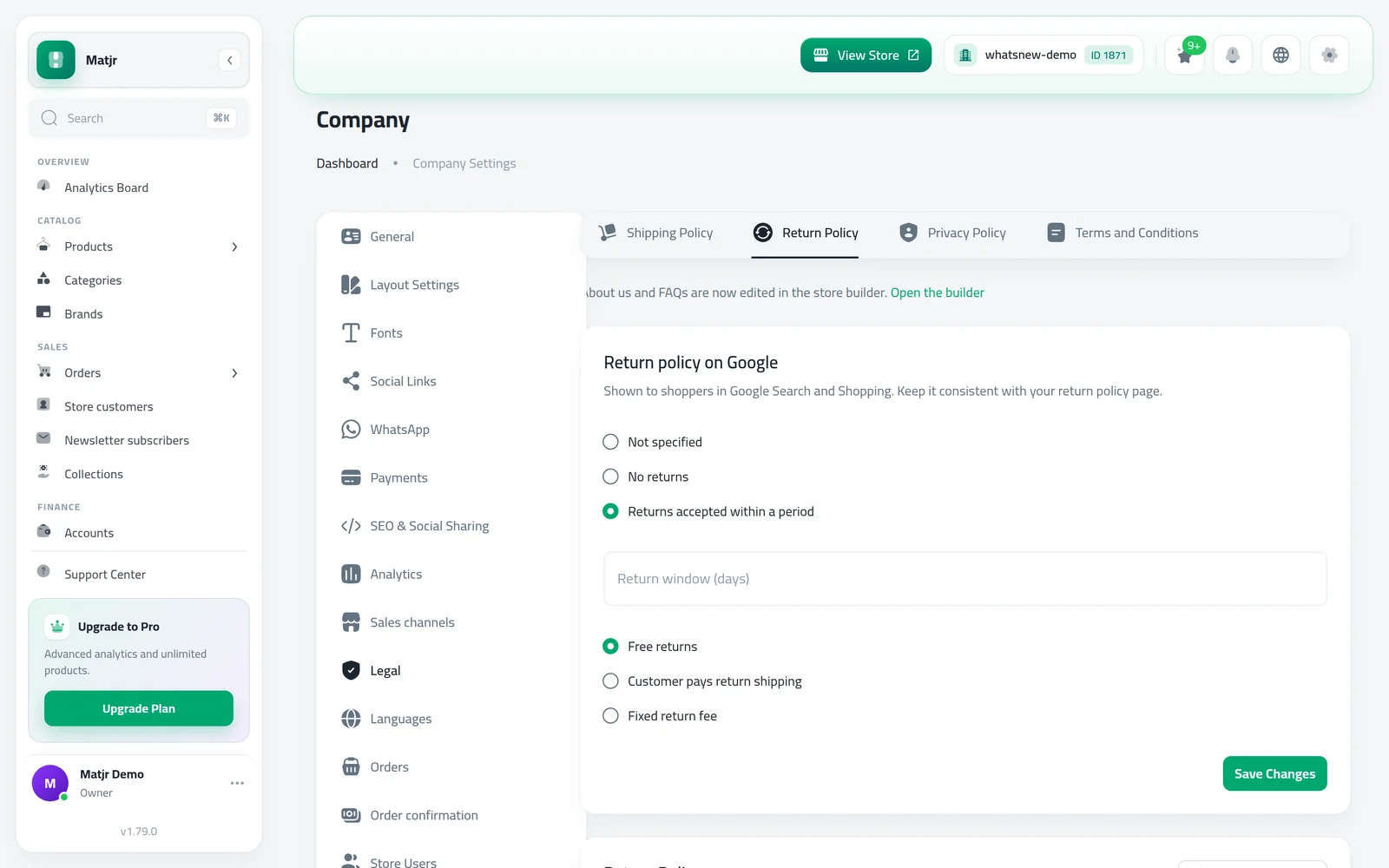
- Return cost
- Free, customer pays, or fixed fee
- Shipping
- Highest active shipping cost, sent automatically
Shoppers compare return terms and shipping before they buy. Now you can share both with Google, so your products can show them in Search and Shopping results.
What changed
Settings has a new Return policy on Google card in the Return Policy tab under Legal. Pick one of three options: not specified, no returns, or returns accepted within a period (1 to 365 days). For returns, choose free returns, customer pays return shipping, or a fixed return fee.
Product pages also tell Google your shipping cost. We send one price for the whole country: the highest cost among your active shipping prices. Delivery days are sent only when every one of your shipping prices has a delivery time.
How to use it
Open Settings, then Legal, then the Return Policy tab. Find the Return policy on Google card.
Choose Returns accepted within a period, enter the number of days, and pick who pays for return shipping.
Good to know
- Keep the card consistent with the text of your return policy page.
- If you leave it as Not specified, nothing is sent to Google.
- Google decides what to show and when. Changes can take time to appear.
See also: List your products on Google and Meta.
Frequently asked questions
Will Google always show my return policy?
No. Google decides what to show. This gives it the information it needs.
Which shipping cost does Google get?
The highest cost among your active shipping prices, as one price for the whole country.
Do I need to set up shipping again?
No. We use the shipping prices you already have.
Try it on your own store
Start your free trial. No credit card required.