Products
Track stock per product and stop overselling
Turn on Track stock for a product and shoppers can't add more than you have. Keep selling at zero for pre-orders.
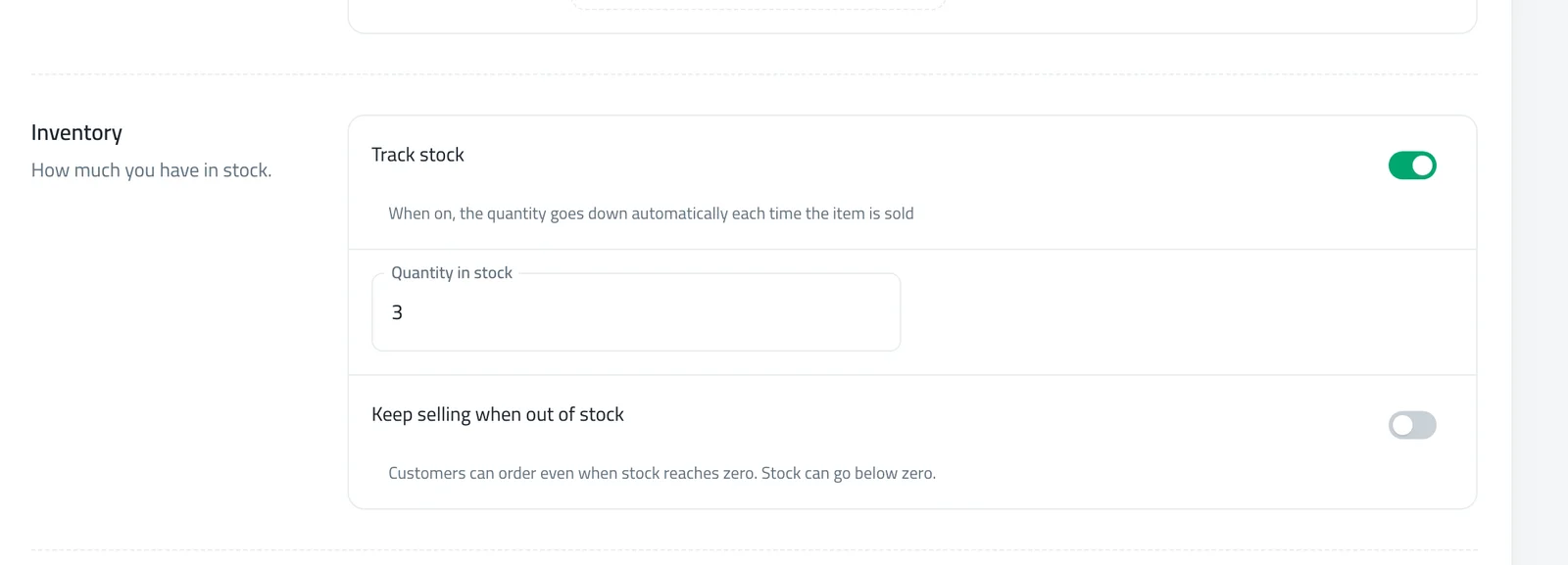
- Where
- Products › Edit › Type & Price
- Switches
- Track stock, Keep selling when out of stock
- Limit
- Max per order, with or without tracking
- Default
- Off for new products
Stop selling what you do not have. Turn on Track stock for a product and shoppers cannot add more to their cart than you have left. For pre-orders, switch on Keep selling when out of stock.
What changed
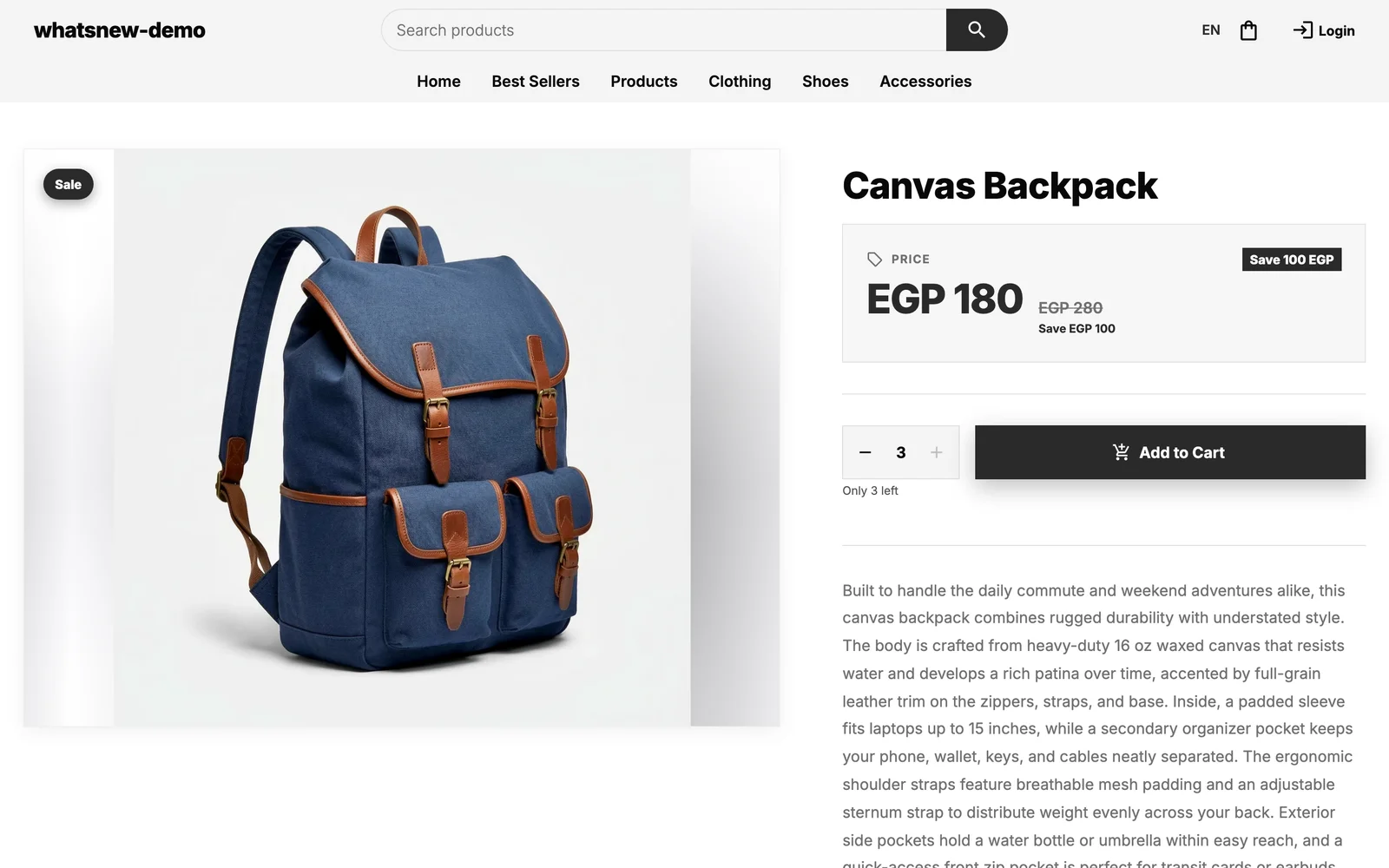
Stock is now tracked product by product. When Track stock is on, the quantity goes down as you sell, and shoppers see Only N left or Sold Out. When it is off, the product is unlimited, which suits services and made-to-order items.
You can also set Max per order, the most one customer can buy in a single order. Shoppers cannot go past it or past your stock, and they see a short note when they reach the limit.
Selling pre-orders? With Keep selling when out of stock on, customers can still order at zero and your stock can go below zero until the new delivery arrives.
How to use it
Open Products, edit a product and go to the Type & Price tab. The switches live in Pricing & stock.
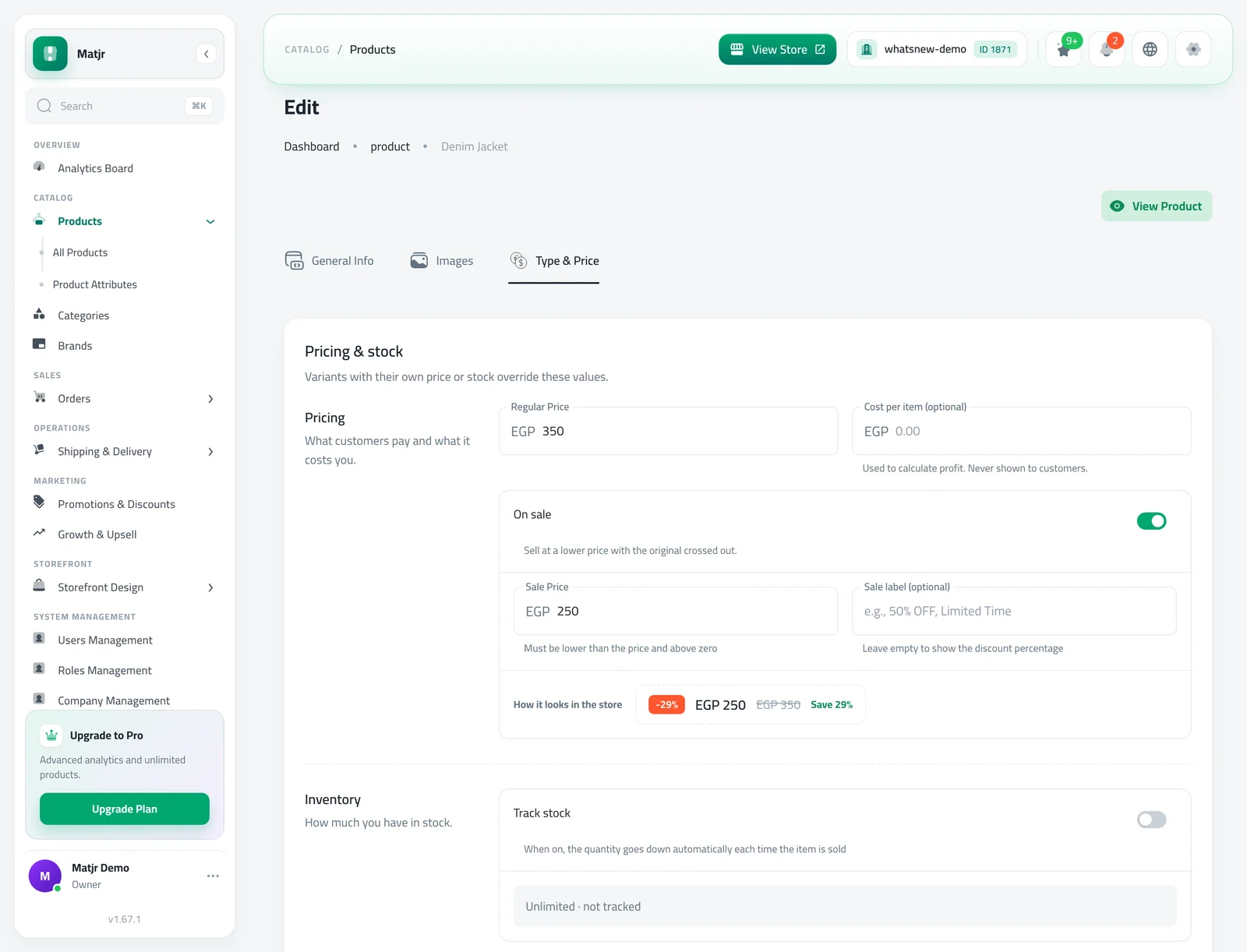
Turn on Track stock, enter the Quantity in stock and click Save Changes. For pre-orders, also turn on Keep selling when out of stock.
Open your store. A shopper cannot add more than you have, and sees a note at the limit.
Good to know
- New products start with Track stock off. Save the product first, then edit it to turn tracking on. The switches are not on the new product form yet.
- If you manage stock with warehouses and invoices, you change stock from there, not from the product form. Saving a product never overwrites your stock.
- Stores that use warehouses already have tracking on for their existing products, so a product with a quantity of 0 now shows as sold out.
- Step-by-step: how to track product stock in your online store. To choose when stock goes down, see confirm orders and choose when stock goes down.
Frequently asked questions
Why can I not find Track stock on the new product form?
It is on the edit page for now. Save the product first, then open it and go to the Type & Price tab.
What do shoppers see when stock runs out?
They see Sold Out and cannot add the product. With Keep selling when out of stock on, they can still order.
Does Max per order work without tracking stock?
Yes. It applies whether or not stock is tracked.
I use warehouses. How do I change the quantity?
Change it with an invoice or in your warehouses. The product form shows the stock per warehouse but does not overwrite it.
Try it on your own store
Start your free trial. No credit card required.