Products
How to add product reviews to your online store
How to add product reviews to your online store: show star ratings, let buyers rate what they bought, approve reviews and add ones you collected.
- Where
- Products, Product reviews and Page Builder
- Time needed
- About 10 minutes
- Who can review
- Buyers only by default
Want to add product reviews to your online store so new shoppers can see what others think? This guide shows how to show star ratings on the product page, choose who can write reviews, approve them, and add reviews you collected elsewhere.
Before you start
- Have products in your store. If not, start with How to add a product.
- Know your product page. The reviews section is added like any other section: see How to customize your product page.
- Decide who may review: only buyers, or any customer with an account.
How product reviews work
Reviews come from three places. Buyers rate products from their order page once the order is delivered; these are marked Verified buyer. Logged-in customers can review from the product page if you allow it. And you can add reviews yourself, marked Added by the store.
Customer reviews wait for your approval. Reviews you add are published right away. A customer can review each product once.
Add reviews to your product page
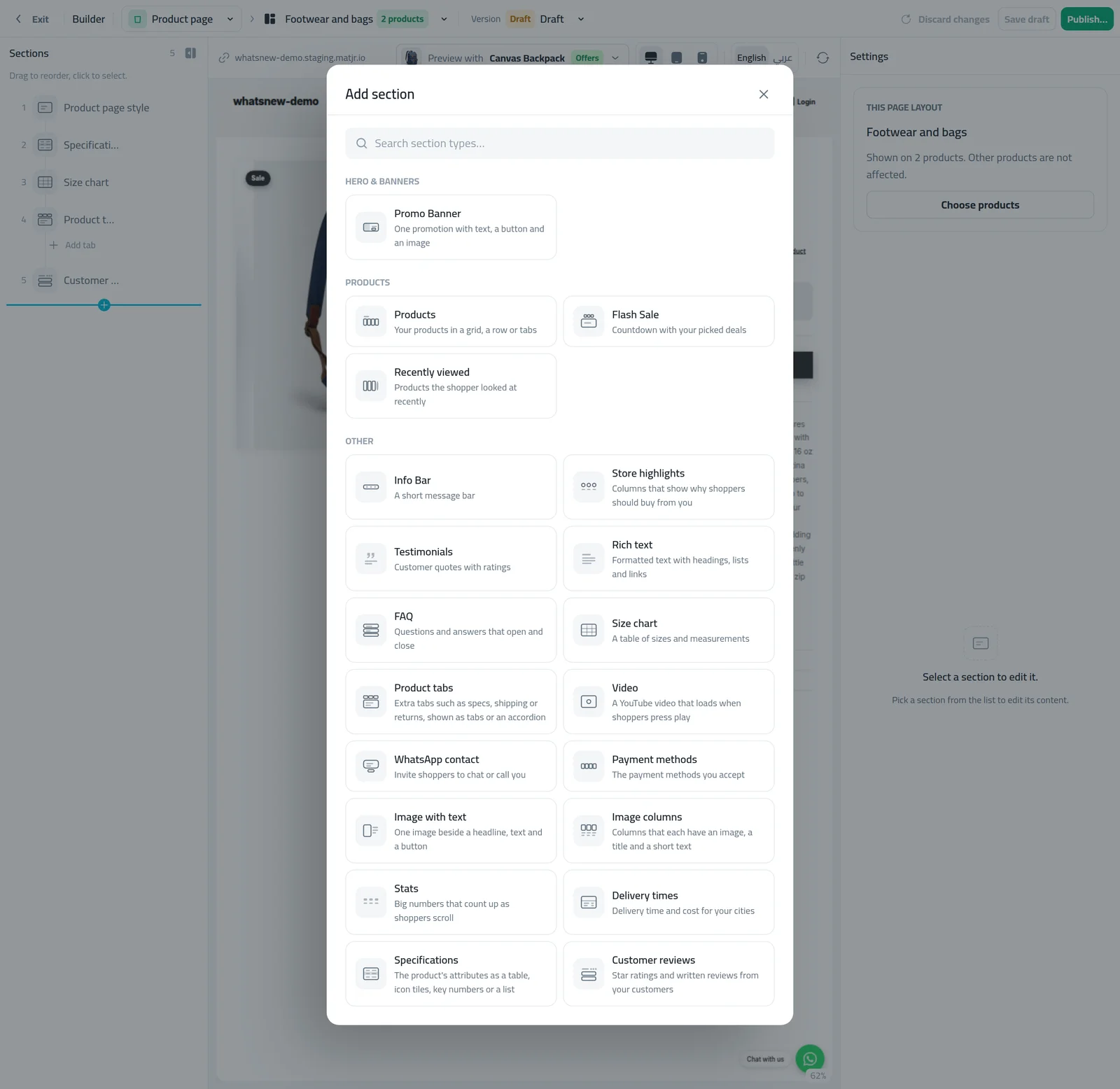
Open Page Builder and choose the product page. Press Add Section and pick Customer reviews.
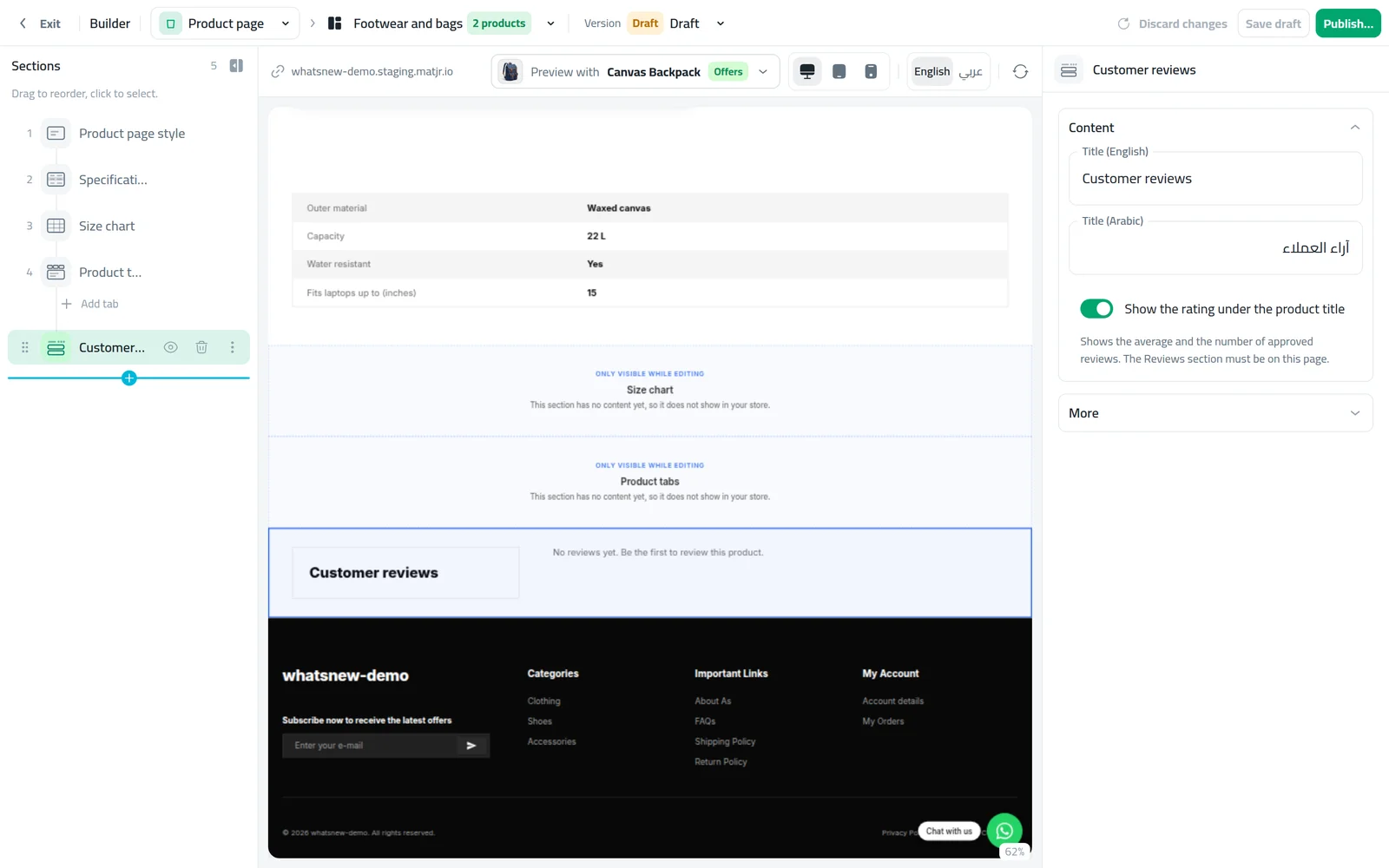
Turn on Show the rating under the product title to show the stars near the price. Publish.
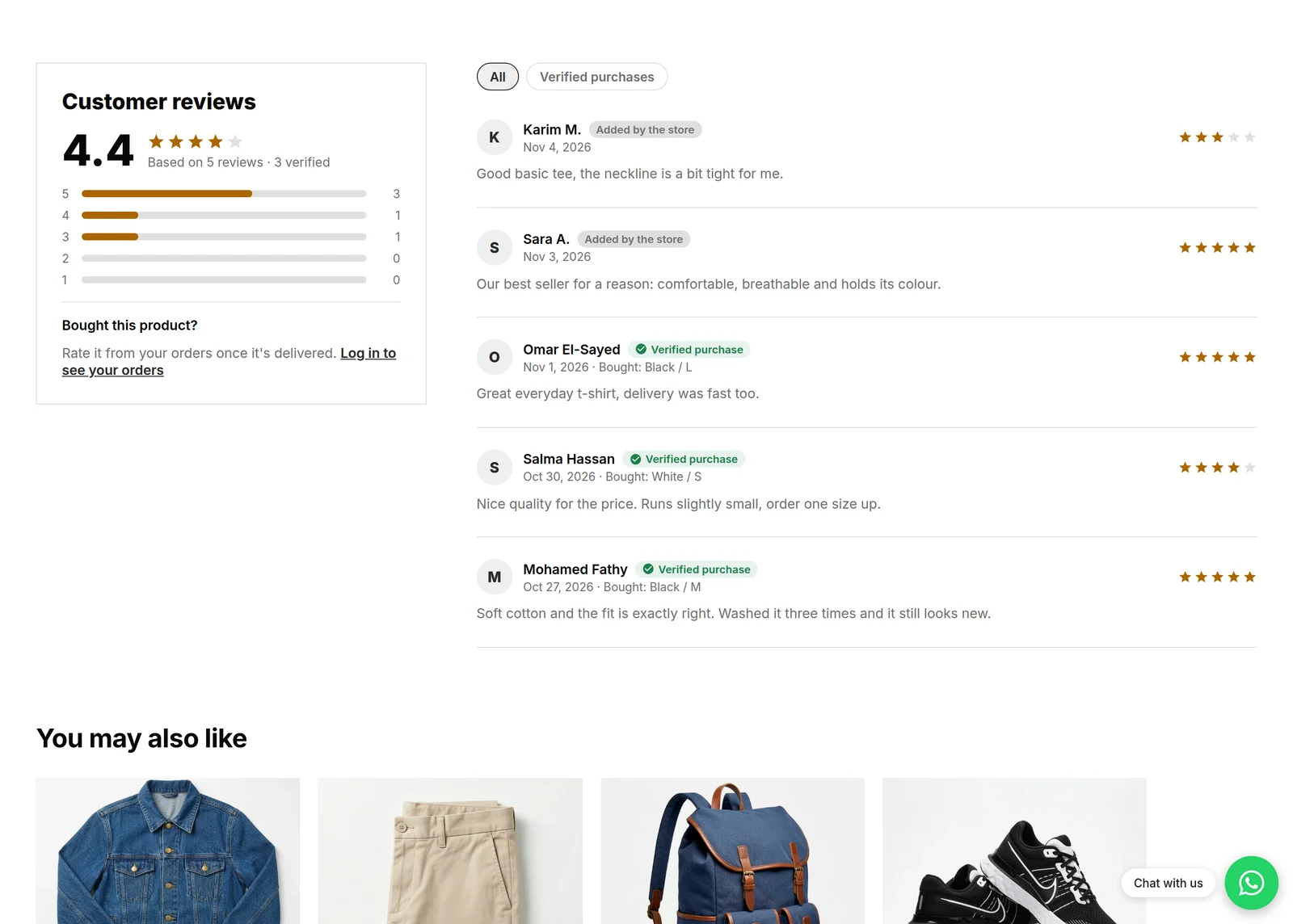
Open a product on your store. You see the average, a bar for each star, and the review list with filters for all reviews or verified purchases.
Choose who can review
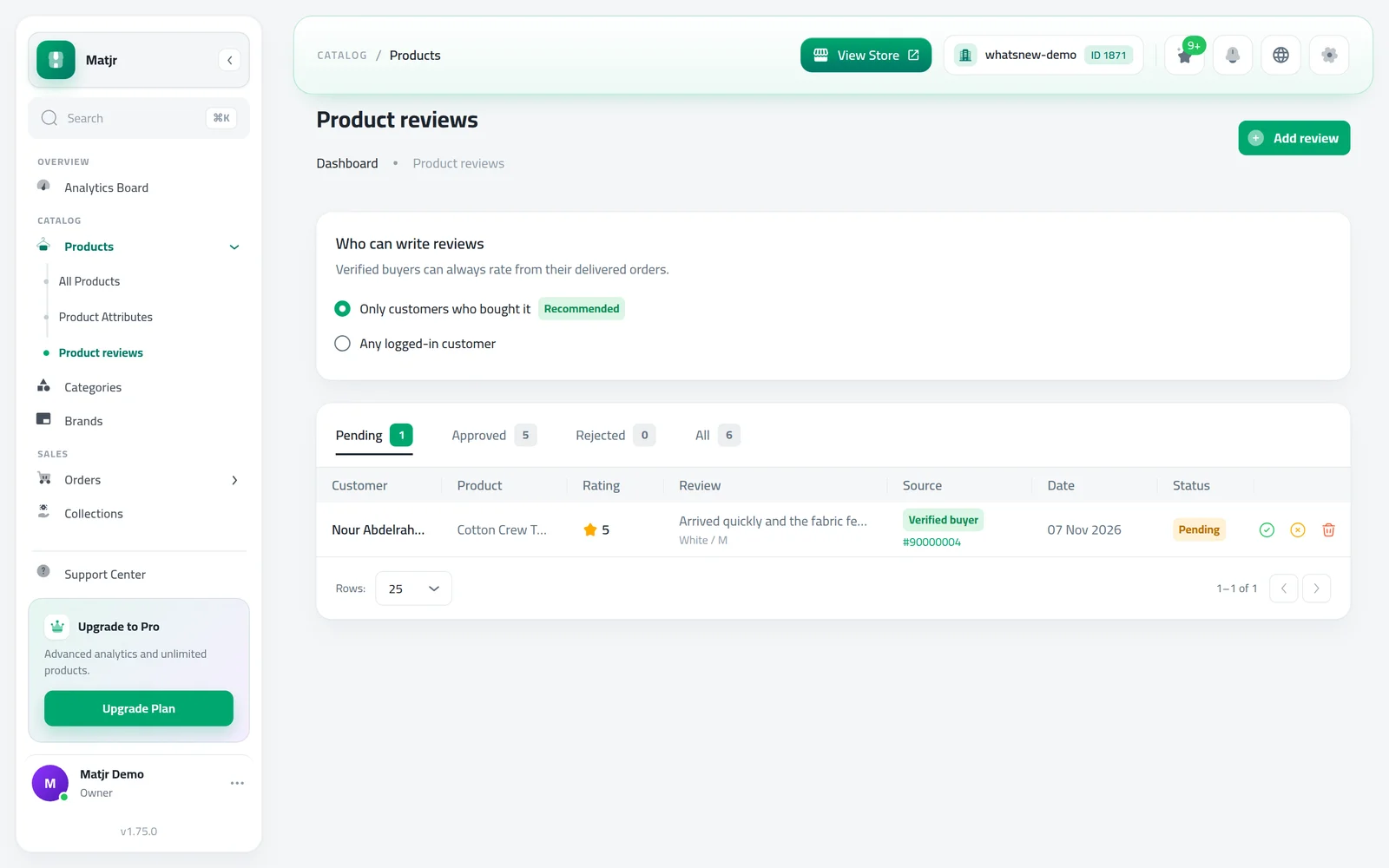
Open Products then Product reviews. In Who can write reviews, pick Only customers who bought it (recommended) or Any logged-in customer. It saves straight away.
Verified buyers can always rate from their delivered orders, whatever you choose. On their order page each product shows a rate button after delivery.
Approve or reject reviews
On Product reviews, open the Pending tab. Each row shows the customer, product, rating, text, source and the option they bought. Press Approve or Reject.
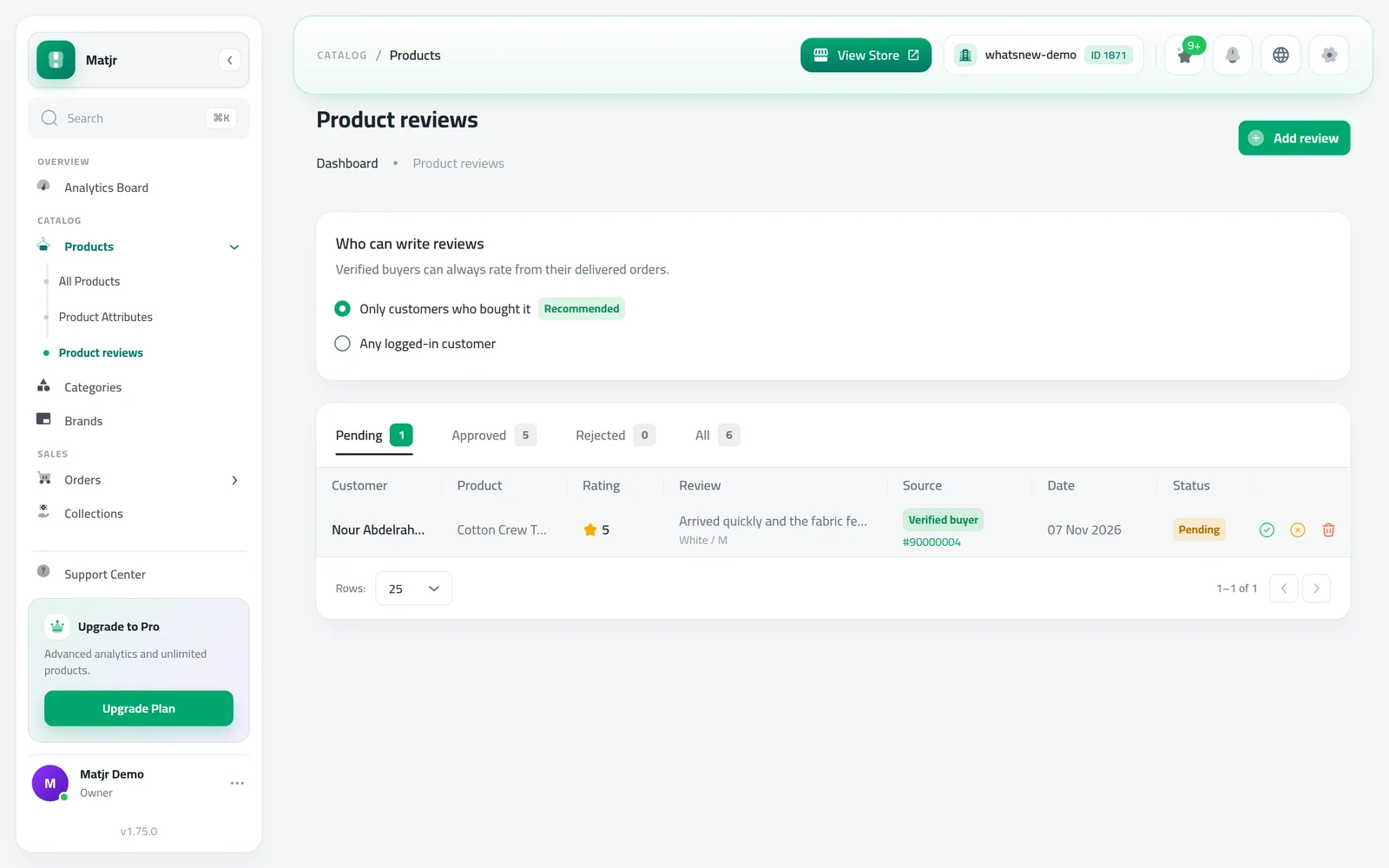
Approved reviews appear on your store within a few minutes.
Add a review yourself
Got good words on WhatsApp or Instagram? Add them so they are not lost.
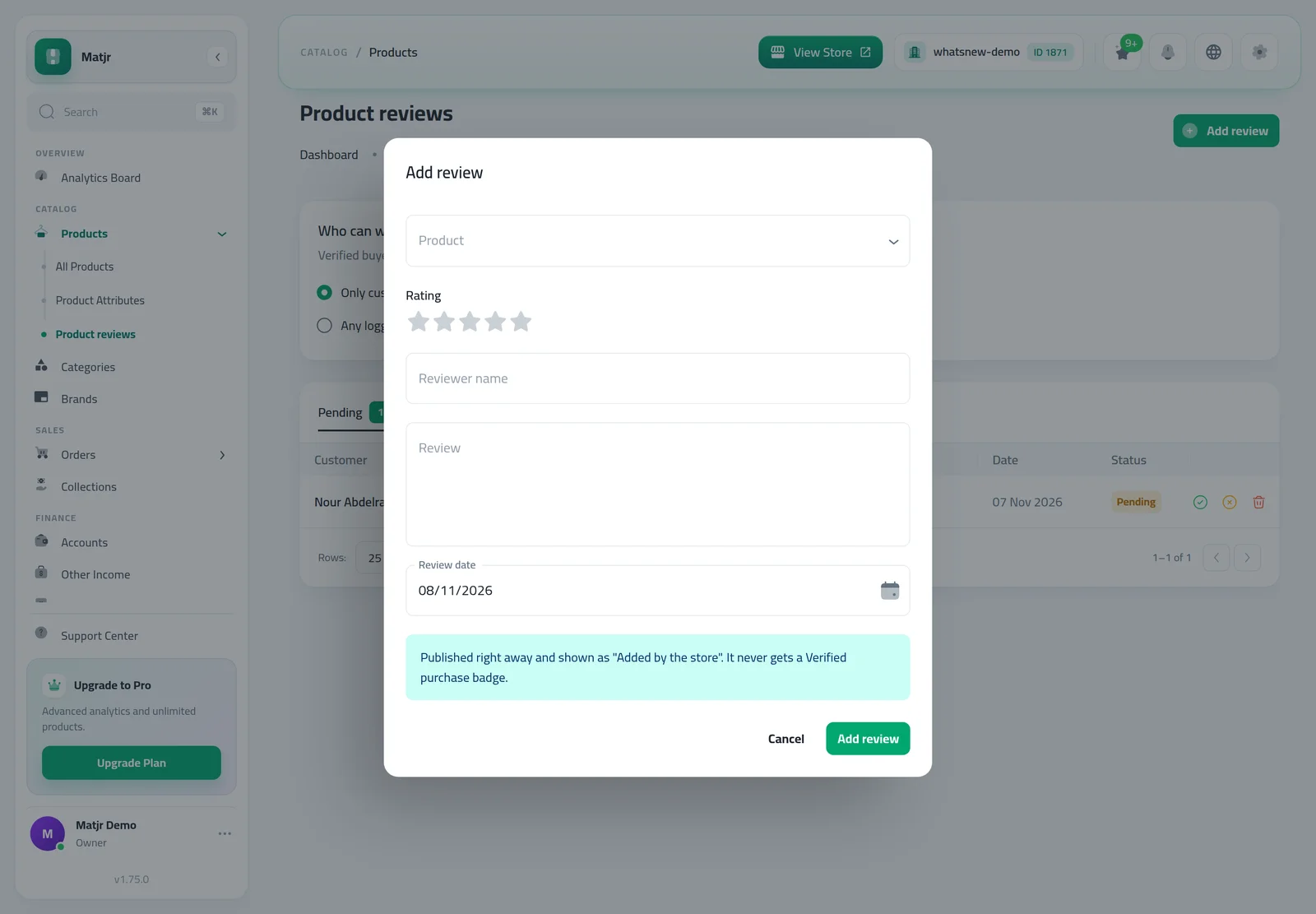
Press Add review, pick the product, choose the stars, and fill Reviewer name, the review text and Review date. Save.
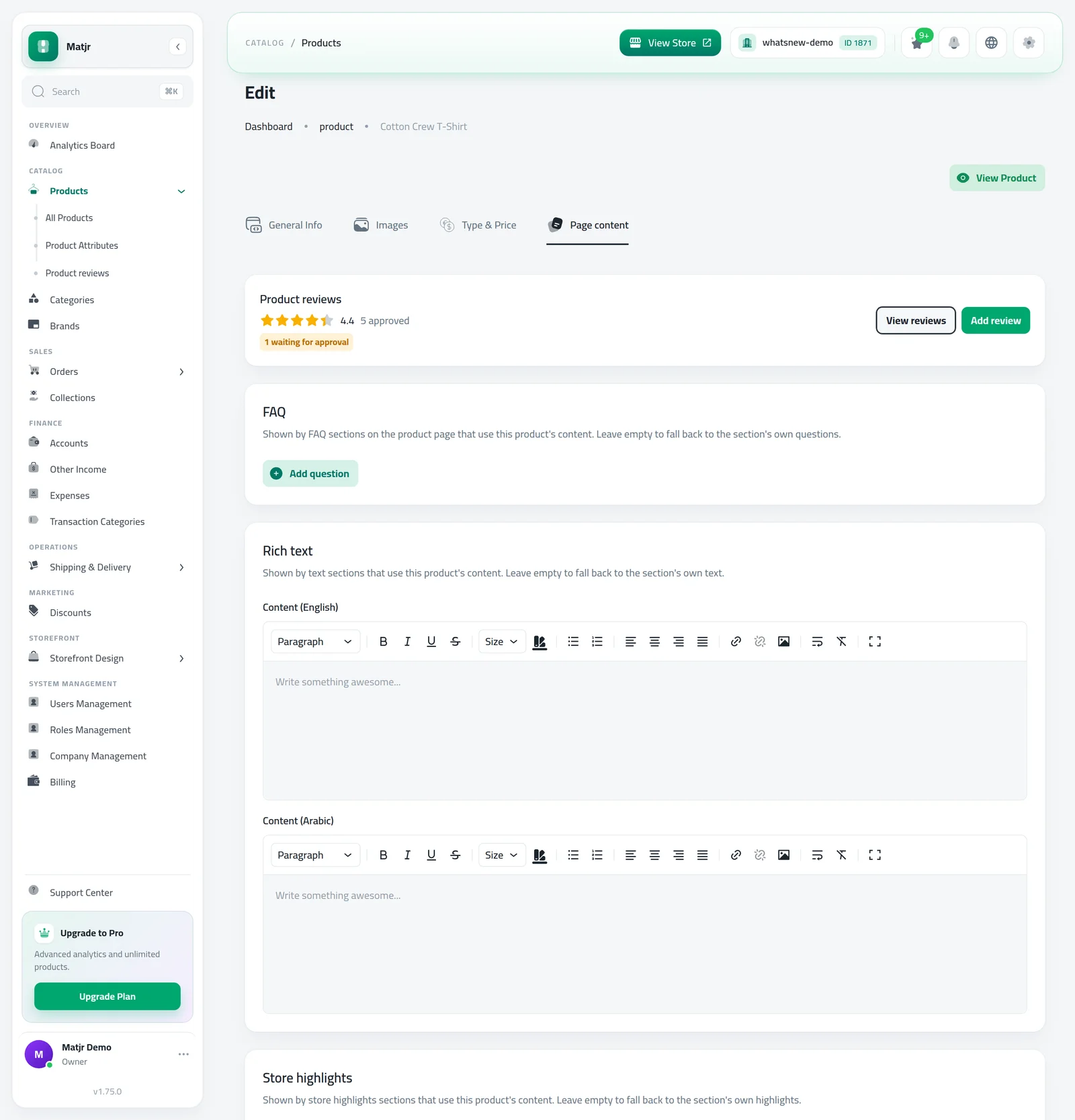
You can also open a product, go to Page content and use the Reviews card to see its average and add a review for it.
Only add reviews customers really wrote, with their permission. They show as Added by the store and never get the Verified badge.
How to get more reviews
Most happy customers never write a review unless someone asks. A few small habits make a big difference over a month.
- Ask after delivery, not before. When you confirm delivery on WhatsApp, add one line inviting the customer to rate the product from their order page.
- Keep the default "Only customers who bought it" setting. Reviews from verified buyers carry more weight with new shoppers, and you avoid fake reviews from strangers.
- Answer problems quickly. If a review mentions a late delivery or a wrong size, contact the customer and fix it. Many will update their opinion of your store.
- Start with your best sellers. Ten reviews on one popular product help more than one review on ten products.
- Put the Customer reviews section near the buy area, so shoppers see it before they decide.
Reviews also help shoppers choose between options. Each verified review shows the option the buyer chose, such as the size or colour, so a new shopper can see how that exact option worked for someone else.
Common mistakes
- Adding the section but never approving reviews. Check the Pending tab every few days.
- Turning on the rating under the title without the Customer reviews section on the page. Both are needed.
- Rejecting every critical review. A few honest ones make the good ones believable.
Related tasks
Frequently asked questions
How do I add product reviews to my store?
Add the Customer reviews section to your product page in Page Builder, then approve reviews from Products, Product reviews.
Can I delete a bad review?
You can reject or delete any review. Honest mixed reviews often build more trust than only five stars, so reply to the problem rather than hiding it.
What does Verified buyer mean?
The review came from a delivered order in your store. Reviews you add yourself never get this badge.
Can guests review without an account?
Guests who ordered can rate from their order page once it is delivered. Other reviews need a customer login.
Try it on your own store
Start your free trial. No credit card required.