Store design
Keep shoppers browsing after they add to cart
Choose whether the cart opens when a shopper adds a product, or show your own short "added" message so they keep shopping.
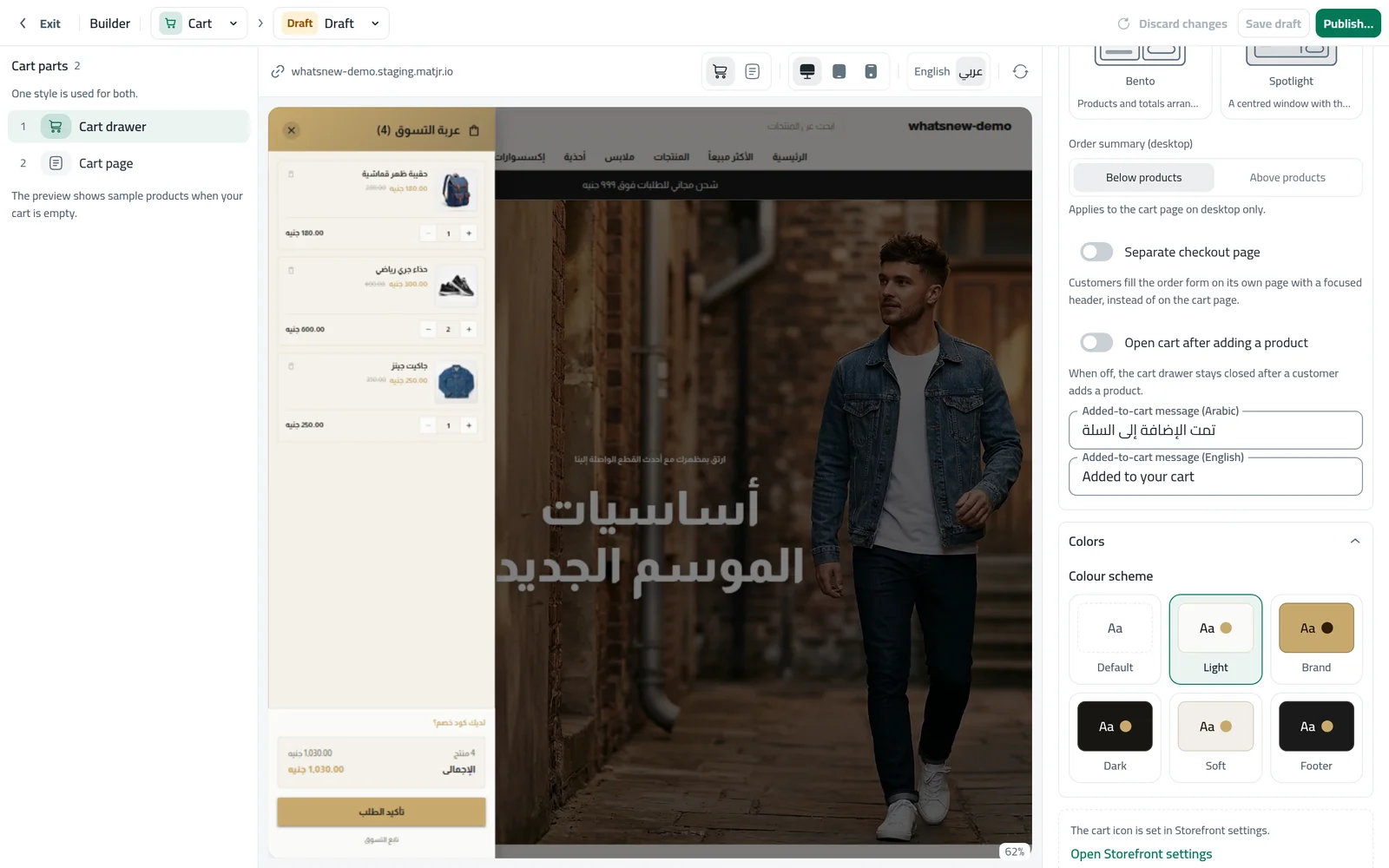
- Where
- Page builder, cart page
- Default
- On, cart opens
- Message
- Up to 60 characters per language
Shoppers who add several items do not need the cart to pop up each time. Keep it closed and let them keep shopping.
What changed
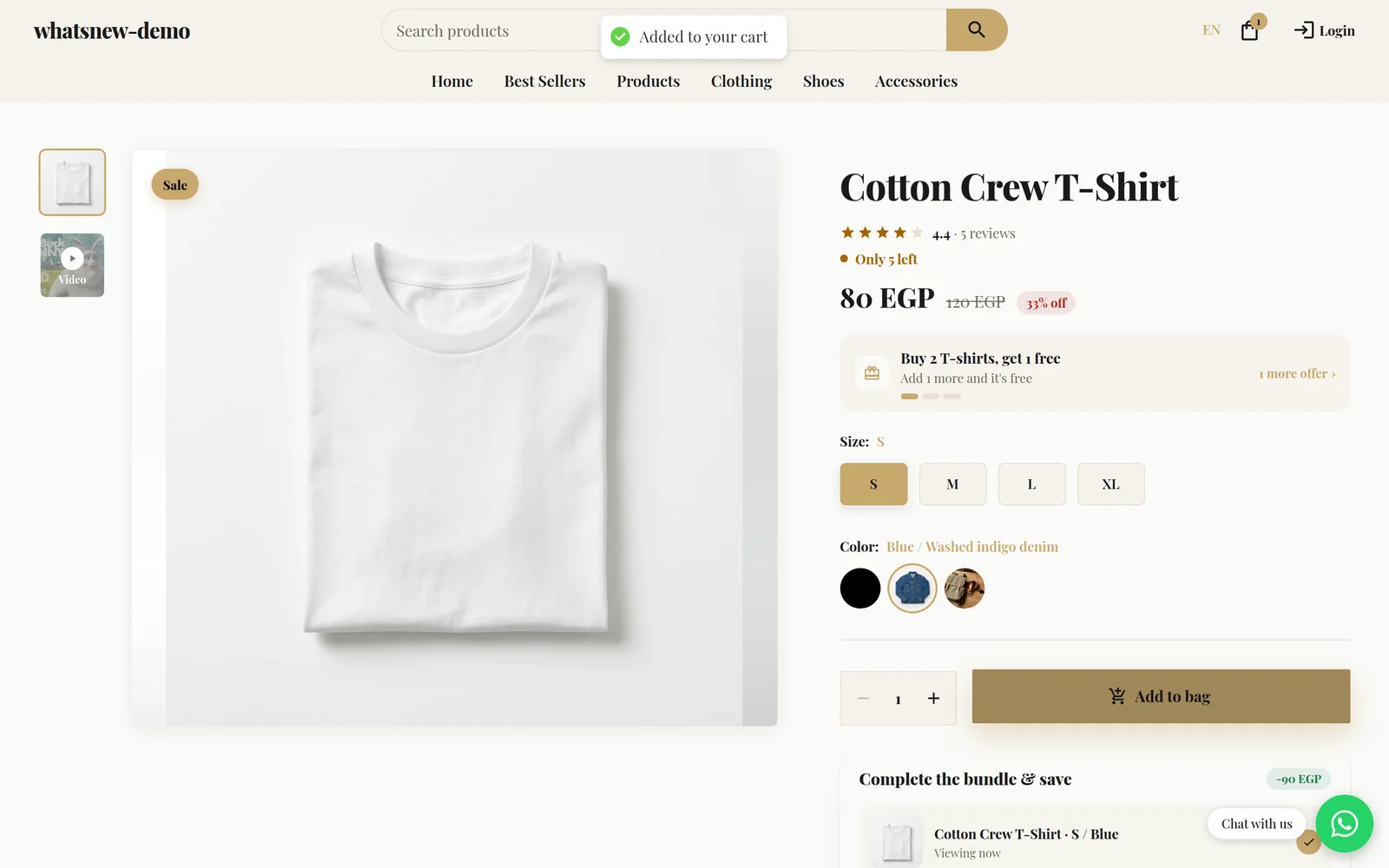
The cart page settings in the builder have a new switch, Open cart after adding a product. When you turn it off, adding a product shows a short message and updates the cart count, and the cart stays closed. Shoppers can still open it from the cart icon.
You can write your own message for each language you use, up to 60 characters. Leave it blank to use the default text.
How to use it
Open the page builder, choose the cart page and find Open cart after adding a product.
Turn the switch off and write your Added-to-cart message, then publish.
Good to know
- The switch is on by default, so nothing changes until you turn it off.
- It applies to product pages, product cards, quick add and bundles.
- Messages only show in their own language.
Frequently asked questions
Can shoppers still open the cart?
Yes. The cart icon in the header still opens it.
What if I leave the message blank?
The store shows its default added-to-cart text.
Does it need a publish?
Yes. Publish your page design to see it in your store.
Try it on your own store
Start your free trial. No credit card required.