Products
Show star ratings and reviews from real buyers
Shoppers trust other shoppers. Customers can now rate what they bought, you approve each review, and your product page shows stars and a Verified badge.
- Where
- Products, Product reviews
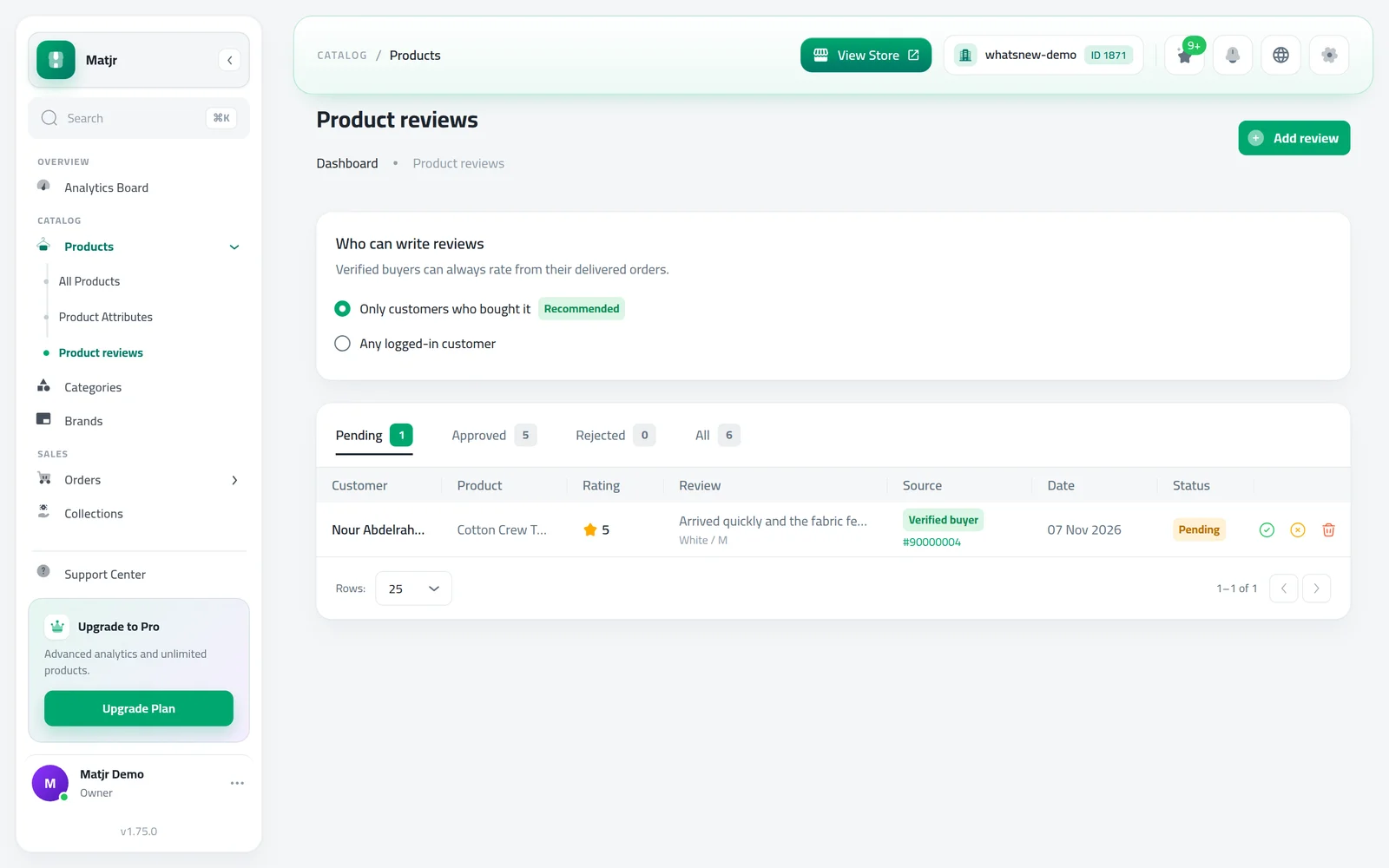
- Who can review
- Buyers only (default) or any logged-in customer
- Approval
- You approve every customer review
- Countries
- All countries
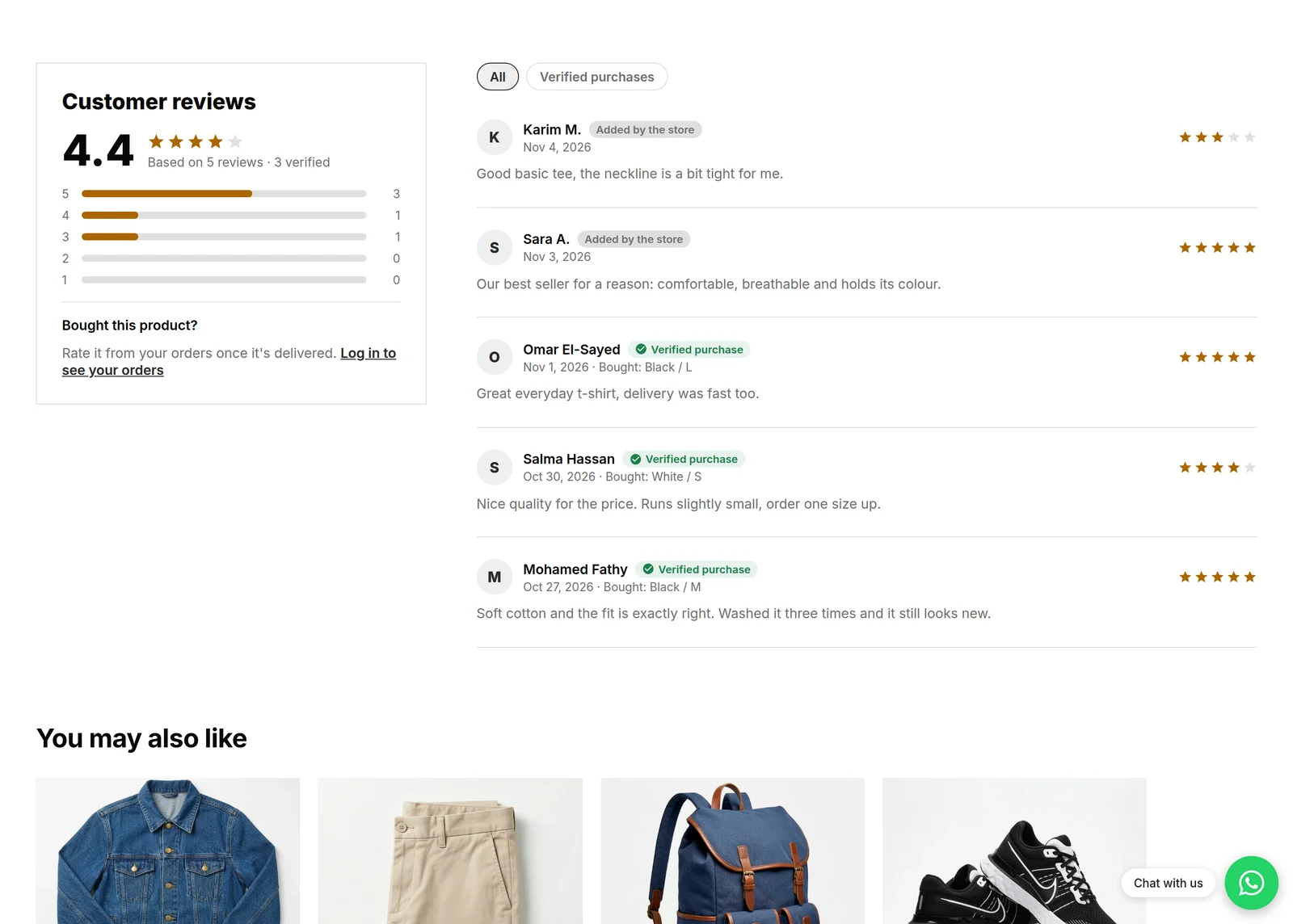
A product with honest reviews sells better than one with none. Now buyers can rate what they bought, and your product page shows the average, the stars and how many reviews come from verified buyers.
What changed
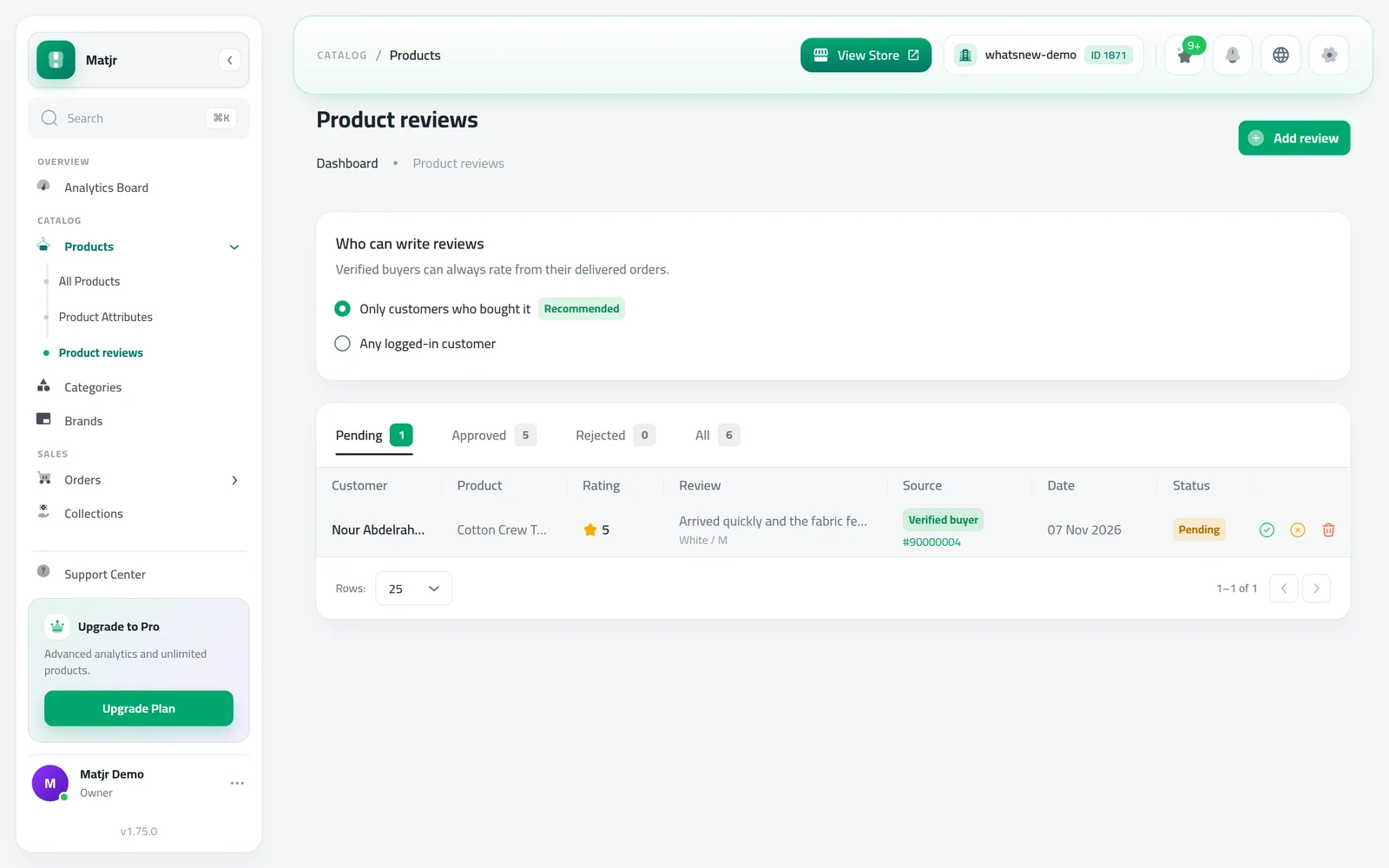
There is a new Product reviews page under Products. Every review waits there until you approve or reject it. You can see where it came from (Verified buyer, Customer account or Added by the store) and which option was bought.
Add the Customer reviews section to your product page to show the average rating, a star breakdown and the review list. Shoppers can filter to verified purchases only. You can also show the rating under the product title.
By default only customers who bought the product can review it. Once an order is delivered, they rate each product from their order page.
How to use it
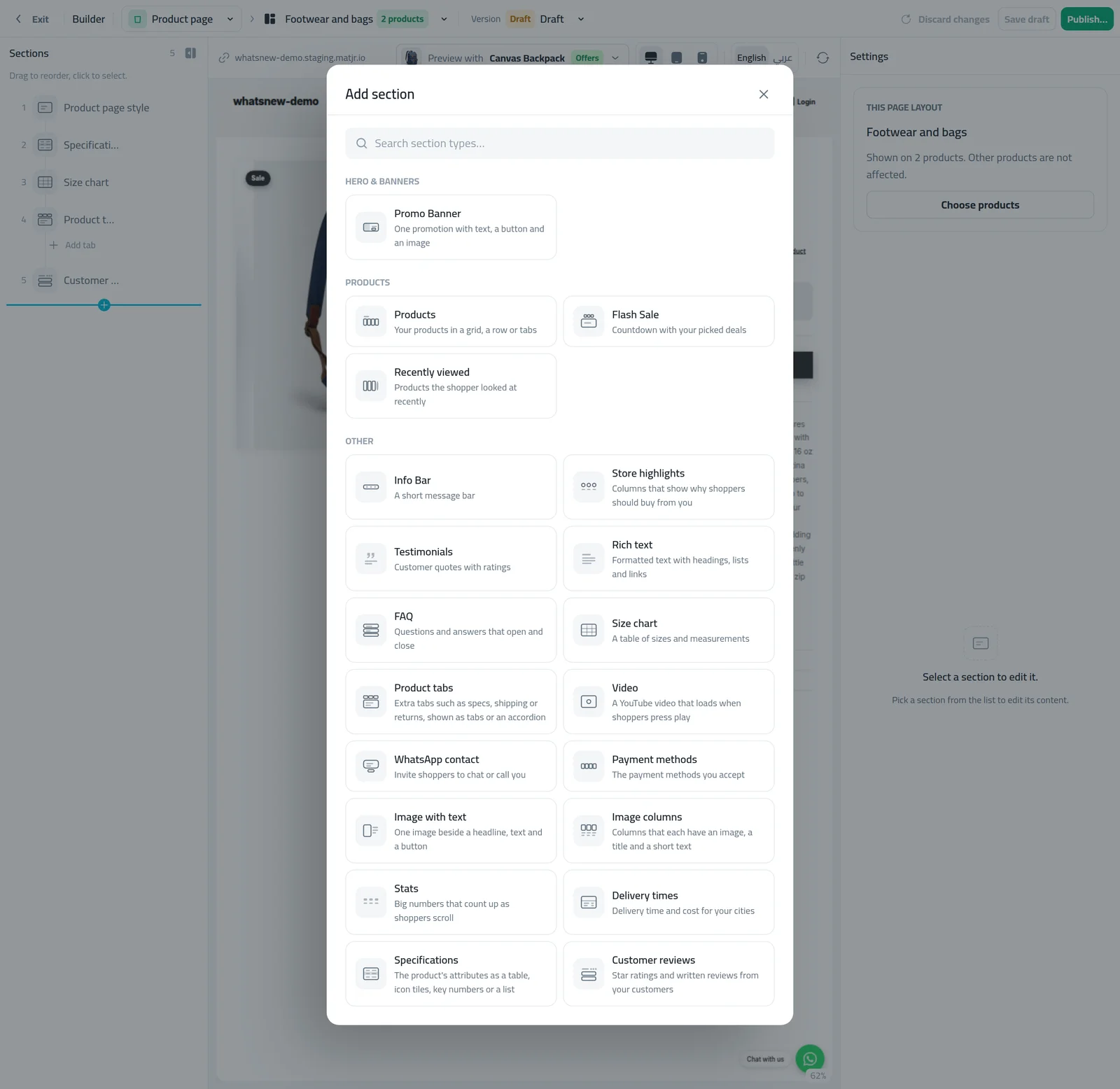
Open Page Builder, choose the product page, press Add Section and pick Customer reviews. Publish.
Open Products then Product reviews, and choose Who can write reviews.
When reviews arrive, press Approve or Reject on each row. Approved reviews appear on the product page.
Good to know
- A customer can review a product once.
- On a product, the Page content tab shows its average, the number waiting for approval and an Add review button.
- The full steps are in How to add product reviews to your online store.
Frequently asked questions
Do reviews show on my store right away?
Customer reviews wait for your approval. After you approve, they appear on the product page within a few minutes.
Can I add reviews I collected on WhatsApp or Instagram?
Yes. Use Add review. They publish right away, show as Added by the store, and never get a Verified badge.
How does a buyer leave a review?
Once the order is delivered, each product on their order page has a Rate this product button.
Try it on your own store
Start your free trial. No credit card required.