Marketing
Send your products to Google and Meta
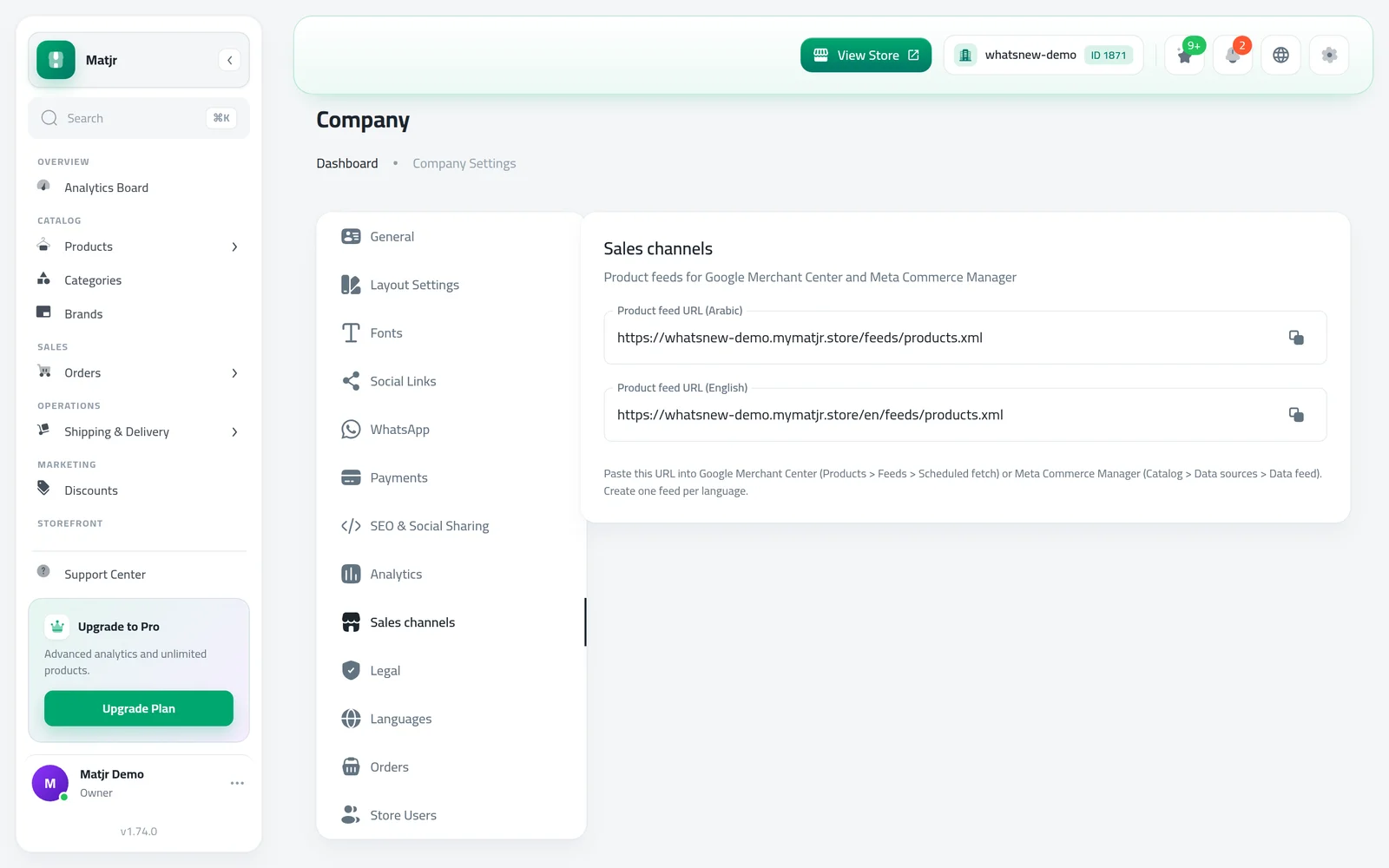
Copy a product feed link for each store language and add it to Google Merchant Center or Meta Commerce Manager. Add GTIN and MPN to your products.
- Where
- Company Settings > Sales channels
- Works with
- Google Merchant Center, Meta Commerce Manager
- Links
- One feed link per store language
- Countries
- All countries
Let shoppers find your products on Google Shopping and in Meta shops. Matjr now prepares the product list these platforms ask for, so you only copy a link instead of typing products again.
What changed
In Company Settings there is a new Sales channels tab. It shows a product feed link for each language your store uses, each with a copy button. Use one link per language in Google Merchant Center and Meta Commerce Manager.
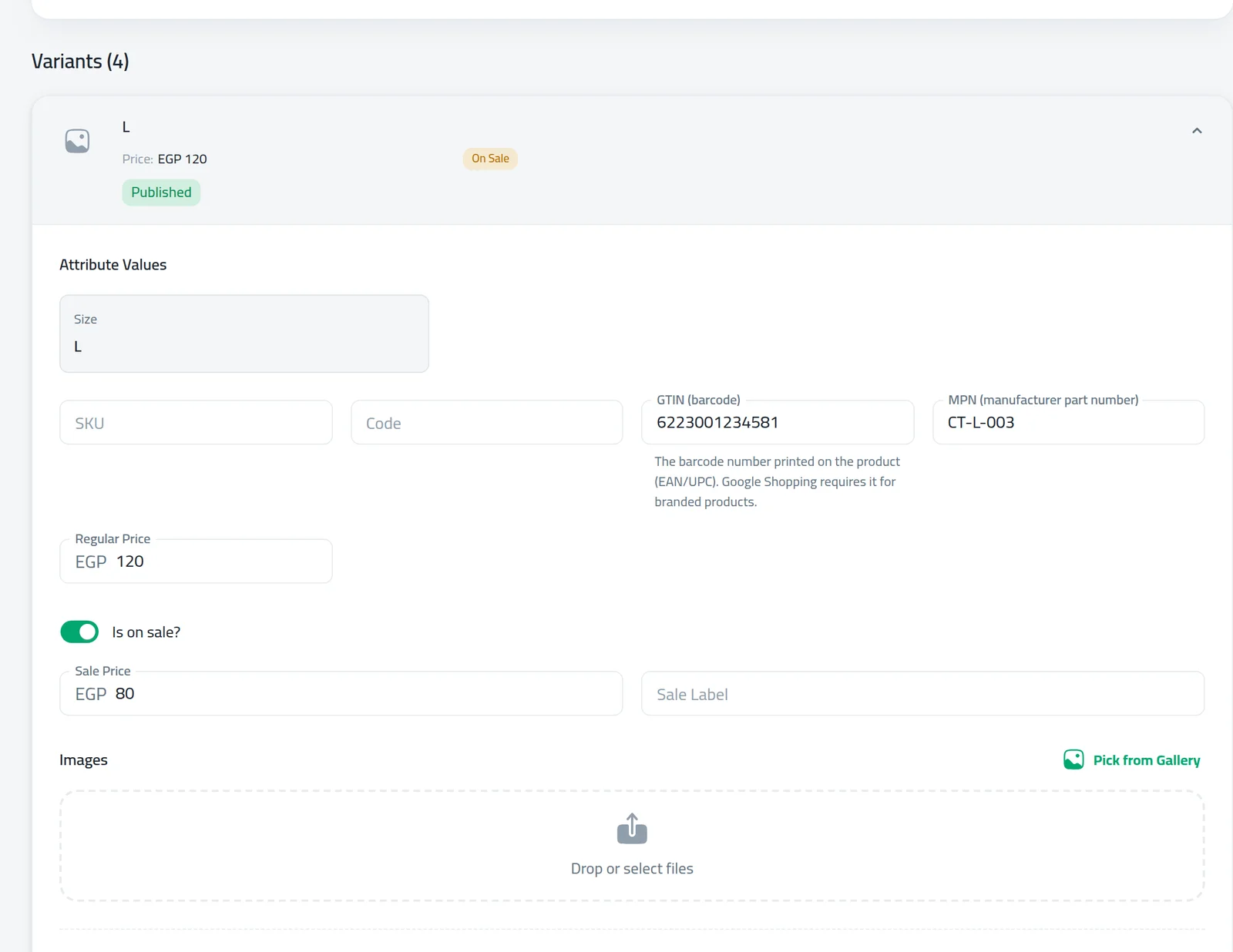
Products and variants now have two optional fields: GTIN (barcode) and MPN (manufacturer part number). Google Shopping asks for the barcode number on branded products.
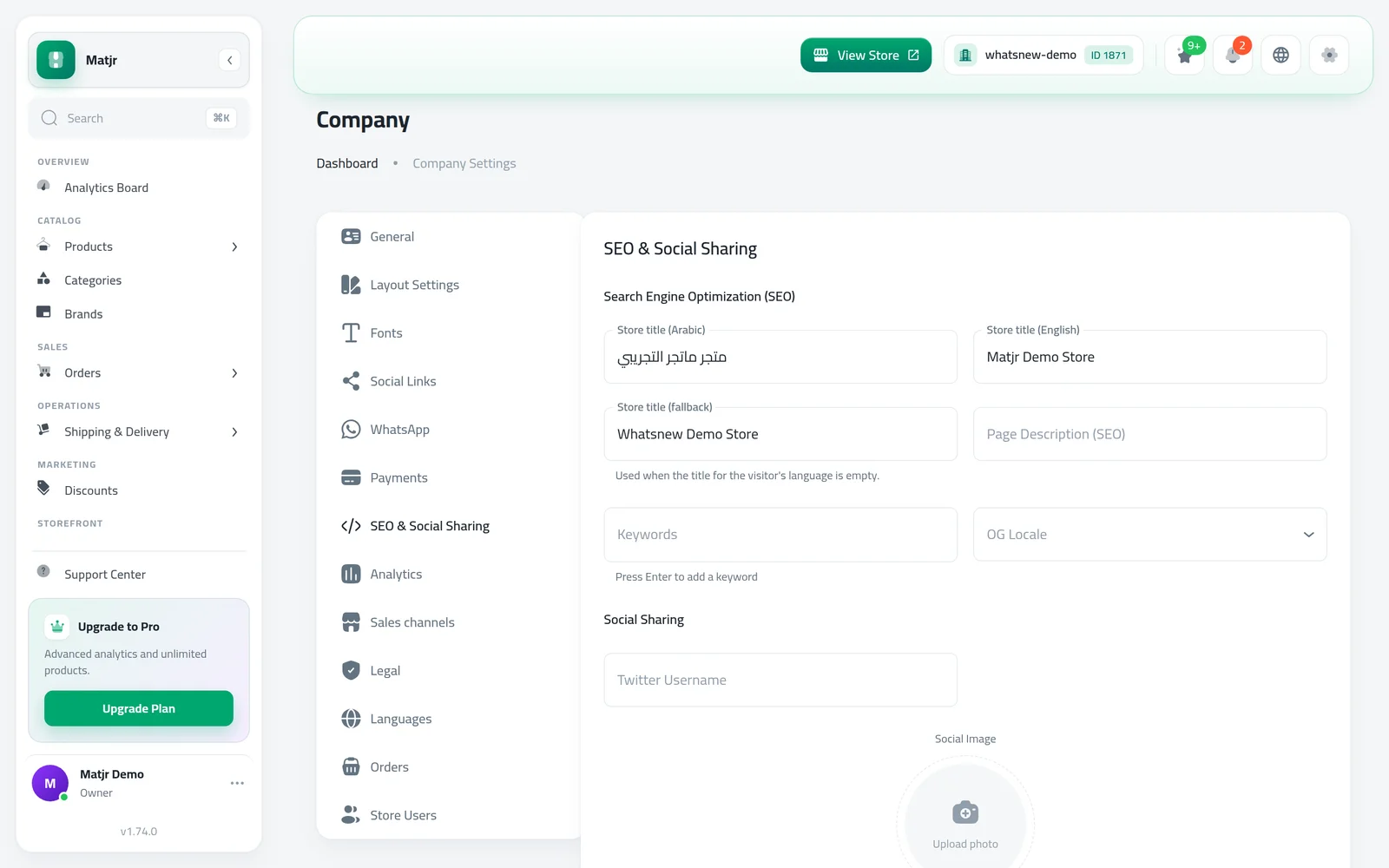
You can also write a store title for each language in the SEO & Social Sharing tab, so your store name looks right in both Arabic and English results.
How to use it
Open Company Settings and go to Sales channels. Copy the feed link of the language you need.
Open a product, go to its variants and fill in GTIN (barcode) and MPN from the box or your supplier.
Open the SEO & Social Sharing tab in Company Settings and write the store title for each language.
Good to know
- A product without variants has GTIN and MPN next to its SKU.
- If your custom domain is not verified yet, the links use your Matjr store address.
- GTIN must be 8, 12, 13 or 14 digits and is checked as you type.
- Step by step: How to list your products on Google and Meta.
Frequently asked questions
Do I need GTIN for every product?
No, it is optional. Google Shopping asks for it on branded products, so add it when the product has a barcode.
Why are there two links?
Each store language has its own link. Create one feed per language in Google or Meta.
Do my products update automatically?
The link always shows your current products. Google and Meta read it on the schedule you set in their tools.
Try it on your own store
Start your free trial. No credit card required.