Store design
Give shoppers a separate, distraction-free checkout page
Let shoppers review their cart first, then fill the order form on a clean checkout page with no menu or footer to pull them away.
- Where
- Builder → Cart page → settings
- Default
- Off — your store stays as it is
- Cost
- Included in every plan
- Countries
- All
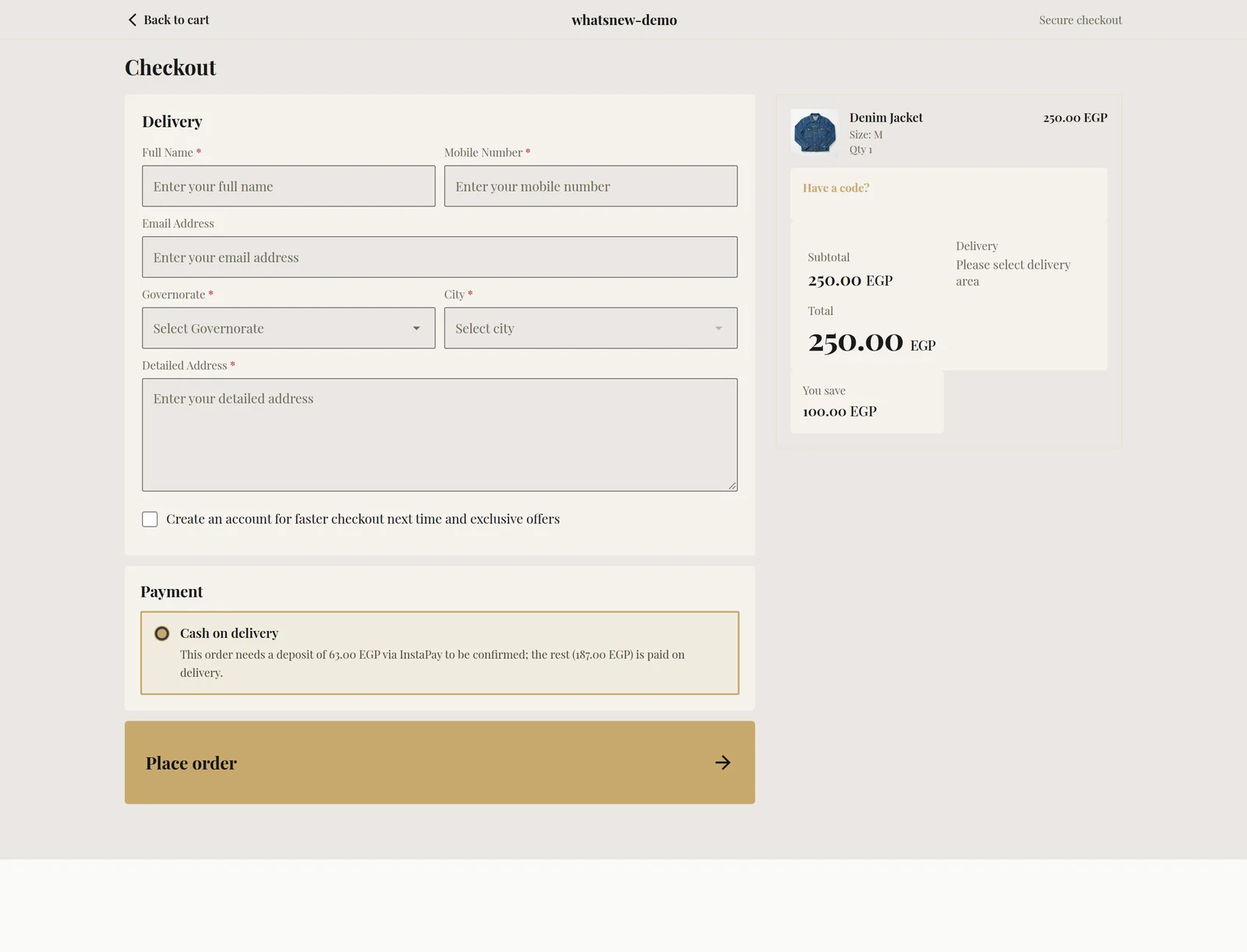
Shoppers who start filling the order form should finish it. You can now move the order form off the cart page onto its own checkout page, with nothing on it but your logo, the form and the order summary.
What changed
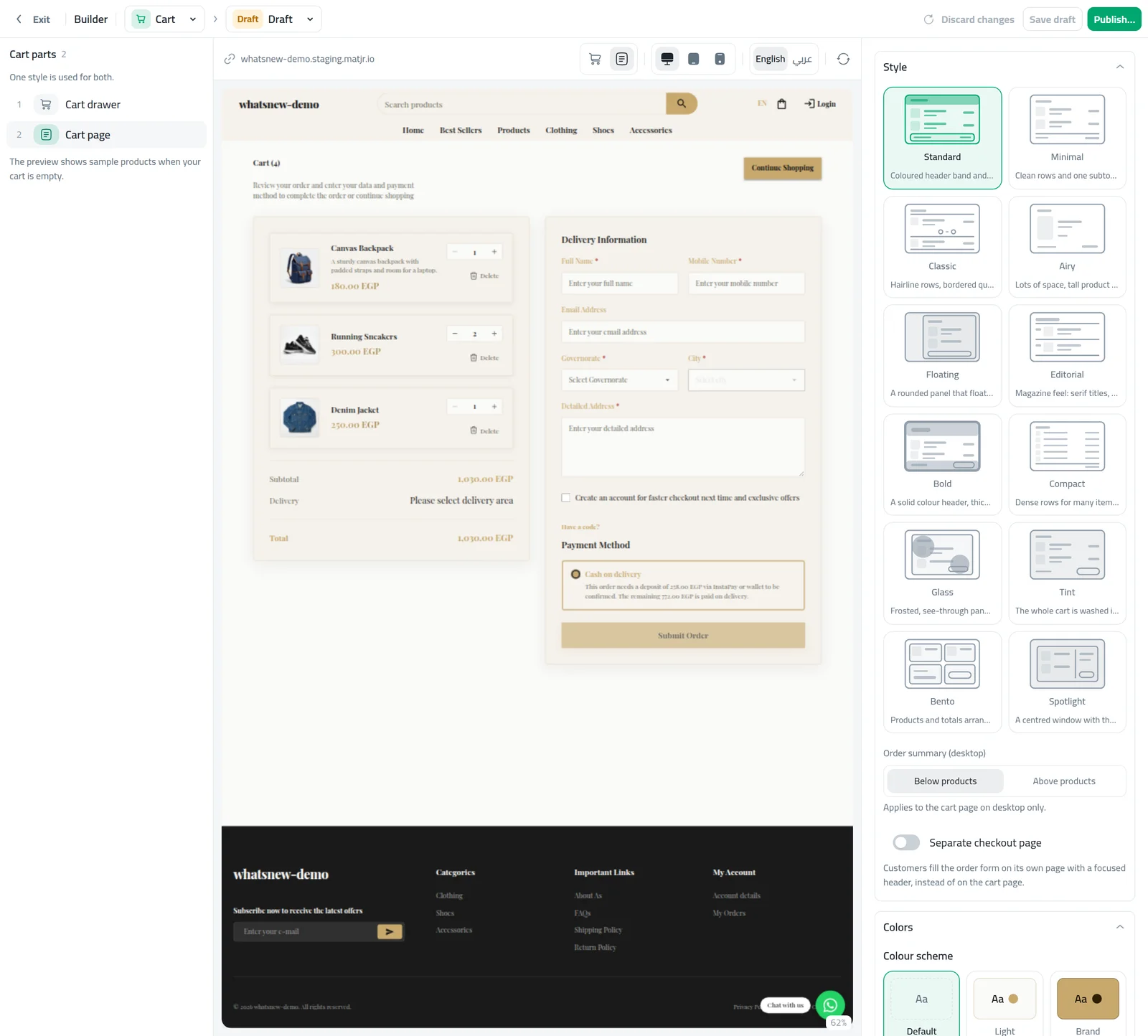
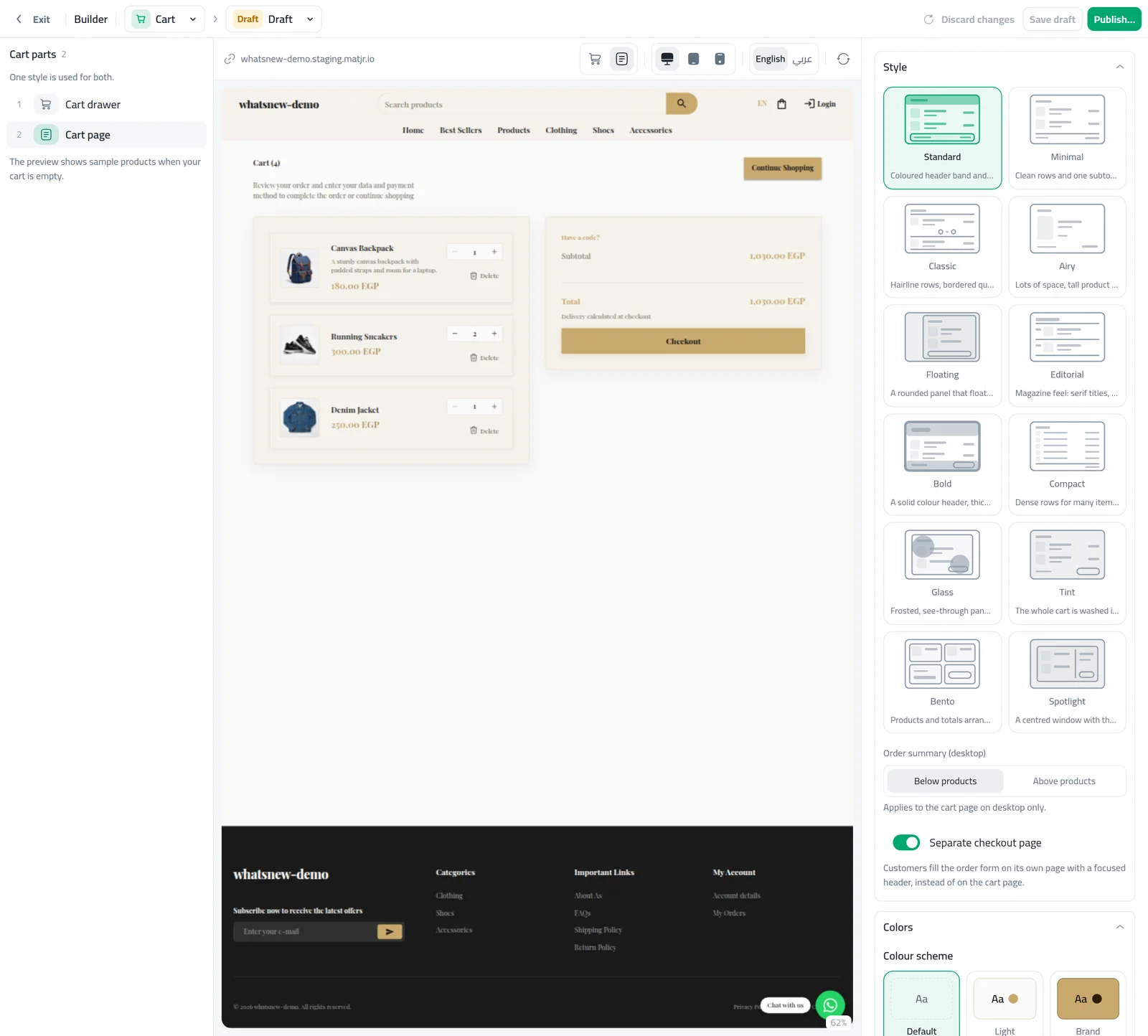
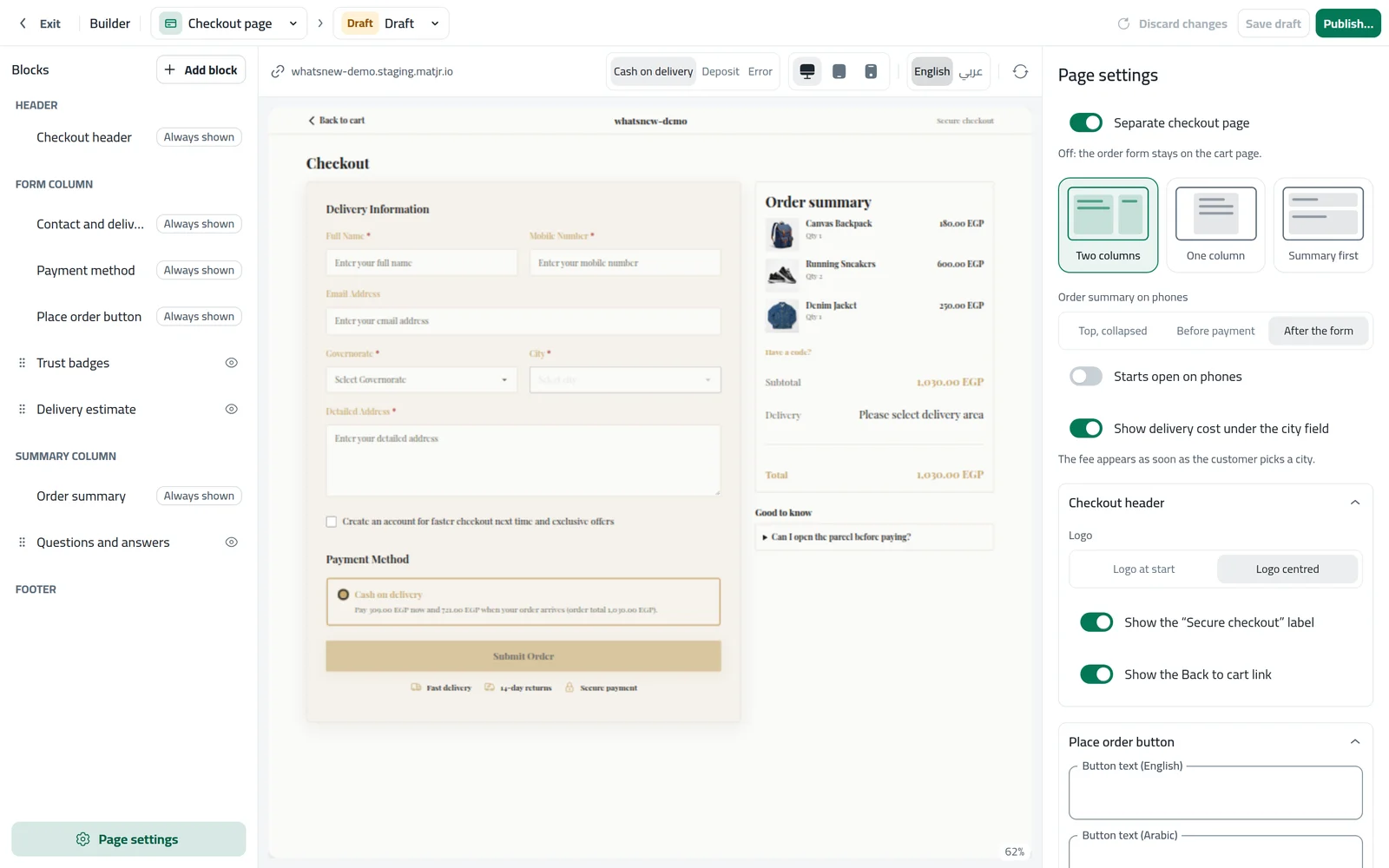
The cart page settings in the builder have a new Separate checkout page switch. It is off for every store, so nothing changes until you turn it on.
When it is on:
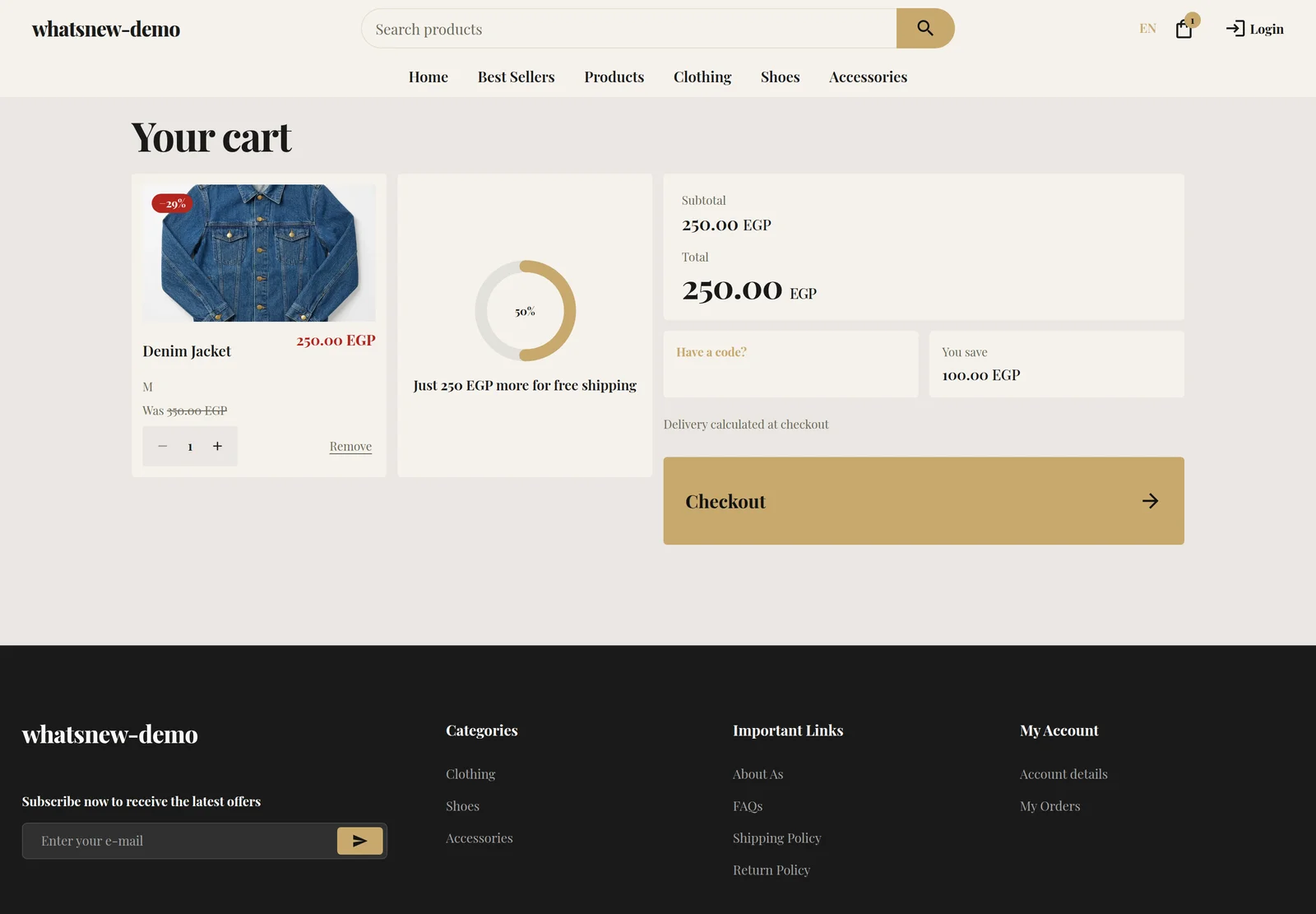
- The cart page is for reviewing the order: items, quantities, discount code and totals, with a Checkout button.
- The Checkout button in the side cart goes straight to the checkout page.
- The checkout page shows your logo, a Back to cart link and a Secure checkout label. The menu, announcement bar, footer and WhatsApp button are hidden.
How to use it
Open the builder and choose Cart page.
Turn on Separate checkout page. The preview shows the cart without the order form.
Click Publish. Your store's cart page now ends with a Checkout button.
Shoppers fill the order form on the checkout page.
Good to know
- Discount codes work on both pages, and a code added on the checkout page is kept on the order.
- If the cart is empty, or you turn the switch off, shoppers who open the checkout page are taken back to the cart.
- Step-by-step: How to add a separate checkout page to your online store.
Frequently asked questions
Will my store change on its own?
No. The switch is off until you turn it on and publish the cart page.
Can shoppers still use a discount code?
Yes. They can add it on the cart page or on the checkout page, and it is kept on the order.
Does Buy now change?
No. Buy now keeps working as before and takes the shopper straight to its own order form.
How do I go back to the order form on the cart page?
Turn the switch off and publish the cart page again.
Try it on your own store
Start your free trial. No credit card required.