Business management
Charge tax on your invoices, with or without a registration number
Turn on tax once and every sell and purchase invoice adds it for you. Name your own rates, and a registration number is optional.
- Where
- Company Settings, then Taxes
- Applies to
- Sell and purchase invoices and their returns
- Registration number
- Optional
- Default rate
- 14% in Egypt, 5% in the UAE, and you can change it
Working out tax by hand on every invoice is slow and easy to get wrong. Now you set it up once and the right tax is added to each line, shows it in the totals and prints it on the invoice.
What changed
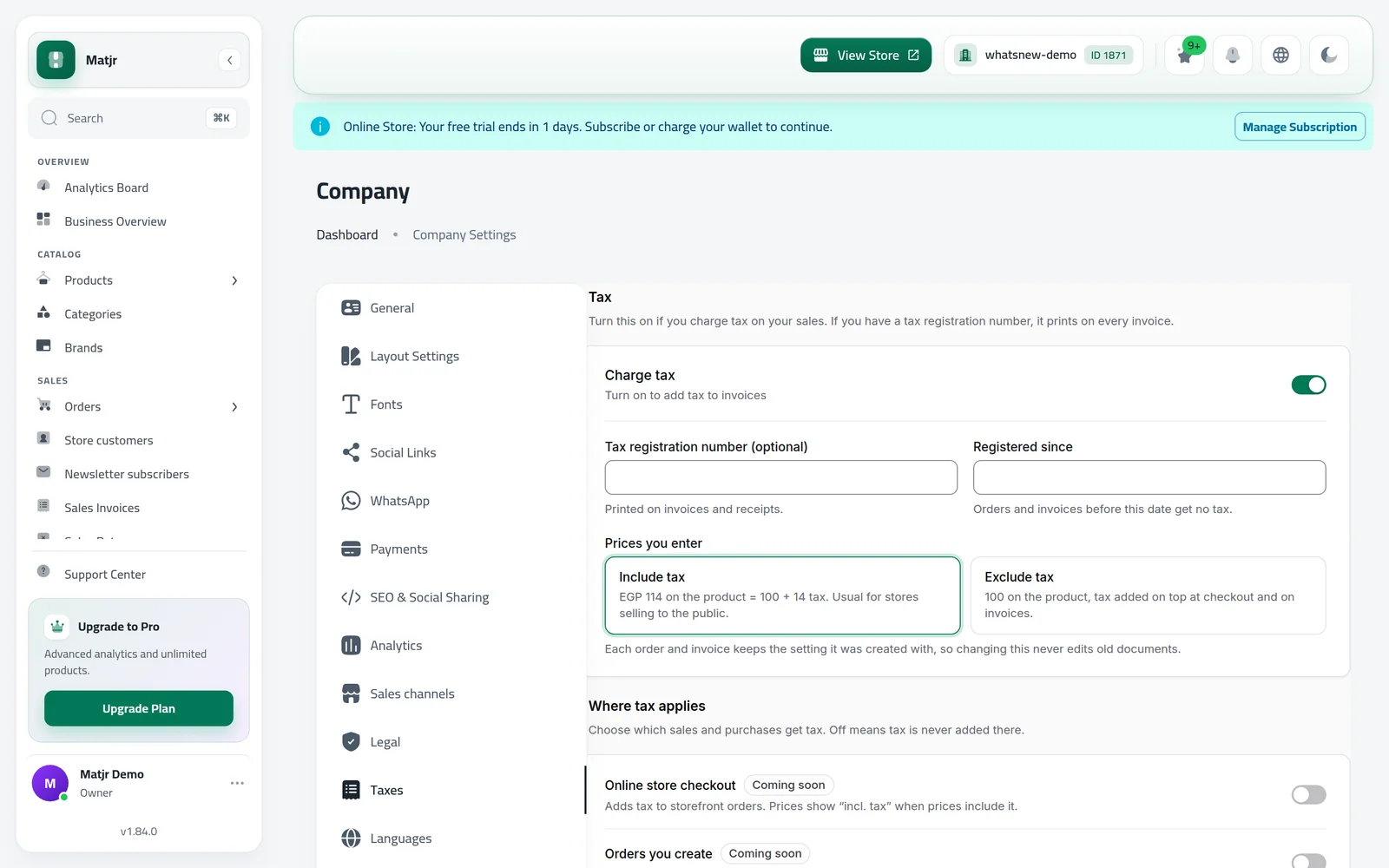
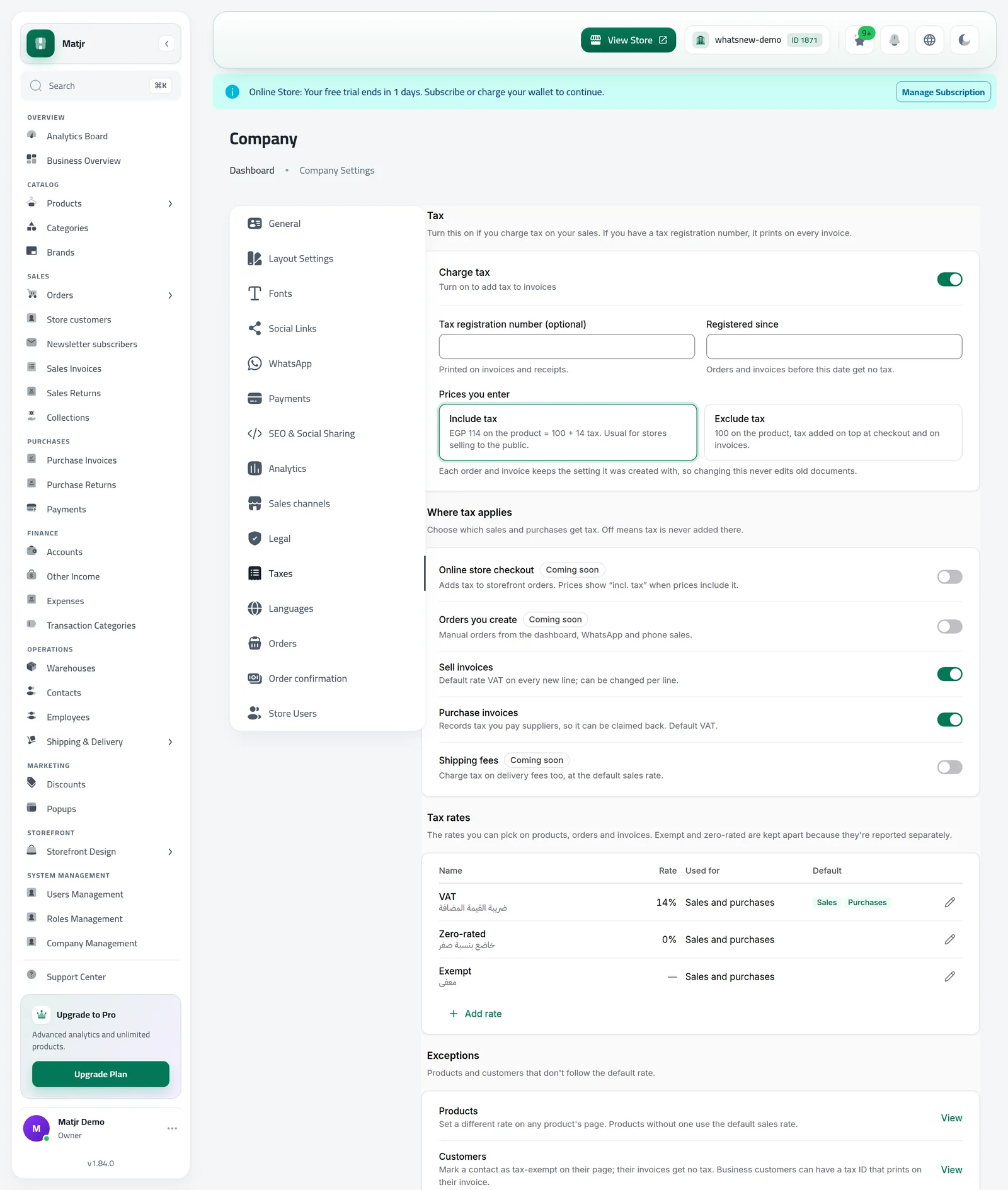
There is a new Taxes tab in Company Settings. Turn on Charge tax, choose whether the prices you enter include tax or not, and pick where tax applies: Sell invoices, Purchase invoices or both.
It works for any single tax, not only VAT. Name your rates the way your tax is called, for example Sales tax 10%, and that name shows on the invoice totals. The Tax registration number is now optional: add it if you have one and it prints on every invoice.
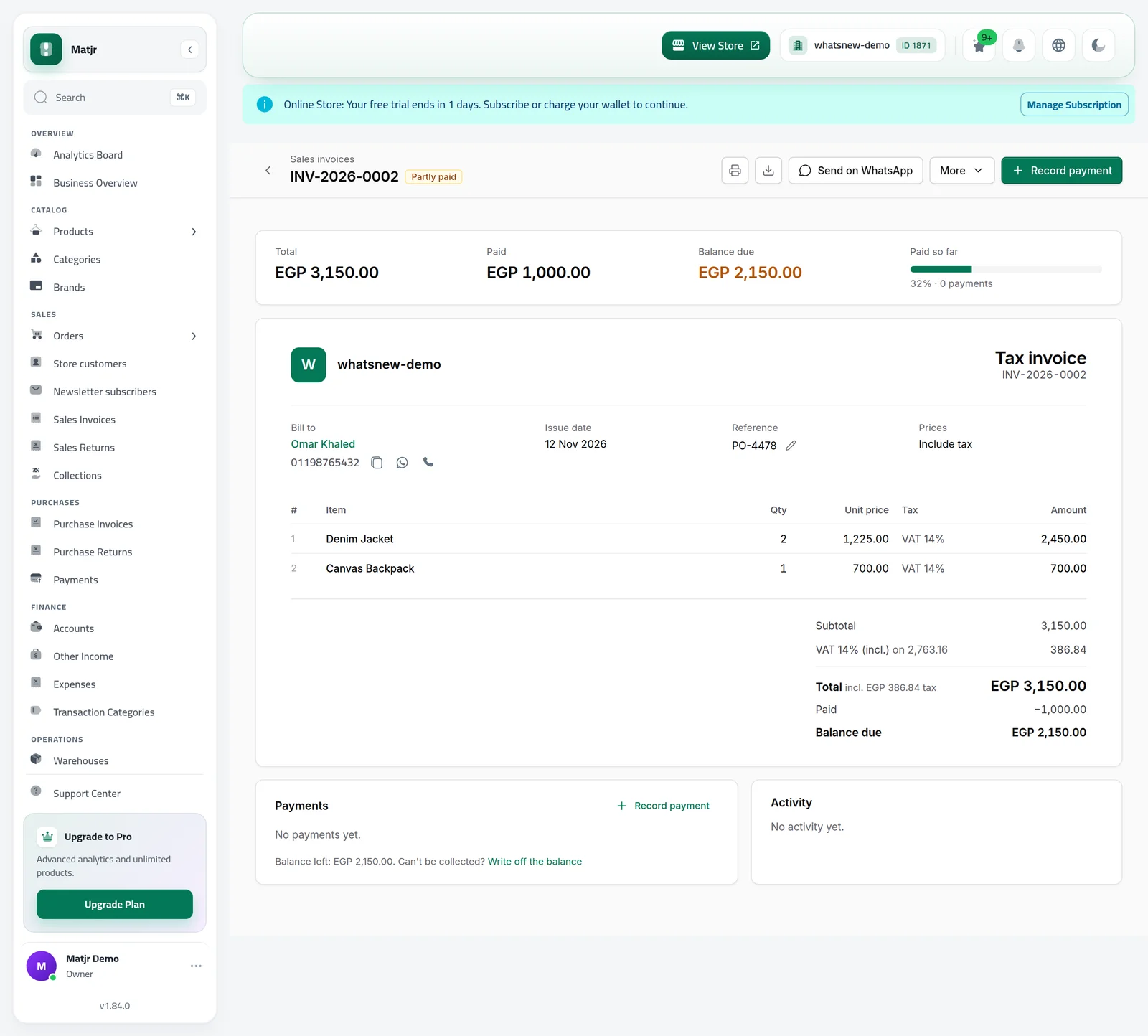
You can also set a different rate on a product, mark a customer or supplier as Tax exempt, and remove a rate you no longer use. A sell invoice is titled Tax invoice only when tax applies to it; otherwise it is simply an Invoice.
How to use it
Open Company Settings › Taxes and turn on Charge tax. Add your registration number if you have one.
Under Where tax applies, choose the invoices that get tax, and check your Tax rates and the default ones.
Create a sell invoice as usual. Each line gets the default rate, and the totals show the tax by rate name.
Good to know
- Each invoice keeps the tax setup it was created with, so changing your settings never edits old invoices.
- Invoices dated before Registered since get no tax.
- Tax on online store orders, orders you create and shipping fees is coming soon.
- For the full steps, read how to add tax to your invoices.
Frequently asked questions
I'm not VAT registered. Can I still add tax?
Yes. Turn on Charge tax and leave the registration number empty. Name your rate after your tax, for example Sales tax.
Will this change invoices I already issued?
No. Each invoice keeps the tax it was created with. New settings only affect new invoices and drafts.
Can one product have a different rate?
Yes. Open the product and pick its tax rate. Products without one use the default sales rate.
Does tax show on my online store yet?
Not yet. Tax on store orders, orders you create and shipping fees is coming soon. For now it applies to invoices.
Try it on your own store
Start your free trial. No credit card required.