Products
Product and category links in Arabic
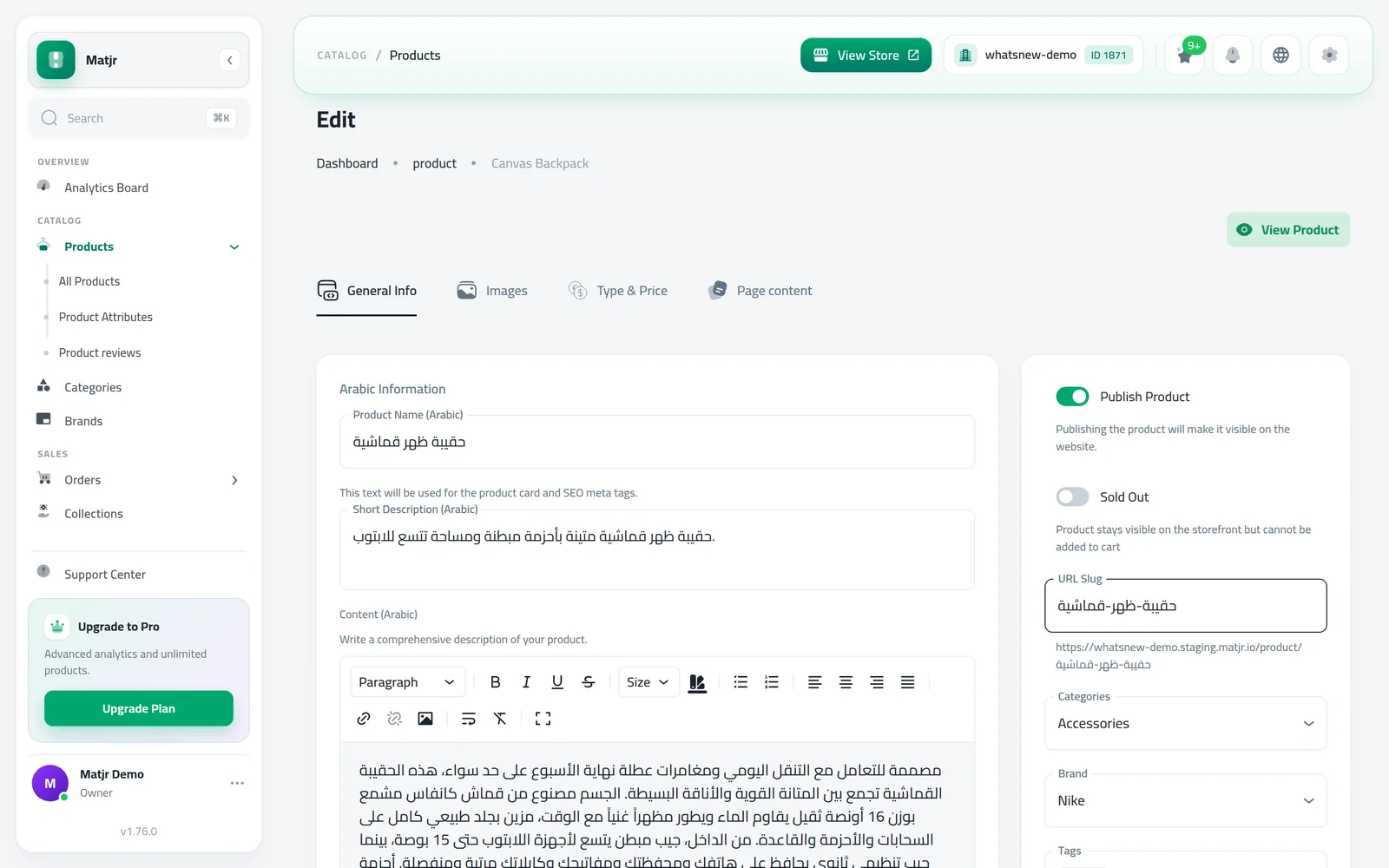
Products with only an Arabic name now get a readable Arabic link, and you can type your own product and category links in Arabic.
- Where
- Products, Categories and Brands
- Letters
- Arabic or English, plus numbers and dashes
- Existing links
- Stay the same
- Rule
- At least one letter
A link that reads like your product name is easier to trust and to share. Until now, a product with only an Arabic name got a random link. Now it gets one made from its Arabic name.
What changed
Product, category and brand links can now use Arabic letters. A new product named only عطر الورد gets the link /product/عطر-الورد. If the product has an English name, the link is still made from it, and you can always type your own in either language.
A link made only of numbers is not accepted, because it could clash with your product numbers. A message under the field asks you to add at least one letter.
How to use it
Open a product from Products. In the link field on the General tab, type the link you want in Arabic or English. The full link shows under the field.
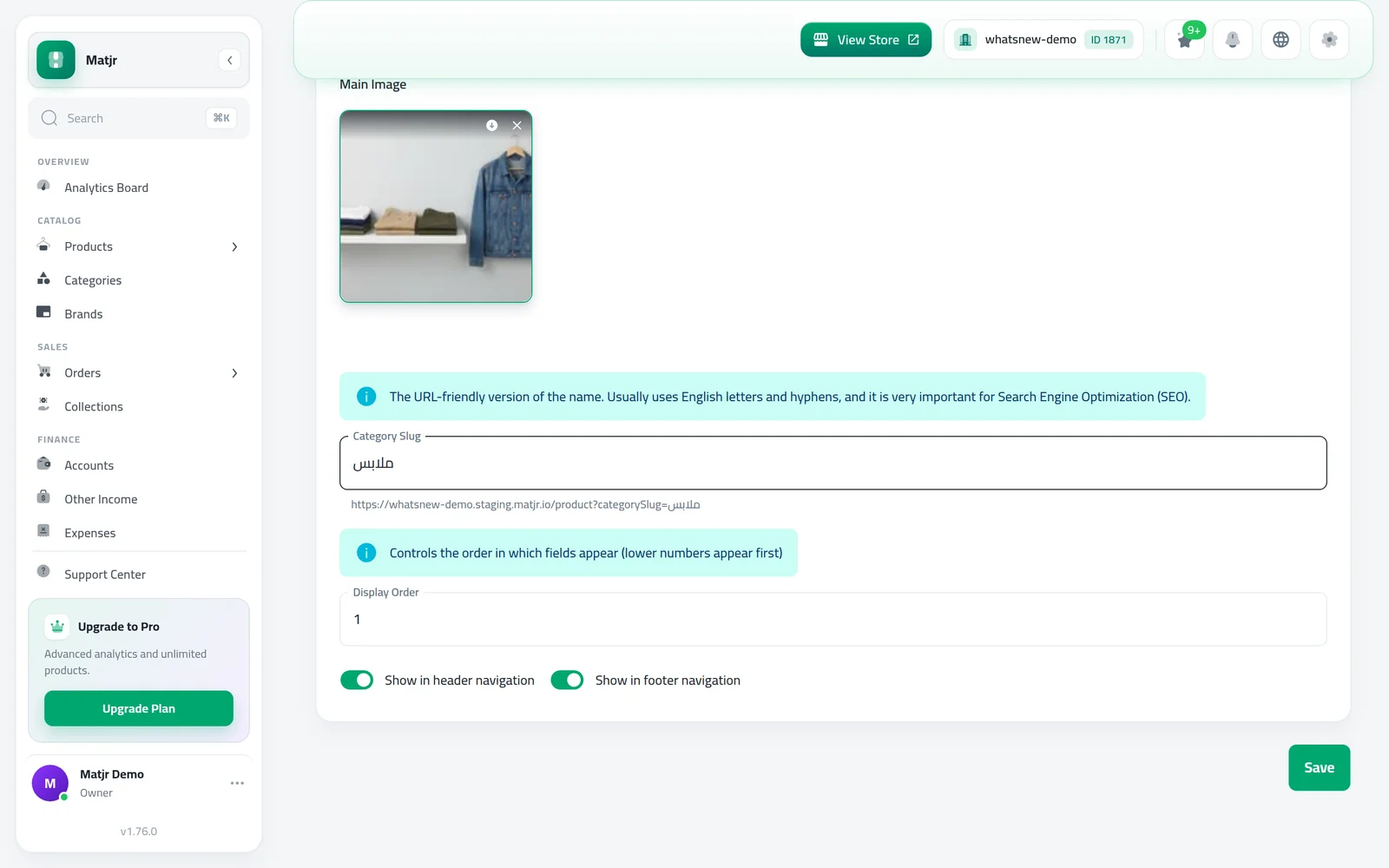
Categories work the same way. Open a category from Categories and type its link in the category link field.
Good to know
- Existing links do not change, so links you have already shared keep working.
- Arabic diacritics and the stretching dash (ـ) are removed from links automatically.
- Brands accept Arabic links too.
- Step by step: How to add a product to your online store.
Frequently asked questions
Will my current product links change?
No. Existing links stay exactly as they are, so shared links and Google results keep working.
Which link does a new product get?
The one you type. If you leave it empty, it is made from the English name, or from the Arabic name when there is no English one.
Why can't I save a link made only of numbers?
It could clash with your product numbers. Add at least one letter, for example perfume-100.
Why does my Arabic link look like codes when I paste it?
Some apps show Arabic letters in links as % codes. The link still opens the same page.
Try it on your own store
Start your free trial. No credit card required.