Customers
Let shoppers create an account while they check out
Add a "create an account" checkbox to your checkout. Shoppers pick a password and their order is saved to their new account, with no extra steps.
- Where
- Checkout Form
- Default
- Off until you turn it on
- Password
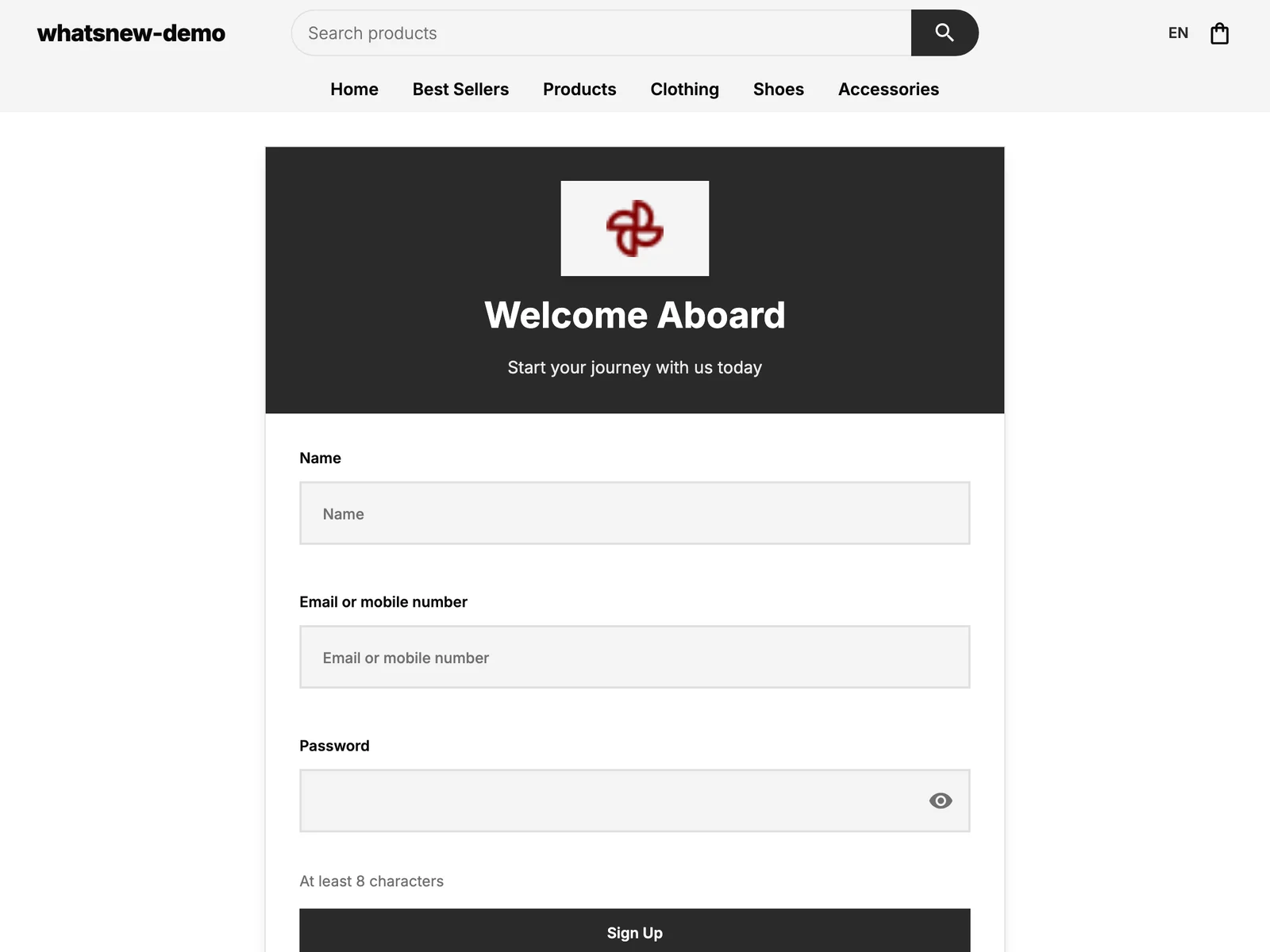
- At least 8 characters
- If it fails
- Order continues as a guest order
More shoppers with accounts means more repeat orders. Now they can create one without leaving checkout.
What changed
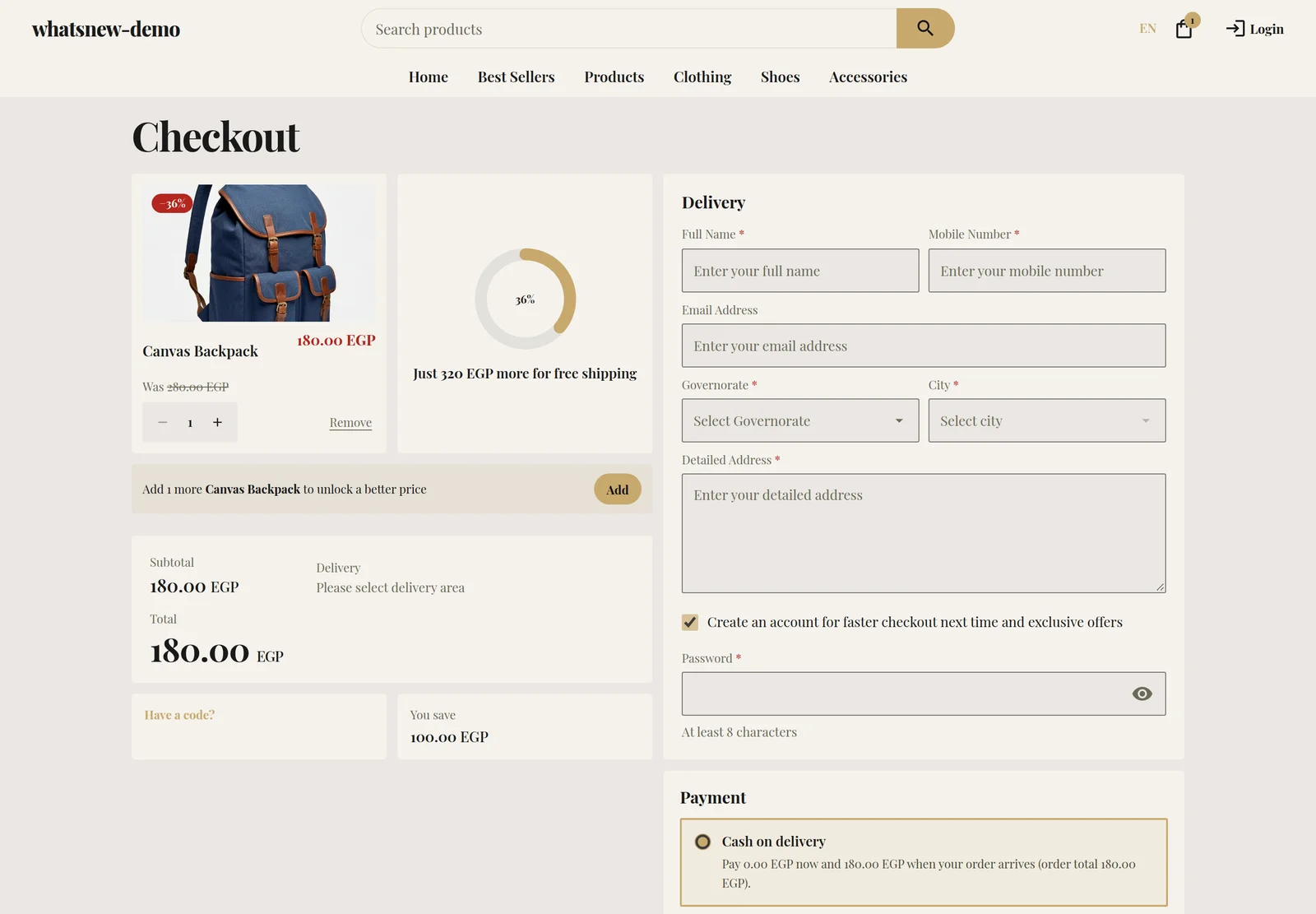
The checkout form has a new "create account" checkbox. It is off by default. When you turn it on, shoppers who are not signed in see it under their details. Ticking it shows a password field (at least 8 characters). The order is then linked to the new account.
If the account cannot be created, the order still goes through as a guest order, so you never lose a sale.
How to use it
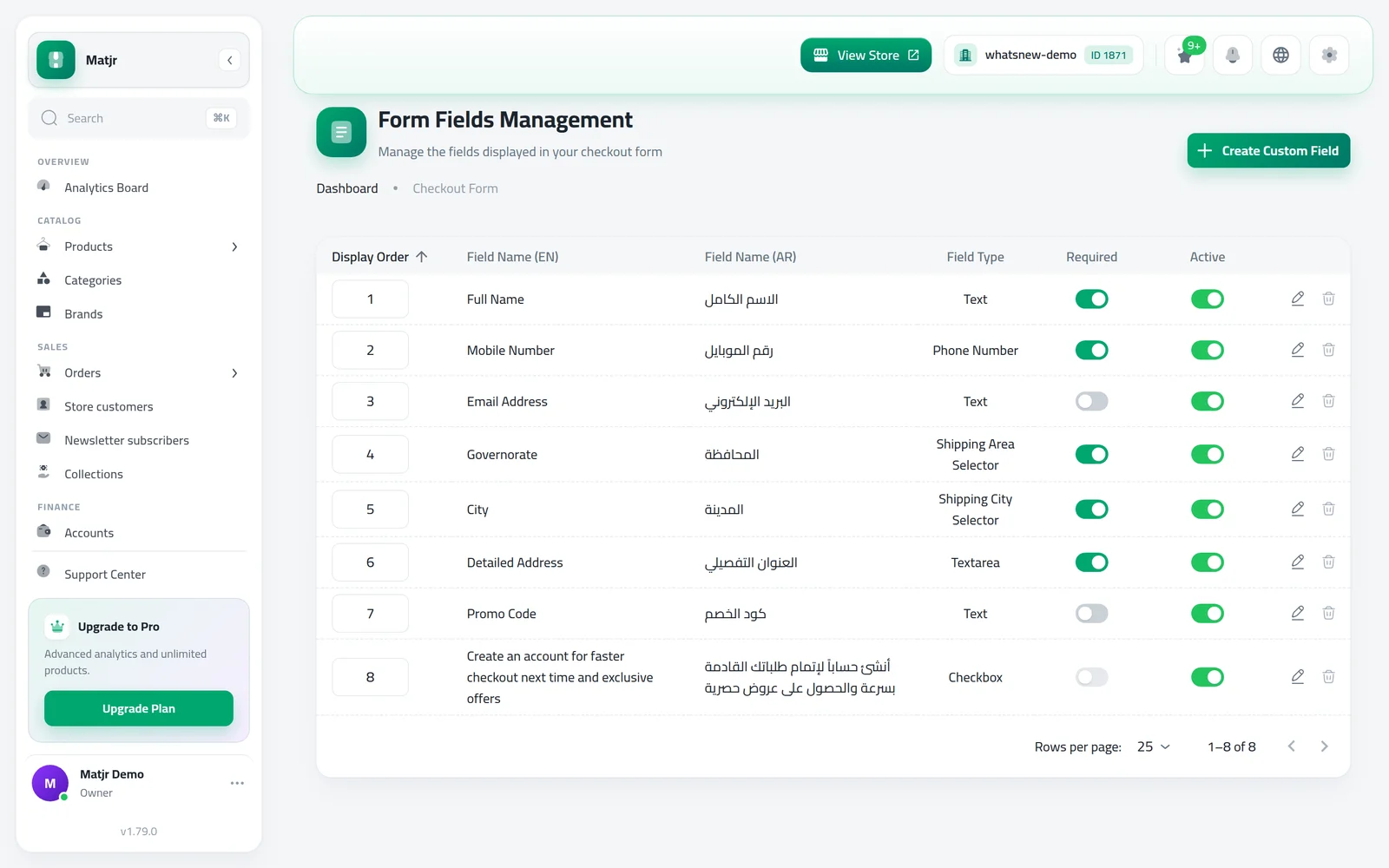
Open Checkout Form in the dashboard. Find the create account checkbox in the list and turn on its Active switch.
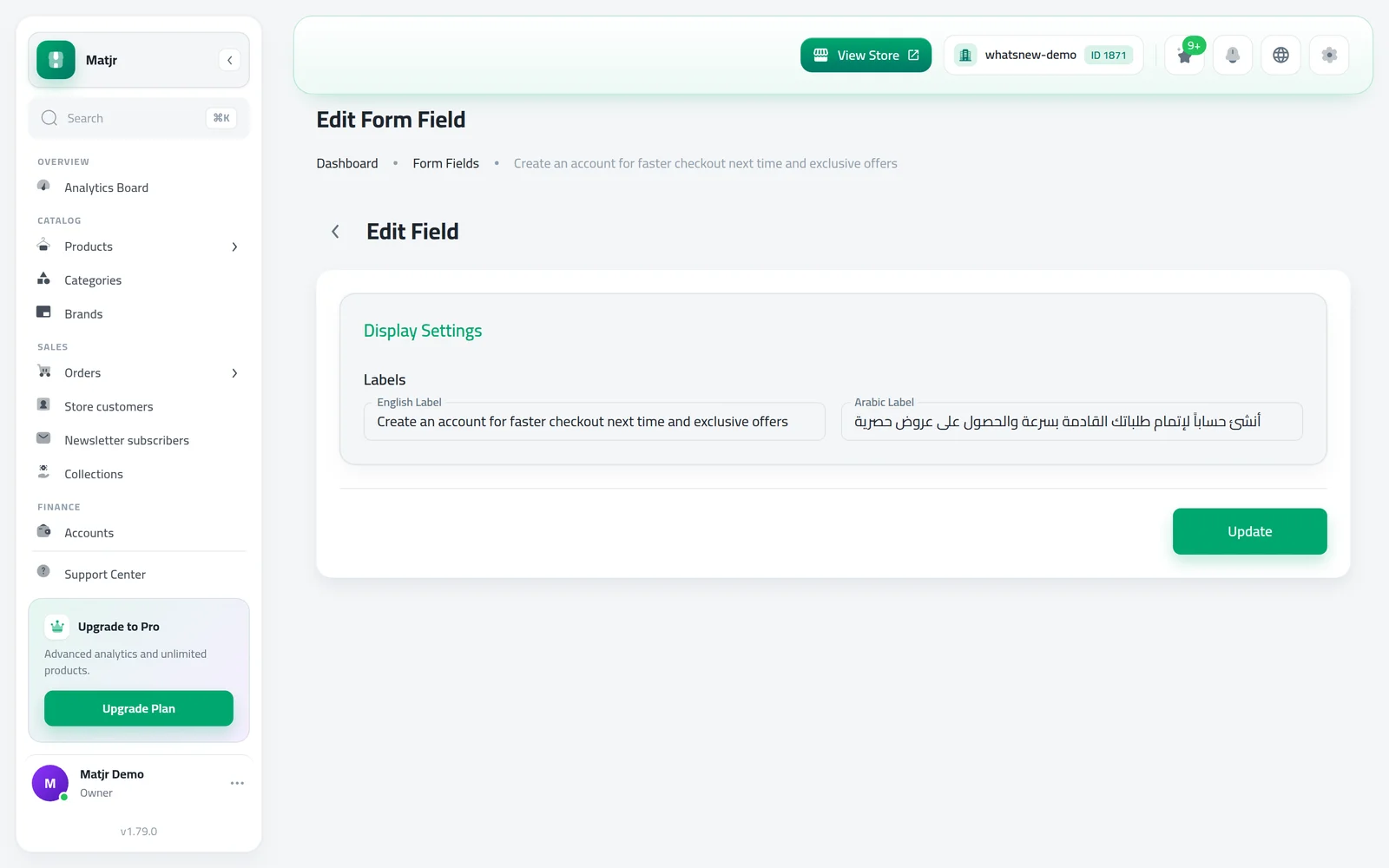
Click the field to open Edit Field. Change the English and Arabic labels, and set Display Order to place it where you want.
Open your store checkout. Shoppers who are not signed in see the checkbox and, once ticked, a password field.
Good to know
- Shoppers who are already signed in do not see the checkbox.
- The password is used only to create the account. It is never added to the order.
- If the order fails after the account was created, the shopper stays signed in and the retry uses their account.
Step-by-step: How to let customers create an account at checkout.
Frequently asked questions
Is the checkbox on for my store already?
No. It is added to your checkout form turned off. Turn on its Active switch when you want it.
What if account creation fails?
The order is still placed as a guest order. The shopper does not see an error.
Can I change the checkbox text?
Yes. Edit the English and Arabic labels in Edit Field.
Try it on your own store
Start your free trial. No credit card required.