Orders
Confirm orders and choose when stock goes down
Orders now have a Confirmed step, and stock goes down when you confirm. Prefer the old way? Reduce stock when the order is placed instead.
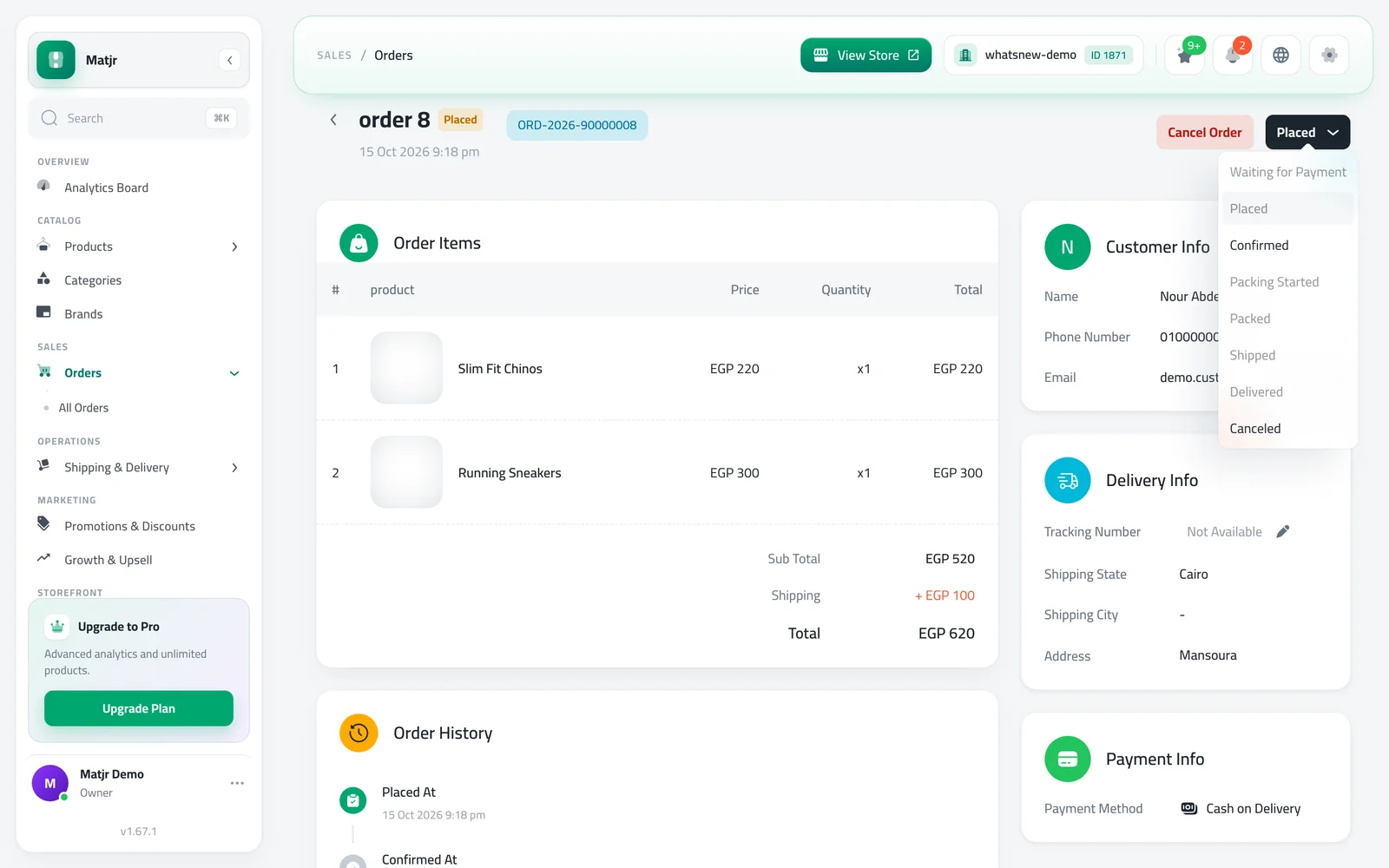
- Where
- Orders › Update status, and Company Management › Orders
- Default
- Stock goes down when you confirm
- Shoppers see
- Order Confirmed on their orders page
- Warehouses
- Pick a warehouse per item after you confirm
Orders you have not confirmed no longer hold your stock. Orders now have a Confirmed step, and by default stock goes down when you confirm. If you prefer the old way, you can reduce stock the moment an order is placed.
What changed
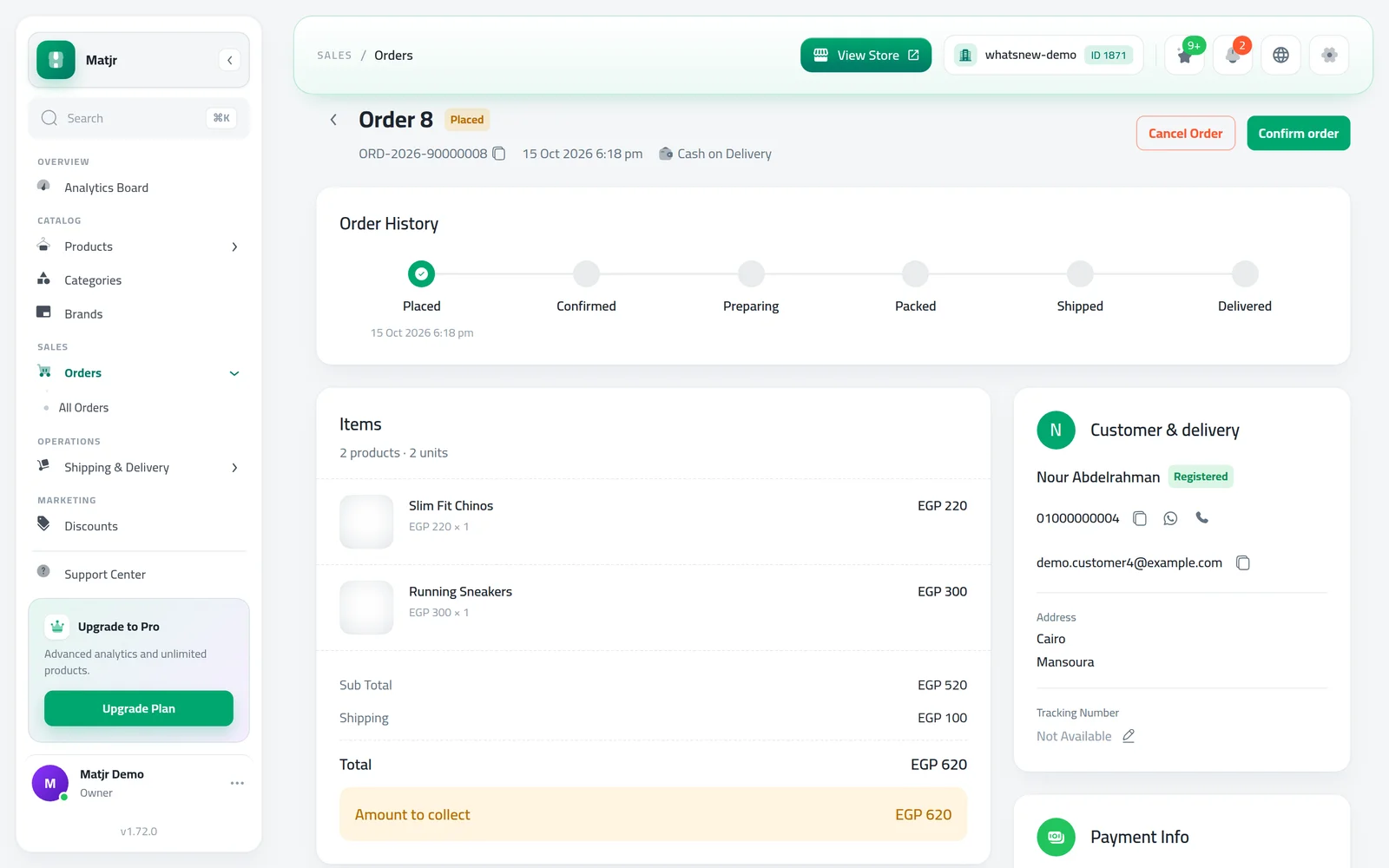
Confirmed sits between Placed and Preparing. Shoppers see Order Confirmed on their orders page, so they know you have it. Card orders reduce stock only after the payment succeeds.
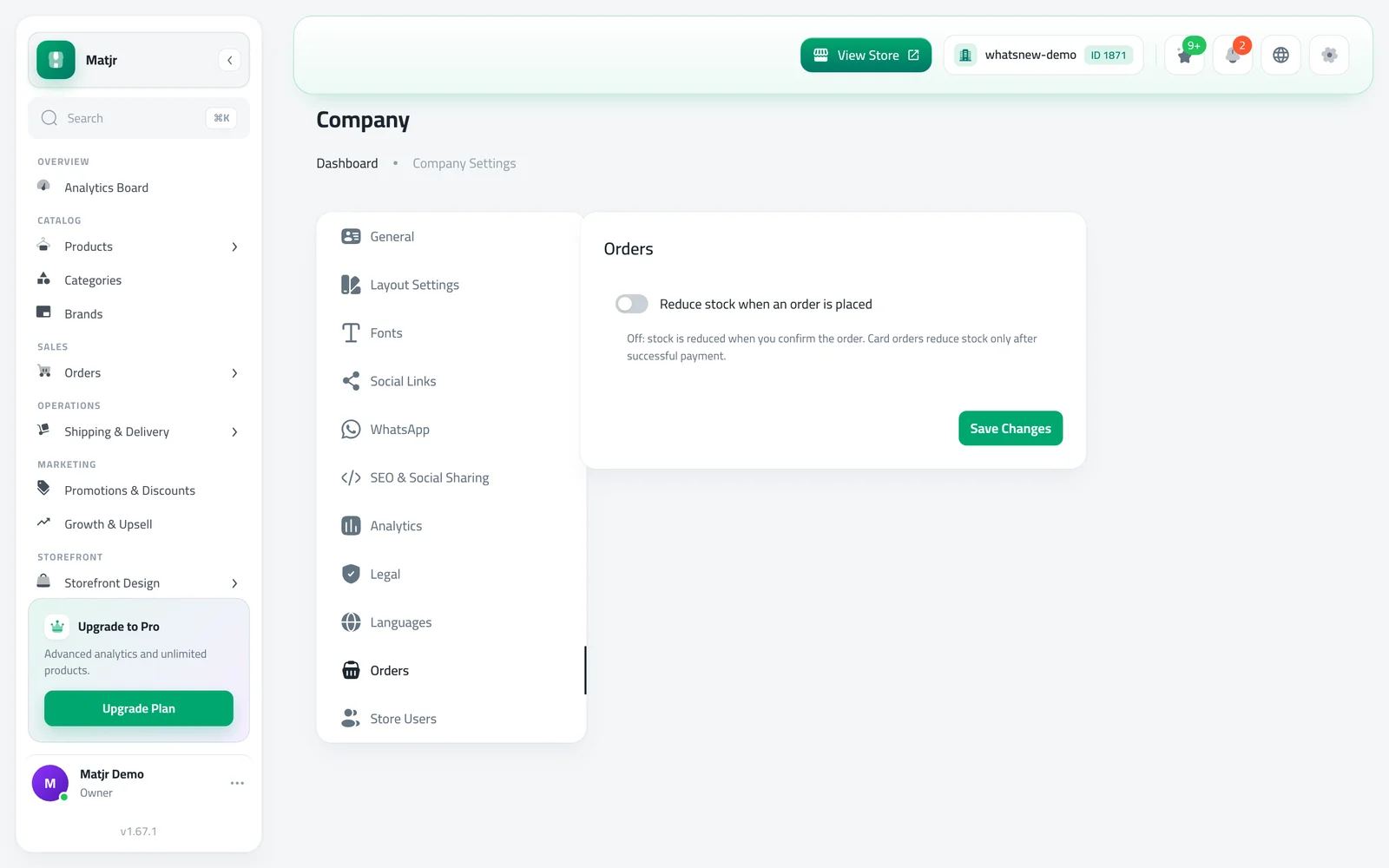
In Company Management, the Orders tab has a switch, Reduce stock when an order is placed. Leave it off to take stock at confirmation, or turn it on to take stock at placement.
If two orders take the last unit, the order you confirm second still goes through and you get a warning that stock is below zero, so you can restock or contact the customer.
Stores that use warehouses also get a Stock allocation card on the order page. Once the order is confirmed, choose the warehouse each item comes from. After the order ships, the warehouse is locked.
How to use it
Open an order, click Update status and choose Confirmed. If you use warehouses, a Stock allocation card appears below the order items: pick a warehouse for each item, or click Use one warehouse for all.
To reduce stock at placement instead, open Company Management, go to the Orders tab, turn on Reduce stock when an order is placed and click Save Changes.
Good to know
- This changes how your store works today: stock now goes down when you confirm, not when the customer orders. Turn on the placement switch to keep the old timing.
- Canceling an order, or a failed card payment, puts the stock back.
- Before an order is confirmed, the warehouse shows Chosen after you confirm. With one warehouse, it is picked for you.
- Full walk-through: how to choose when stock is deducted from orders. Setting up stock first? Read track stock per product.
Frequently asked questions
When does stock go down now?
When you confirm the order. Card orders go down only after the payment succeeds.
Can I keep reducing stock when the order is placed?
Yes. In Company Management, open the Orders tab and turn on Reduce stock when an order is placed.
Can I change the warehouse after the order ships?
No. The warehouse is locked once the order has shipped, been delivered or canceled.
What happens if I cancel a confirmed order?
The stock goes back to your inventory.
Try it on your own store
Start your free trial. No credit card required.